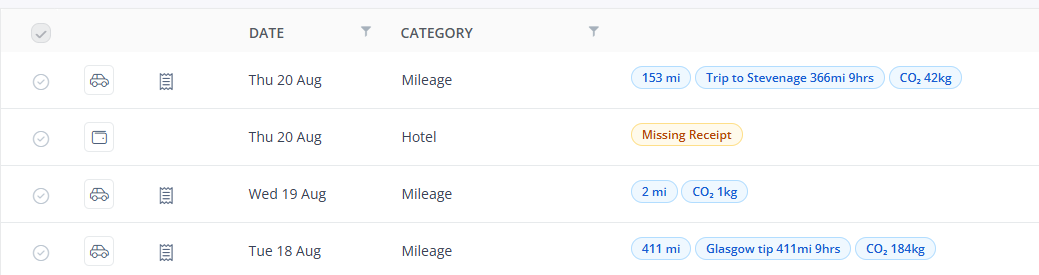
You can record carbon emissions on your expense claim, depending on what category you select.
For more help with raising expenses, see Raising draft expense claims.
To record carbon emissions in a claim
In the Expenses section, click + New expense claim.
If you select a claim category that has been setup to record carbon emissions, fields such as calculated distance (travel) or number of nights (hotel) will be used to calculate the carbon emissions.
For vehicle journeys, when you enter a Journey Start and End, the Actual Distance and CO2 emission is automatically calculated.
For all types of expenses that record carbon emissions, the emission will be shown at the top-left of the form.

Remember to attach any receipts, then click Save.
Depending on your permissions, you can also report on your own or other users’ emissions. See Reporting on carbon emissions.
The carbon emission for each relevant expense can be viewed from the list of expense claims.