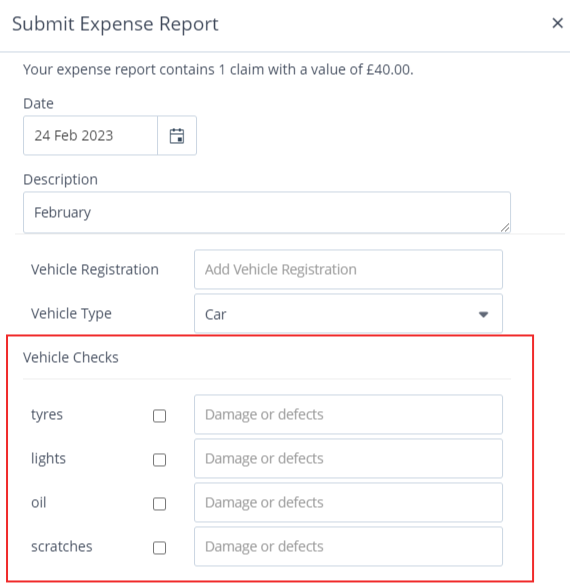
Declarations are statements that users must agree to before they can submit an expense claim. They can be applied to all categories or to specific categories only. A vehicle checklist is one example of a declaration.
Creating a declaration for users to complete
Go to Setup > Settings > Declaration.
.png)
Click + Declaration.
.png)
Ensure Active is selected.
Select whether the declaration applies to For all Categories or to specific categories only.
For specific categories, you must then select which category(s) the declaration relates to.
Enter the declaration text.
Click Save.
Deleting a declaration
You can delete any declaration by clicking its delete icon, then Delete again to confirm. It will no longer be available to users.
Creating a vehicle checklist as a declaration
A vehicle checklist requires users to confirm they have performed a set of vehicle checks before submitting a claim. Typical checklist items include lights, oil, tyres, and scratches.
Go to Setup > Settings > Declaration.
Click + Declaration.
Ensure Active is selected.
Select For all Categories.
Select Vehicle Check List.
Enter the checklist items in the Vehicle Check List Items field
Click Save.
When a user submits a draft expense claim, the checklist items appear for them to confirm before submission.