Note: Only existing Division Managers can assign the Division Manager role to others
The Division Manager role (formerly ADU Manager) gives users access to manage Divisions, as well as all employee data, regardless of Divisions. This is a powerful role and should be assigned to as few users as possible. Your first Division Manager will be assigned as part of the process to enable Divisions under System Config.
To give any other user the Division Manager role they must also be an HR manager, as the HR manager role will give them access to manage employee data for the division they are a member of, or any descendants.
All role management is done from the Roles & Access page.
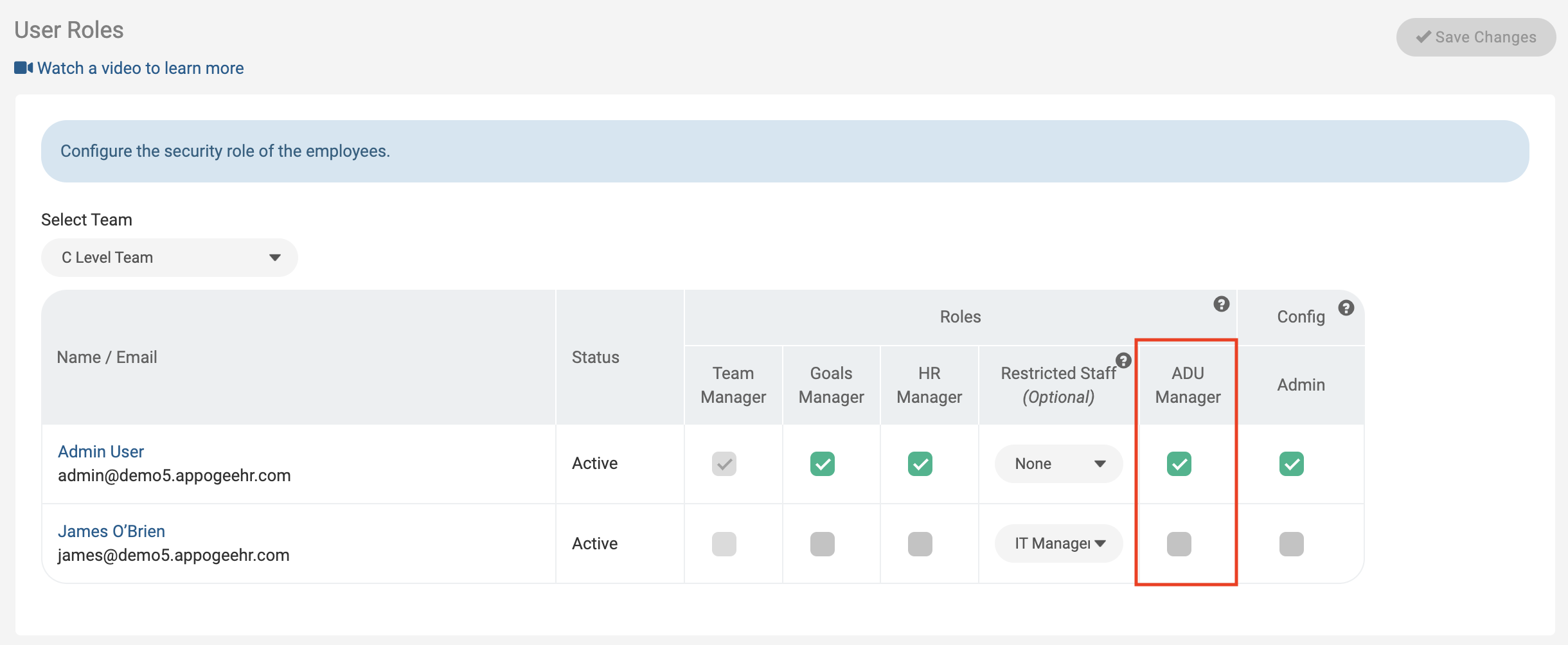
The Division Manager role gives users access to manage Divisions, as well as all employee data, regardless of divisions. This is a powerful role and should be assigned to as few users as possible. To add this role to another user, click on the username to open their details, and under User Login & Security, Roles you can assign the Division Manager role by ticking the checkbox next to Division Manager, and Saving changes.
Please note that there is no concept of "assigning an Division Manager to a division". If you have the Division Manager role, then you have access to all Divisions. If you have the HR Manager role, then you have access to the Division you are a member of, and/or any below.