Available in:
HR Essentials
HR Advanced
Who can do this:
Administrator
Introduction
The DocuSign integration with Cintra People HR will allow you to request electronic signatures on your Employee Records in Cintra People HR.
You will benefit from the following:
Request e-signatures from employees on existing Employee Records
Request e-signatures from employees when uploading new Employee Records
Store these documents on the Employee Profile
Your DocuSign account must be "Business Pro" or higher. Alternatively, you can purchase a "DocuSign Connect" bolt-on.
Setup
To set up the DocuSign integration, go to System Config > System Integrations > DocuSign.
.png)
Read through the information on the first page and then click Integrate.
.png)
Log into DocuSign using your business account and follow any additional prompts.
You'll then be redirected back to Cintra People HR.
If you have more than one DocuSign account, choose from the dropdown, otherwise click next.
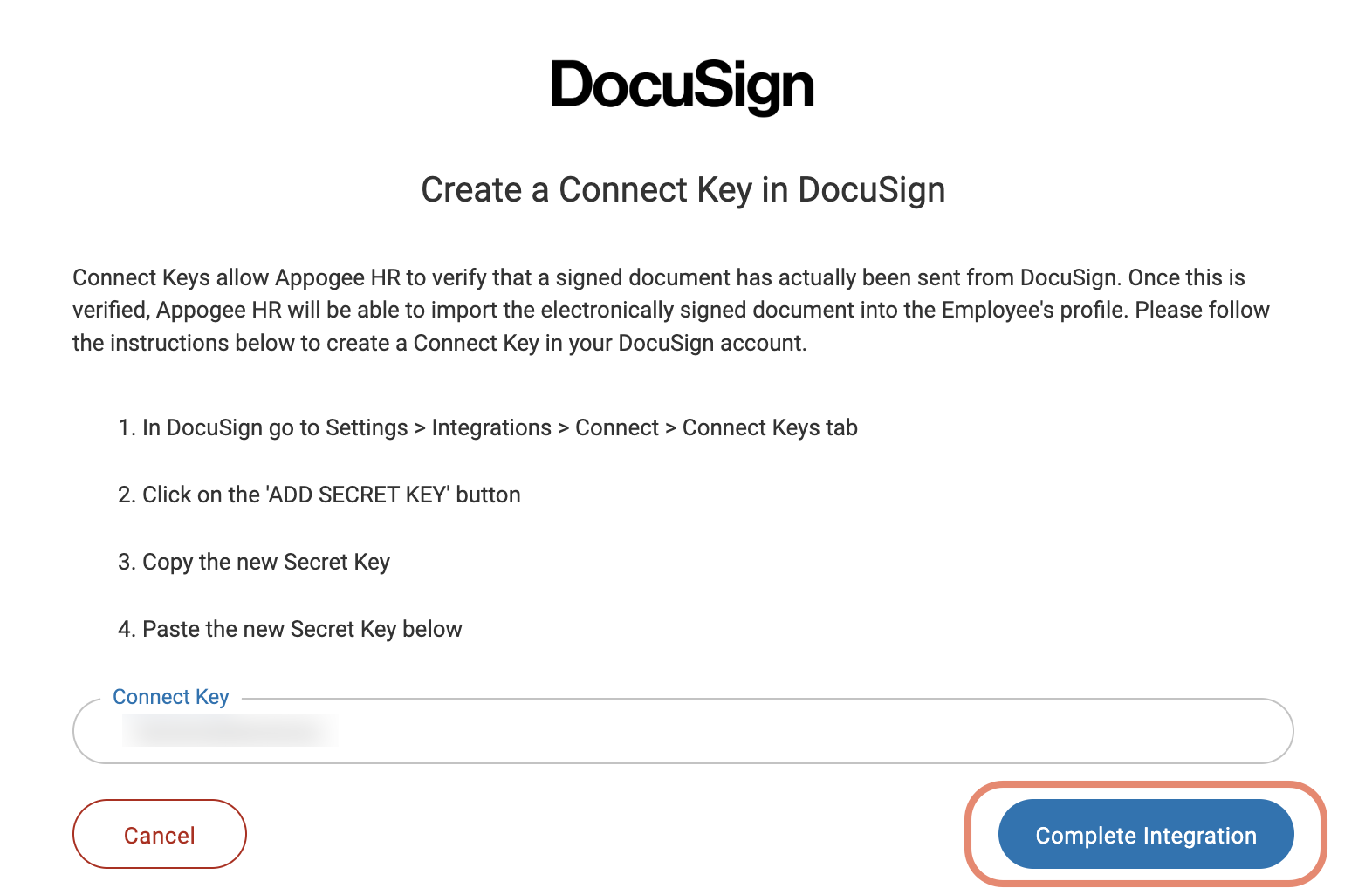
Follow the instructions on screen to create a Connect Key in Docusign.
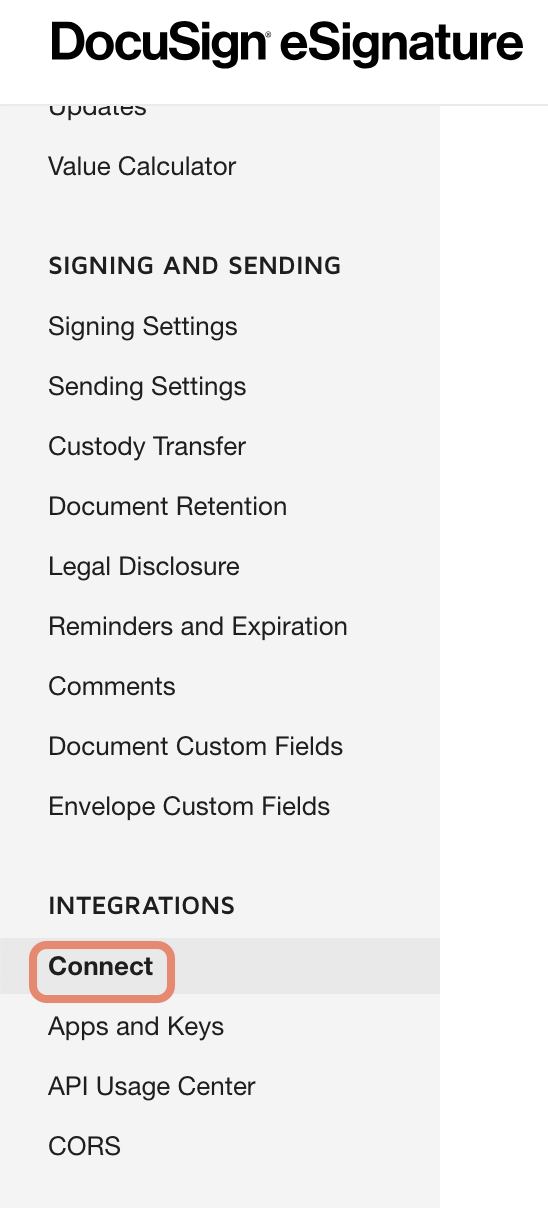
In DocuSign, go to Settings > Integrations > Connect > Connect Keys.
Click on Add Secret Key
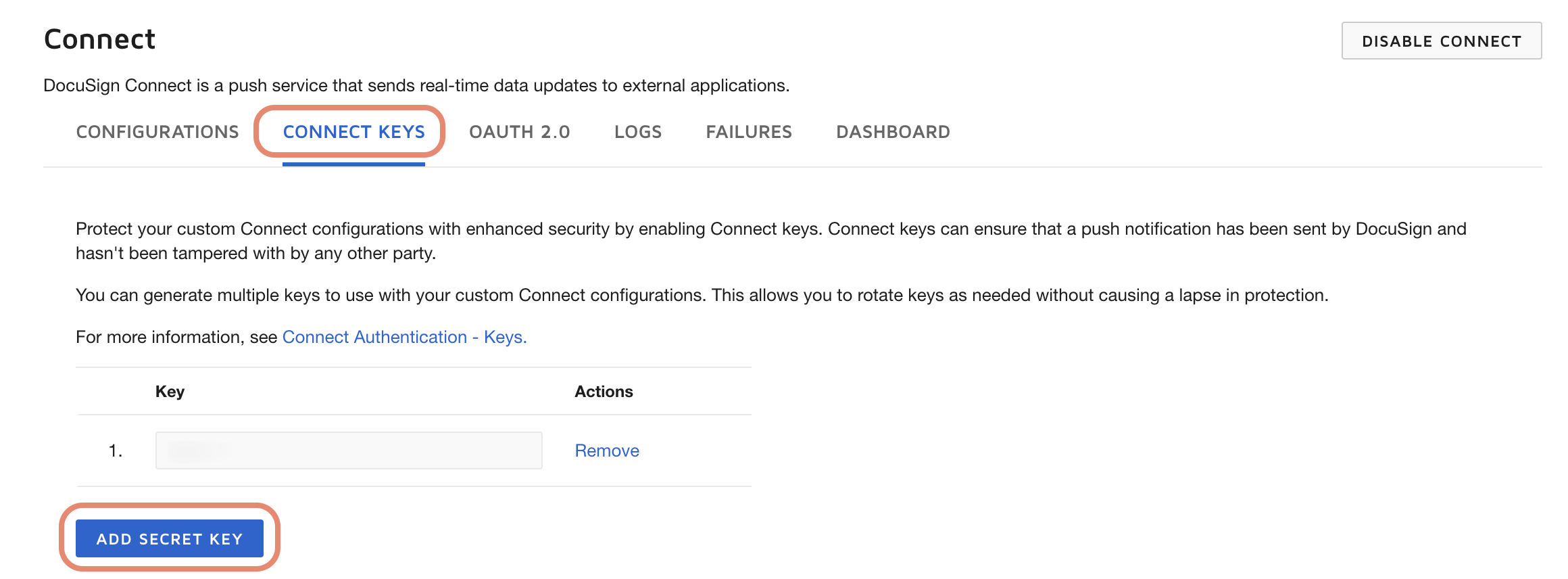
Copy the new Secret Key
Back in Cintra People HR, paste the Secret Key and click Complete Integration.
The integration is now successfully complete.