Not using Cintra People HR? See the sign-in instructions for Cintra People (HR and Payroll) or Cintra People Payroll.
Not sure which you’re using? Ask your administrator.
This article explains how to access Cintra People HR for the first time and any subsequent visits. You can access the login screen from https://app.appogeehr.com/login.
Receiving your login details
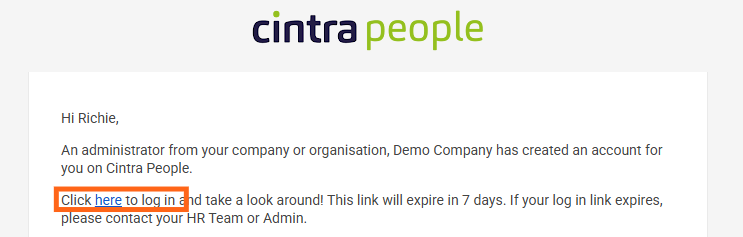
Once an account has been set up for you in Cintra People HR, you will receive a Welcome to Cintra People email.
Register and log in for the first time
When you click the link highlighted above, you will be prompted to enter and confirm a password that meets the following requirements, then click Confirm Change Password.
.png)
Once you’ve logged in, you will see your dashboard, which you can customise to display the information most relevant to you..
Logging in after the first time
Either enter your email address and password OR if you have single sign-on set up, click the appropriate sign-in button. For more information on SSO, see Enabling two-factor authentication.