Available in:
HR Advanced
Who can do this:
HR Manager
Administrator
Introduction
When you upgrade your account from Cintra People HR Essentials to Cintra People HR Advanced, you'll be given access to the additional areas listed in this article.
Some of these areas may not appear on your account initially - they are also switched off for all employees until you are ready to go live.
To add the HR Advanced elements to your own profile, go to Roles & Access > Login & Access and tick the required areas in the Access column for your account.
Goals - This will give you access to the Goals module for objective tracking
HR Advanced Upgrade & Trial - This is to allow you to switch off the HR Advanced features for users when you are either trialling or just upgraded. This option will not be available permanently
This article will take you through the key configuration options for the HR Advanced package.
Newsfeed
The Newsfeed in Cintra People HR allows you to share posts about your organisation with your employees. This could be for company wide announcements, social events or customer feedback, for example.
To find out more, see Newsfeed.
Onboarding
The Onboarding Portal allows you to send information and request details from your new starters before their first day.
To find out more see Configuring the Onboarding Portal for your Company.
HR Reporting & Notifications
HR Reporting allows you to collate your employee data from the Profile areas in one view. You can save report templates so that you can run them on a regular basis without having to recreate them each time. Saved reports can also be set up to automatically generate on a weekly or monthly basis.
You can create a report by going to Reporting > HR Report Builder. Use the various filters and sorting to achieve the result you want.
Alternatively, we have provided you with some example Reports you can either edit or run, by going to Reporting > HR Reports.
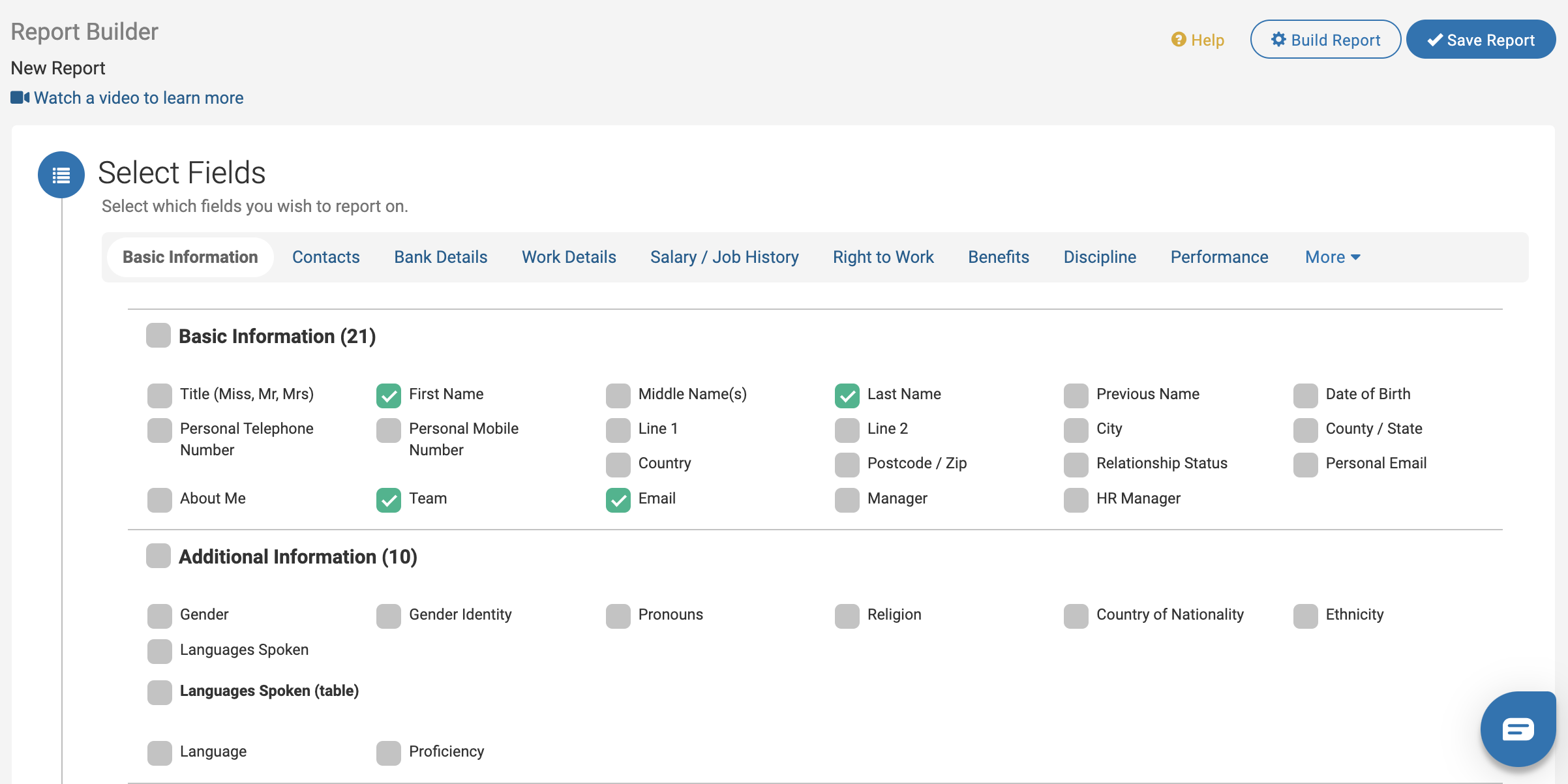
to find out more, see HR Reporting.
HR Notifications allow you to be informed when a change occurs on an Employee Profile. You can choose whether the notification goes to users with certain roles or specific employees. Notifications can either be triggered when a Profile is updated - either information is added or changed - or relative to a date occurring, e.g. 1 month before Right to Work Expiry Date.
We have provided you with some HR Notifications already which you can find by going to Profile > Admin & Config > Notifications. This is also where you would go to create your own.
The page is split into 2 tabs - one for Field Change Notifications and the other for Relative Date Notifications.
You can also view which fields have HR Notifications associated with them when you look at the Edit mode in Field Config.
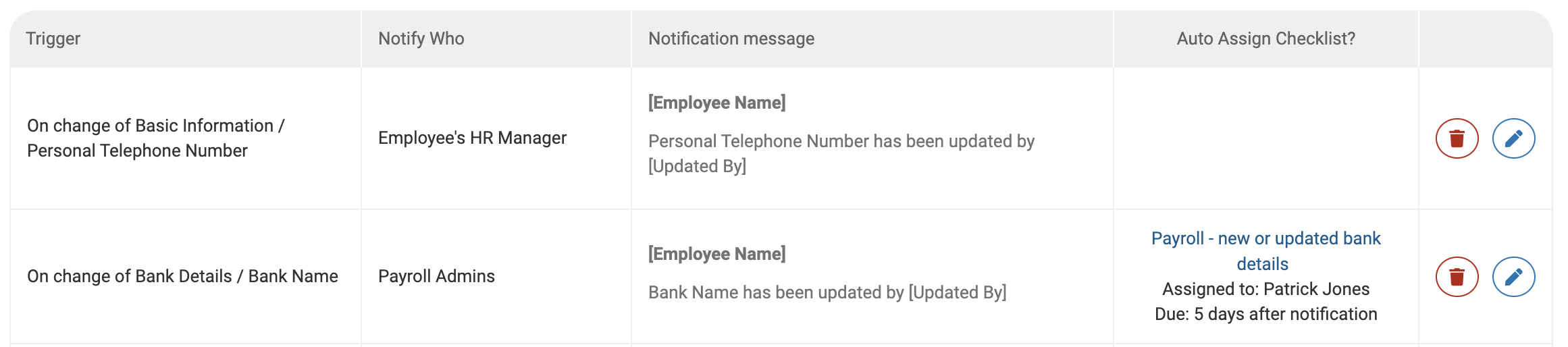
To find out more, see HR Notifications.
Reviews
The Reviews section will allow you to create and set up Performance Reviews or Appraisals. Within each Review, you can set up Employee & Manager Assessment and 360 Feedback, these are created as Review Templates. Additionally, Review creation can be automated using Review Cycles.
To find out more, see Review Templates, Review Cycles and Rating Scales.
Goals
The Goals module allows you to set up and track Company, Team and Personal Goals or objectives within the system. Goals can be shared across the organisation for transparency or kept private between managers and their direct reports.
To find out more, see Goals Configuration and Using Goals.