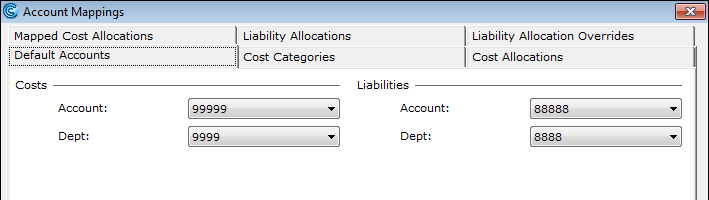
You can assign cost codes for employees in several different areas in Cintra iQ.
This process can also apply to those employees who are new starters or have moved departments, and can be done on a day- to-day basis.
You can assign the cost code to an employee in the following areas:
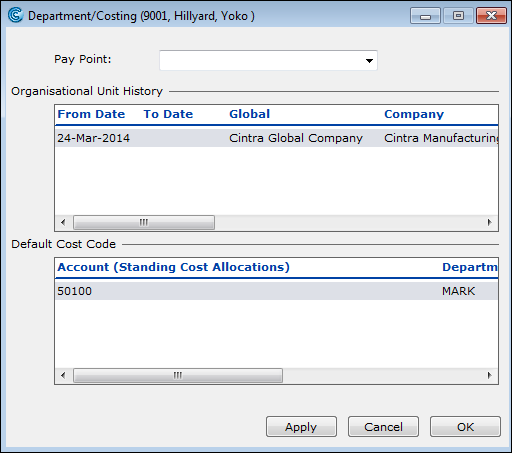
Department/Costing
This can be done when you are setting up the employment record. Each employee can hold a default code or set of codes by percentage in the Department/Costing form.
To access, go to: Employment record > Forms > Department/Costing
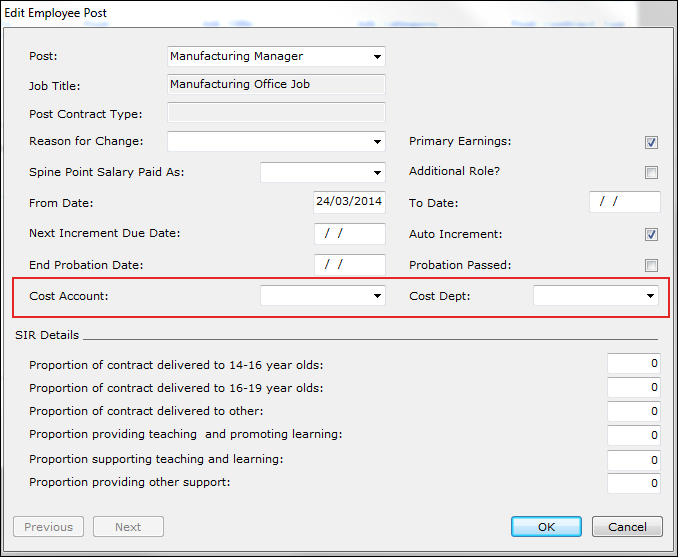
Employee Post
If you use Posts, you may hold default codes against an employee in a Post.
To access, go to: Employment record > Forms > Post History
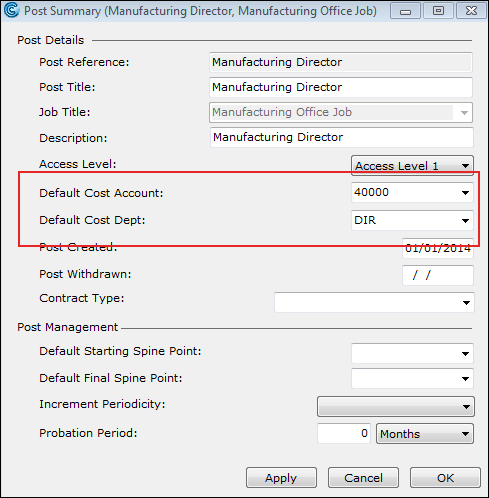
Post Summary
If you use Posts, you may hold default codes for the Post.
To access, go to Posts > Post History:
Account Mappings
This is how analysis codes and account codes are picked up and put against an employee's pay during the Journal extract.
To access, go to: Payroll > Payroll Tools > Accounting > Account Mappings