How do I add a late starter?
Navigate to the Pension & Benefits Schemes tab of the employee's Expenses Benefits window.
Go to Cintra iQ: Employment Record > Forms > Expenses/Benefits
Click the Auto-Enrolment History/Requests button. The Auto-Enrolment History window appears.
Select the Postponements tab.
Right-click: New in the Postponements pane. The Auto Enrolment Postponements History form appears.
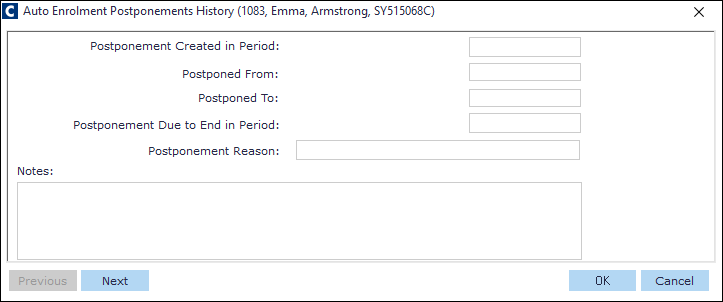
Enter the Postponed From date.
Enter the Postponed To date.
Enter the Postponement Due to End in Period date, if necessary.
Click the OK button to save and exit. The record appears in the Postponement tab.
Continue to save the data and/or exit the Auto-Enrolment History window.