This guide explains how to change the Holiday Rate Period to "Weeks" for accurate average holiday pay calculations. Using "Weeks" ensures that contractual hours and pay are correctly allocated to each week of employment.
Steps:
Navigate to the Employers window.
Go to Cintra iQ: Payroll > Payroll Setup > Employer Setup > Employers definition windowDouble-click the desired Employer definition. The company's window appears.
Select the PAYE & Payrolls tab.
Double-click the desired payroll entry within Payrolls associated with the selected PAYE Scheme.
The Payroll window appears.
Select the Additional Settings tab.
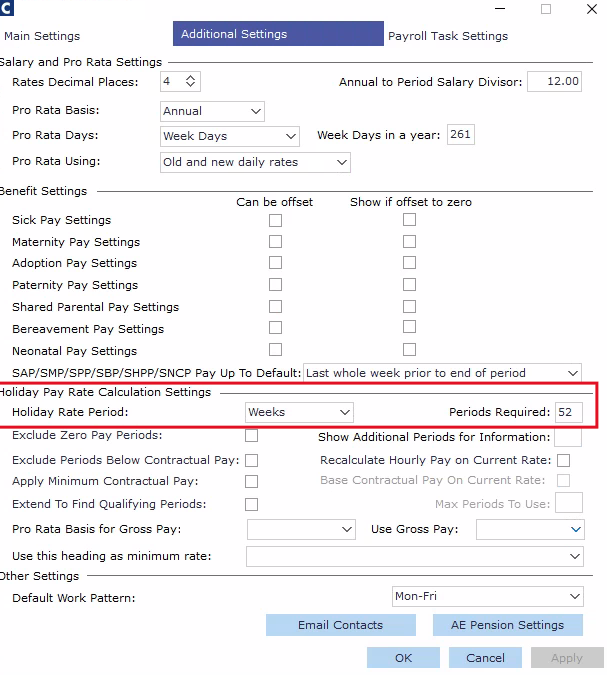
Navigate to the Holiday Pay Rate Calculation Settings section.
For the Holiday Rate Period select: Weeks.
For the Periods Required type 52.
Why this change is important?
Using a "Weeks" based calculation ensures accurate allocation of pay and hours for employees, especially those who start employment mid-period.