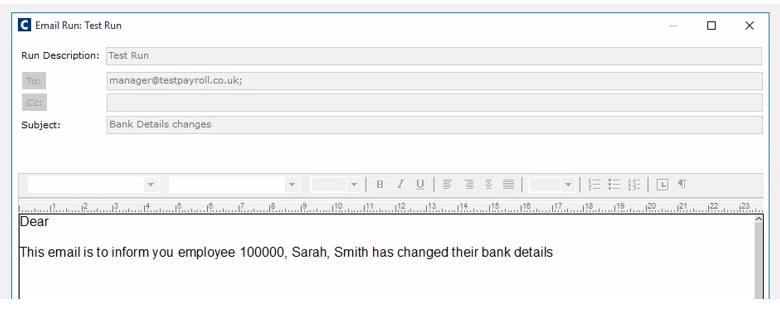
There are number of steps to take to set up email notifications for change in employee bank details.
You will need to:
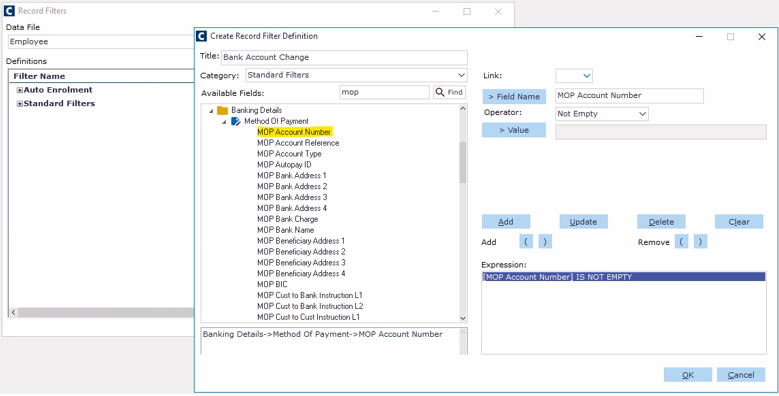
Create a filter:
Title your filter
Select category
find the expression: MOP Account Number
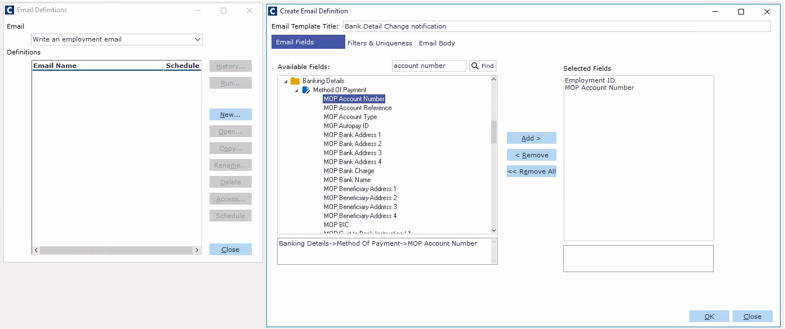
Create Email Notifications:
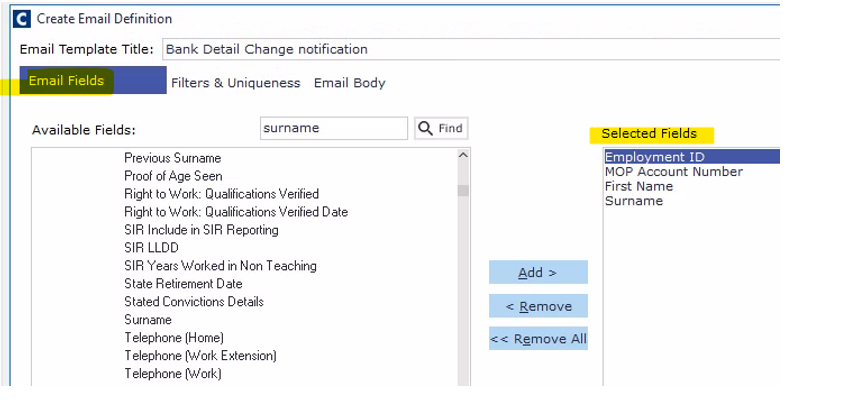
Title your email notification.
Add in your Selected Fields
Add your filter under Filters & Uniqueness tab
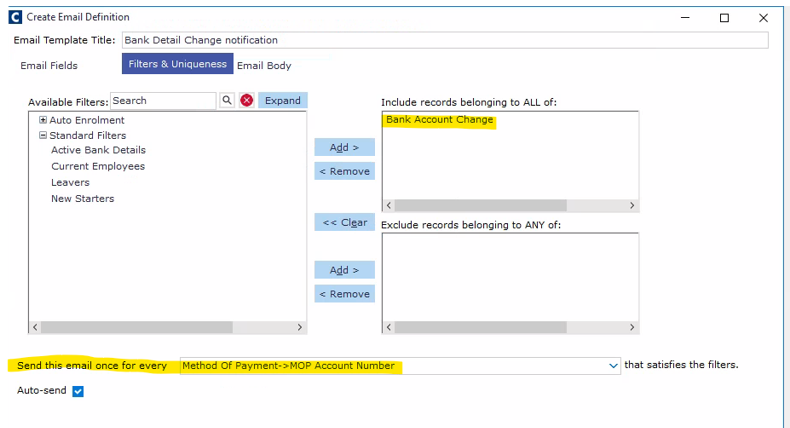
Select 'Send this email once for every > Method of Payment > MOP Account Number
Go to Email Body tab and add your email body details.
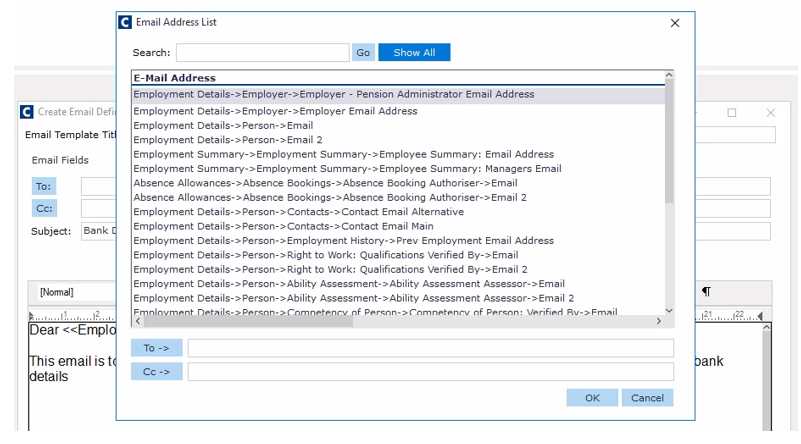
Enter in the email address where you require the email to go to
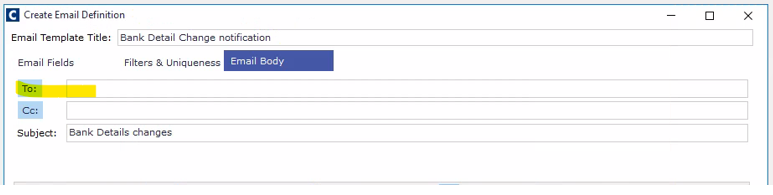
Your email address can be typed in or an email address chosen from iQ.
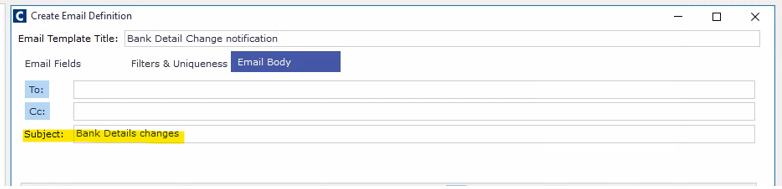
Enter your subject
Enter the body of your email.
You can insert fields that are included in your email fields.
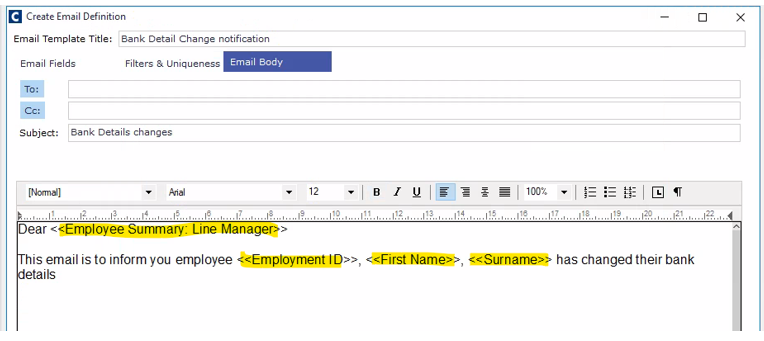
Start typing your email body: Dear (right-click to view to view options from your Email Fields tab option).
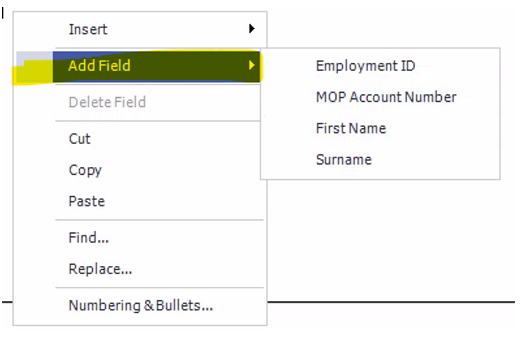
Anything selected in your Email Fields Selected field, will be an option for the email body.
Your email notification is complete
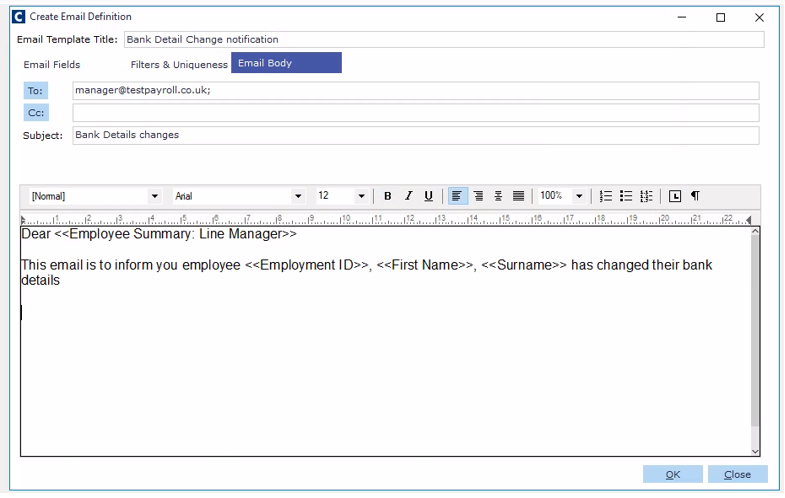
The email notification will be sent whenever an employee changes their bank account details.