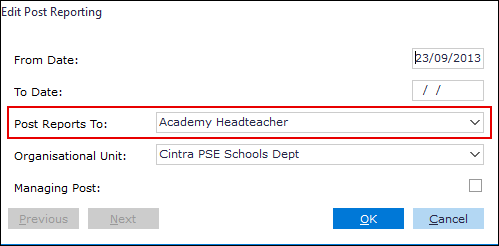
Using the Unit MGMT History button
Go to: Tools > Organisation Chart. The Organisation Chart window appears.
Click on the Organisation Unit you want to edit.
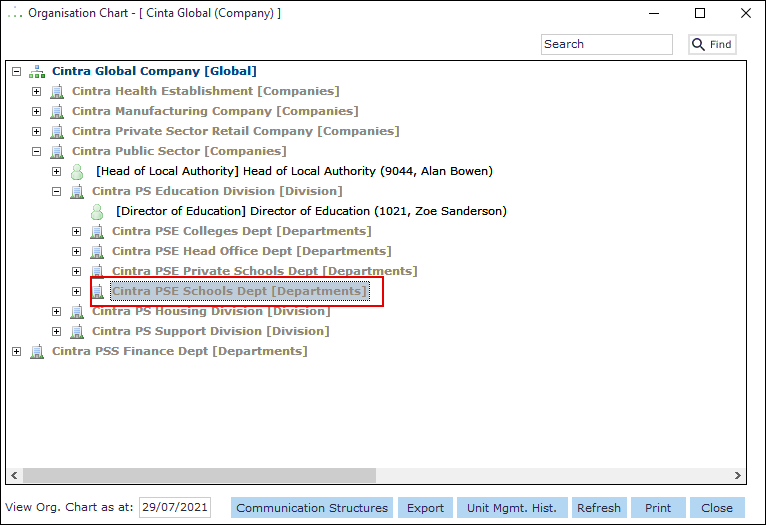
Click the Unit Mgmt Hist button. The Organisation Unit Management History form appears.
Highlight the desired record in the Management History pane.
Right-click: Open. The Edit Management History form opens.
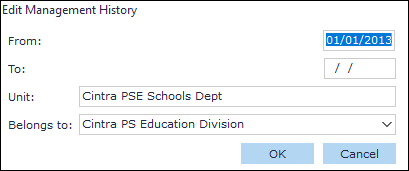
Make your changes.
Click the OK button.
Using Post record
Navigate to the Organisation Unit tab.
Go to Cintra iQ: Posts > Post Record > Post Details formSelect the desiredPost in the Organisation Unit History record.
Right-click:Open. The Edit Post Reporting form appears.