The HMRC Checklist is used to collect key starter information for new employees, replacing the old P46 form. It ensures accurate tax code assignment and helps you stay compliant with HMRC requirements when adding new starters.
To do this:
Navigate to the Interface Definition window: Go to Cintra iQ: Tools > Interfaces
Enter "New Starter" into the search box, then press ENTER.
Select "New Starter HMRC Checklist".
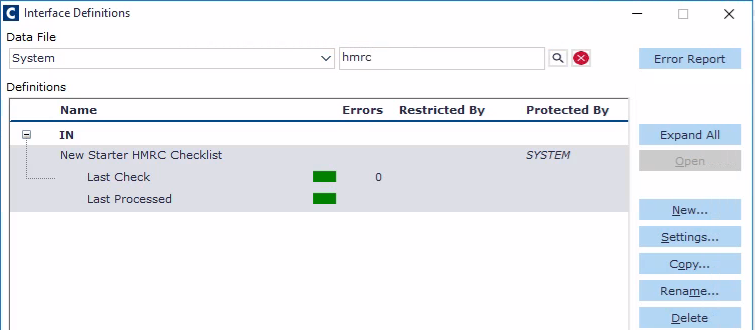
Click Open button to see the interface History window
Click the Load File button
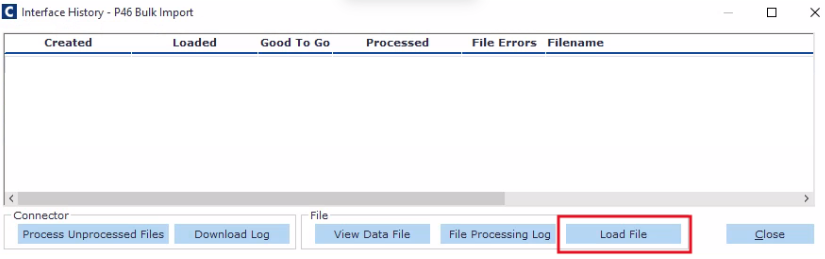
Navigate to find your CSV file with the New Starter Declaration Data (see template attached to this article).
The file is imported into Cintra iQ database awaiting processing.
Click the Process Unprocessed Files button. The file is processed
Click the File Processing Log button to view the details of the file's processing.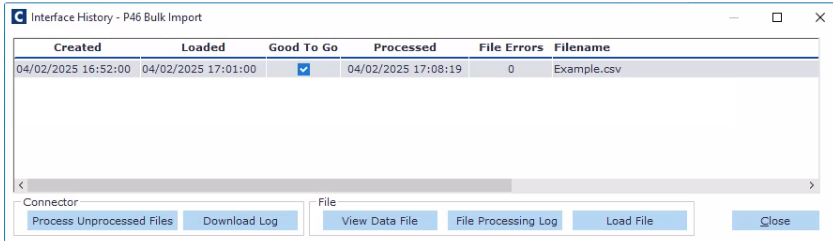
Click the Close button when finished. You are returned to the Interface Definition window.
For more information on importing, see Importing data.
Attachments