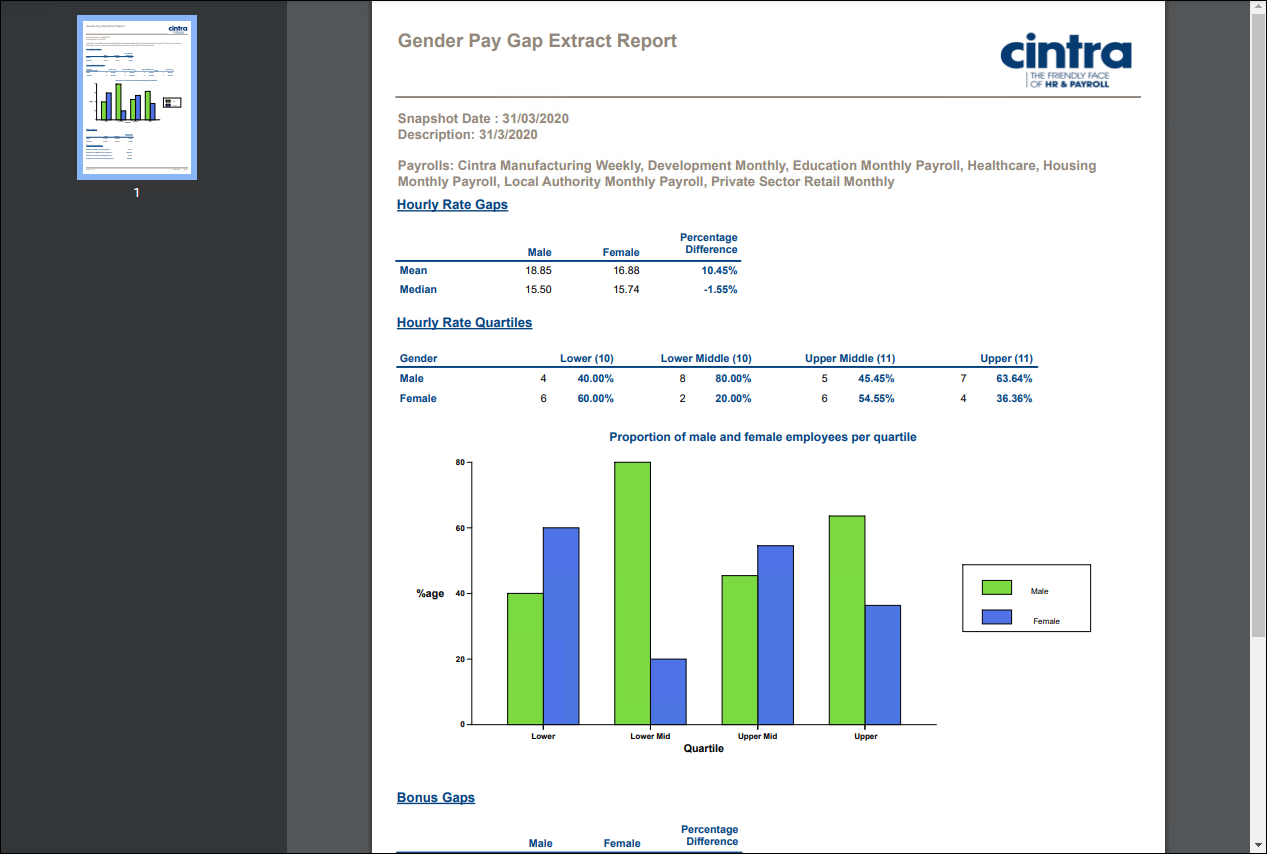
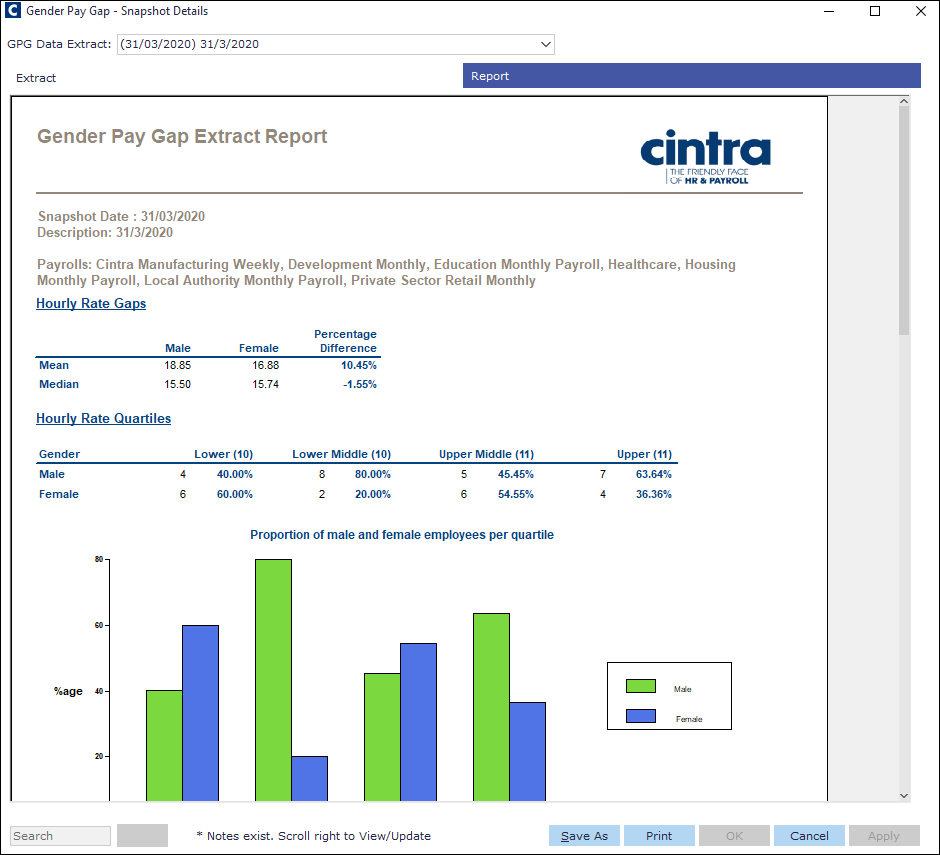
Navigate to the Report tab of the Gender Pay Gap - Snapshot Details window.
Go to Cintra iQ: Payroll > Payroll Tools > Gender Pay Gap > Snapshot Details
Select the desired GPGData Extract period from the drop-down list. The Report appears.
You can maximise the window to view the full report, and Save / Print.
For more information on the different areas and calculations, see interpreting the gender pay gap report.
PDF Output example