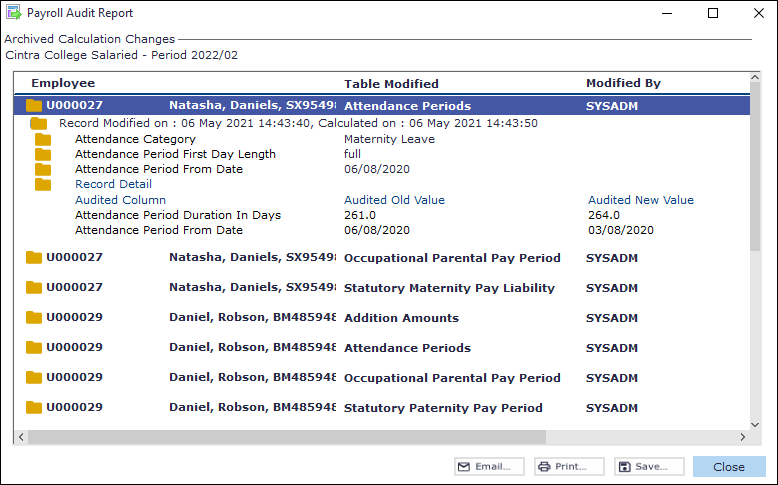
Once your payroll is finalised, you can pay employees using your preferred payment method and report the details to HMRC in an FPS submission. The Payroll Audit Report within Cintra iQ displays details from the system audit file of changes to the payroll within a given payroll period. There are two ways to access this report: via the standard Payroll Reports menu, or via the Bank Files option during a payment run.
Producing the report via Payroll Reports
Important: To view the details of a folder, double-click on the Folder icon. Continue to drill down by double-clicking each folder in the set.
Go to Cintra iQ: Payroll > Payroll Tools > Payroll Reports > Payroll Audit Report. The Payroll Audit Report - Select Payroll and Period form appears.
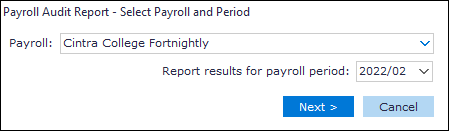
Select the desired Payroll.
Select the desired payroll period.
Click the Next button. The Payroll Audit Report - Include Records for... form appears.
Select the desired Employee option.
Click the Next button. The Payroll Audit Report - Selection Summary form appears.
Review the summary.
Click the Run button. The Payroll Audit Report appears.
Continue to Email, Print and/or Save the report.
Printing the report during a payment run
You can also access and print the audit report while processing bank files as part of a payment run.
Go to: Payroll > Payroll Tools > Paying Out > Pay Employees. The Pay Employees window appears.
Create the Payment Run.
Click the Authorise Run button. A message appears stating: Are you sure you wish to authorise this payment run?
Click the Yes button to confirm. The Close Off button becomes active.
Click the Close Off button. A message appears stating: Are you sure you wish to Close Off this payment run?
Click the Yes button to confirm. The Submit FPS, Bank Files and Run Details buttons become active.
Click the Bank Files button. The Process BACS and Other Payments Files form appears.
Click the View Audit Report button. The Audit Report appears.
Click the Print button. This prints all the record details in this file.
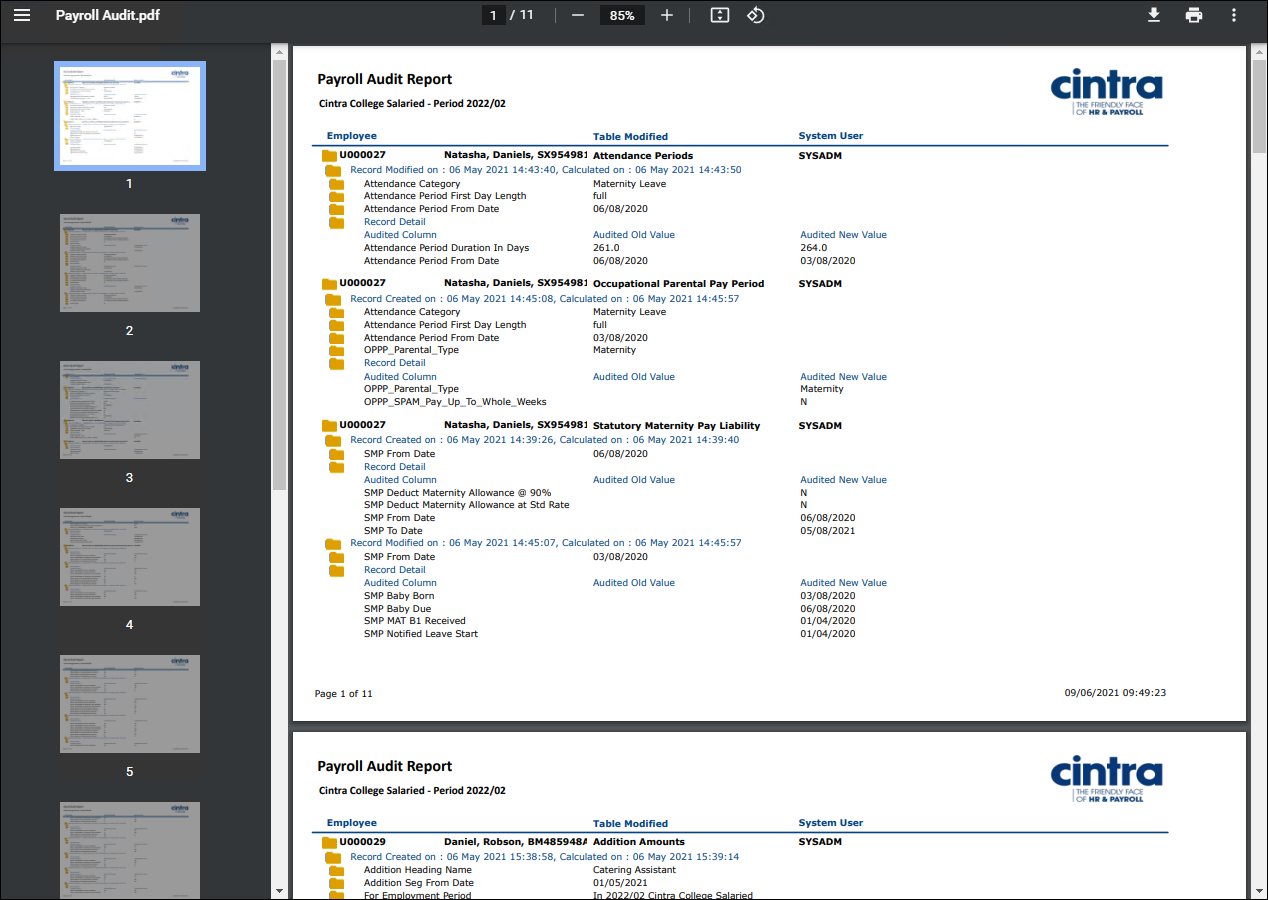
PDF Output example
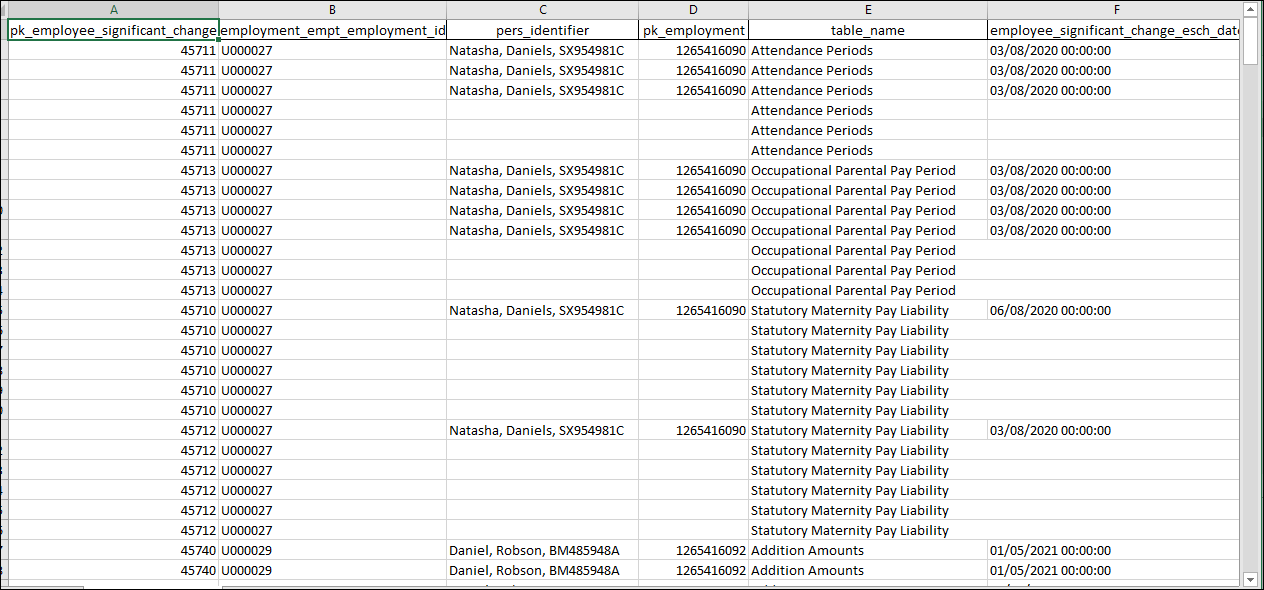
Spreadsheet output example