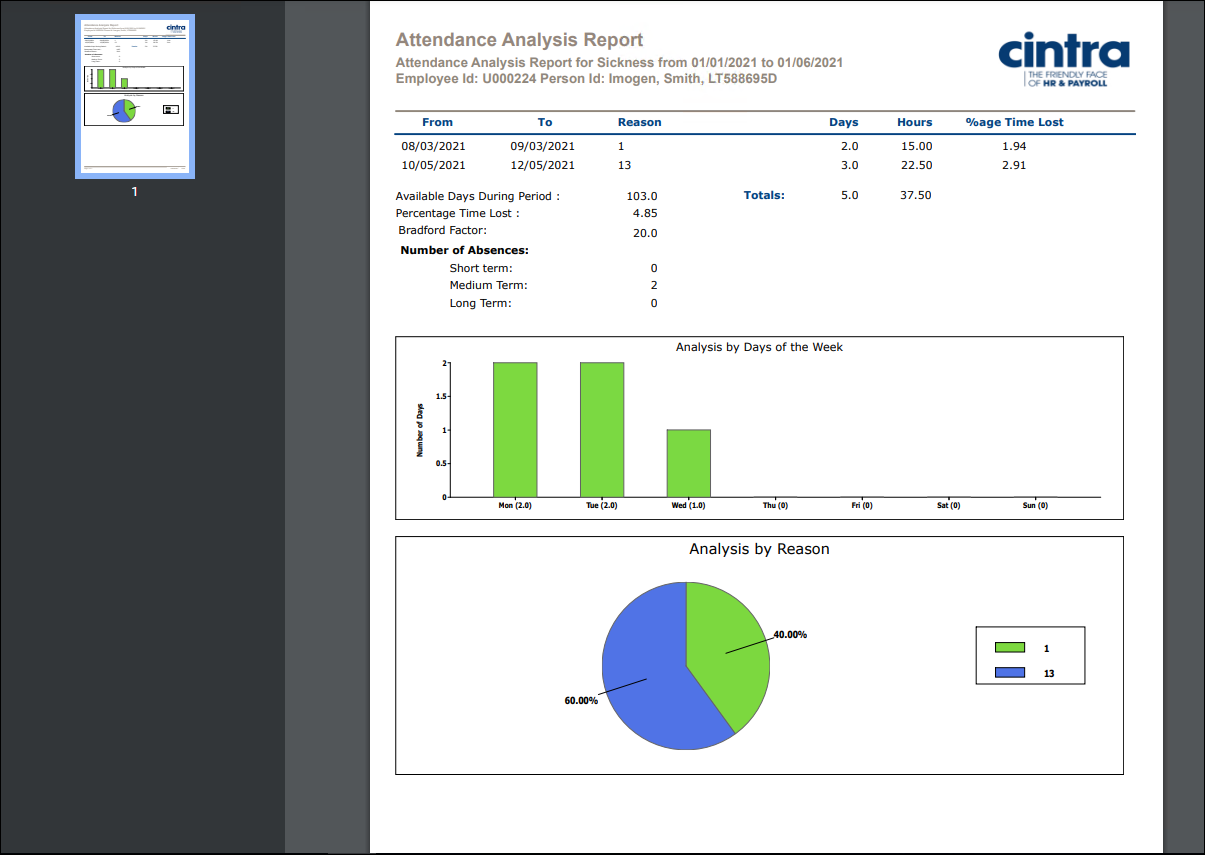
The Attendance Analysis Report within Cintra iQ displays an employee's absence periods and associated analysis. The data is extracted between a start date and end date and shows all absence types. From this data you can choose to focus on a particular absence type and the detail is produced to support the report. The report displays details of each absence period along with a bar chart displaying days of the week where absences occurred and a pie chart displaying percentages of absence by reason. 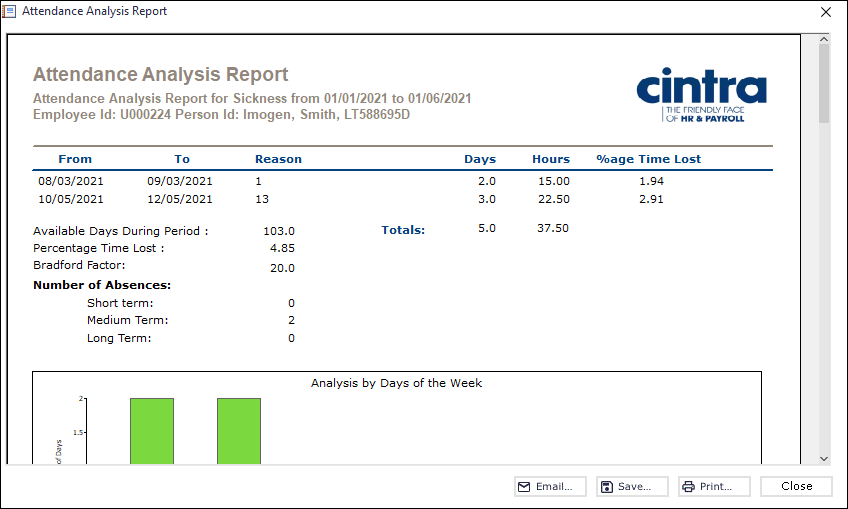
To produce the report
Navigate to the Attendance Analysis tab in the employee's Attendance/Entitlement window.
Go to Cintra iQ: Employment record > Forms > Absence AllowanceEnter the date range in the Report attendance between fields.
Select a category from Detailed report on drop-down list. The data is displayed in the Attendance Analysis pane.
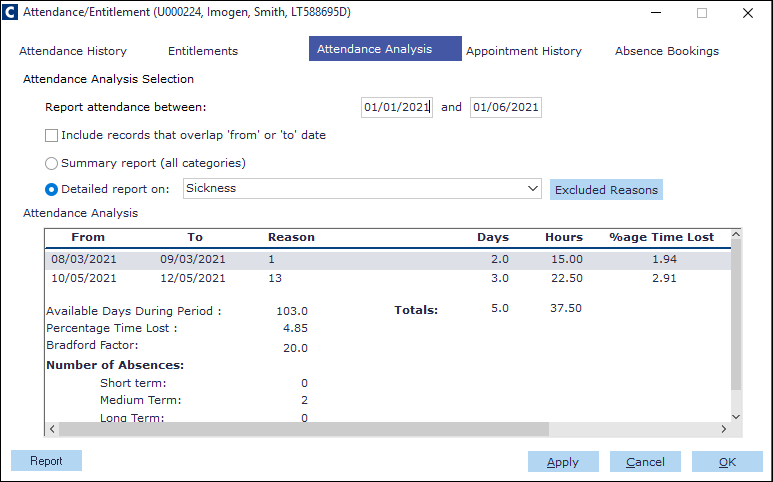
Click the Report button. The Attendance Analysis Report appears.
Continue to Email, Save and/or Print the report.
PDF Output example