This articles describes how to refund an overpayment, where a student or postgraduate loan deduction continued after it should have stopped, for example if the stop notice arrived after that period's payroll had already run.
This is NOT the same as the loan repayment plan (see Setting up the loan repayment plan and repayment details), which covers unrelated company loans. "Reimburse" is sometimes used to mean the same thing as refund, but is best reserved for expenses.
How do I refund a student or postgraduate loan?
Go to: Employment Record > Forms > Tax & NI.
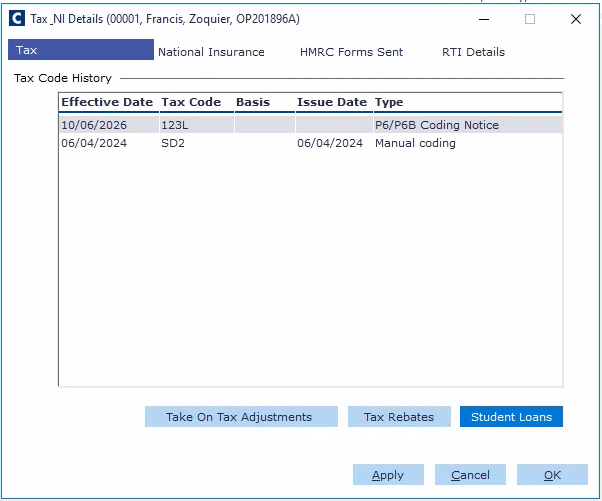
Click the Student Loans button in the bottom right-hand corner.
Select the relevant loans record.
Note: If there are multiple lines, click on the Overrides button in the lower left-hand corner. Enter the amount in the Amount screen.
Enter the amount in the Amount screen.
Click the OK button.
Important: Ensure you do not end the record. Leave it as the end of the current period. The amount you enter on this record will be the amount that appears on the person record, so you'll need to do some sums before pressing the buttons. Cintra usually gets the SL stop notice through the FBI and this act should only be done with the correct paperwork.