To separate the subtotal/total
You can create a line to separate the Subtotal/Totals from the rest of the data in the report using the Sort tab.
Note: The Subtotal is for numeric values only.
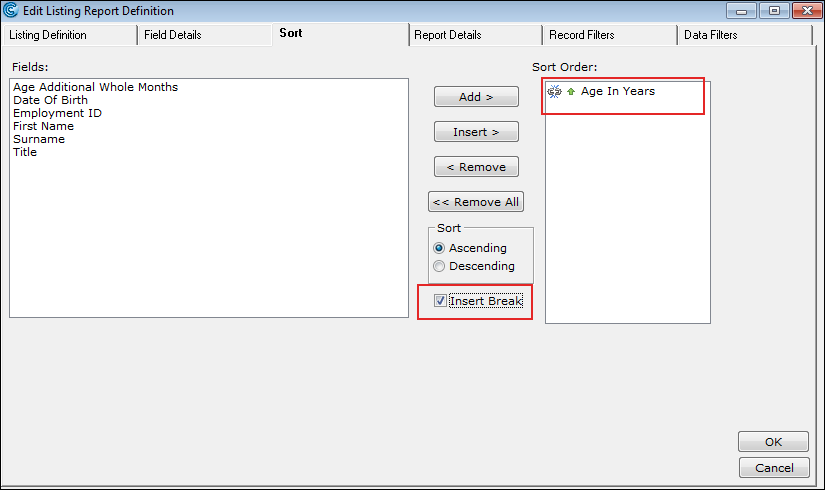
Open an existing report or create one. Navigate to the Sort tab. Sort the order of the report columns with the appropriate field name.
Insert a break.
Specify the Subtotal.
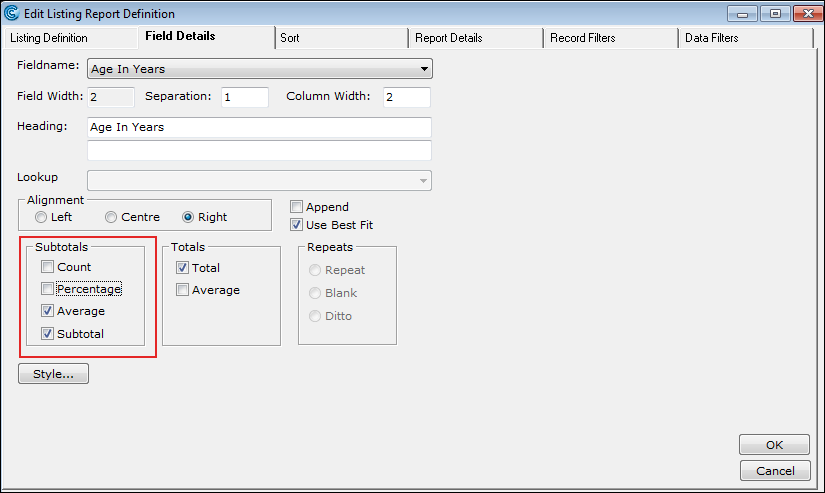
Return to the Field Details tab.
Select the desired Fieldname. Note: Ensure the Fieldname is numeric for the Subtotal options to appear.
Select the Subtotal options.
Click the OK button.
Run the report. The Subtotal/Total is separated accordingly.