Scratch Payslips help you troubleshoot what has been corrected on an employee's payslip. The Scratch Payslip shows you what the payslip would look like prior to any corrections performed during the pay period in which the money was earned. This is very useful when explaining unexpected payslip values to an employee.
Note: Avoid showing scratch payslips to employees where multiple corrections have been applied, as these can appear confusing.
Scratch payslips help you identify and Troubleshoot: Corrections.
To access the scratch payslip
Navigate to the Payments and Rates tab in the employee's Payroll Period Input and Corrections window.
Go to Cintra iQ: Employment Record > Payroll Period Input
Click the View Scratch Payslips button.
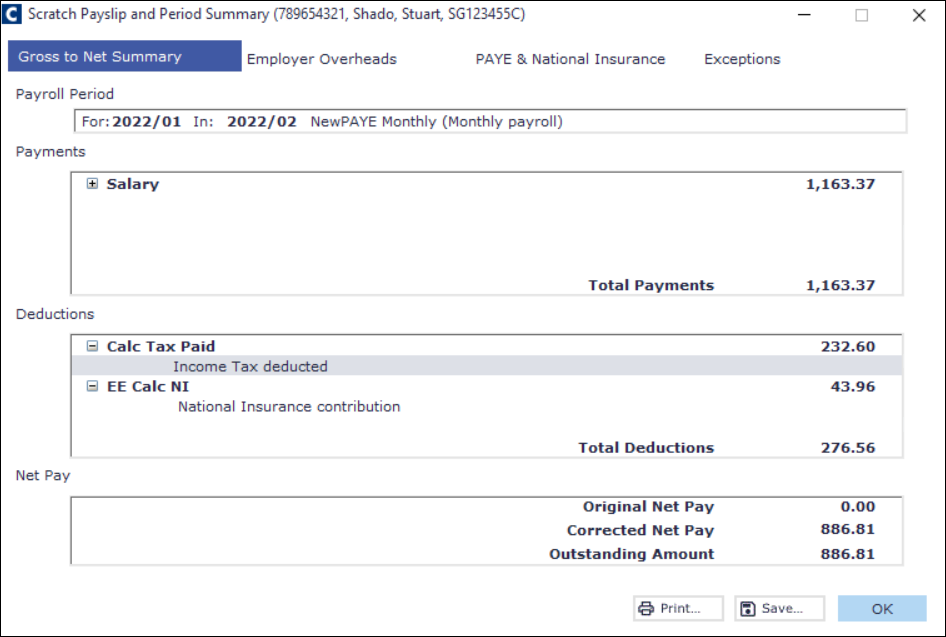
Comparing periods in a scratch payslip
Open View Scratch Payslips for the employee in question.
You'll see a list of periods with corrections (e.g. period 2, period 3), along with when the last correction occurred.
Select a period to compare the original net pay against the corrected figure, and see the net pay difference that will show on the current payslip.
You can use this to explain to an employee exactly what changed and why.