Cintra iQ allows you to make employee payments on the last working day, less 1, 2, or 3 days.
To use this option, navigate to Payroll → Payroll Setup → Employer Setup.
Select the correct employer
In the PAYE & Payrolls tab, select the payroll associated with the selected PAYE scheme.
In the 'Main Settings' tab, locate the 'Payments made:' dropdown and select the number of days (1, 2, or 3) prior to the last day of each month that you want to pay employees.
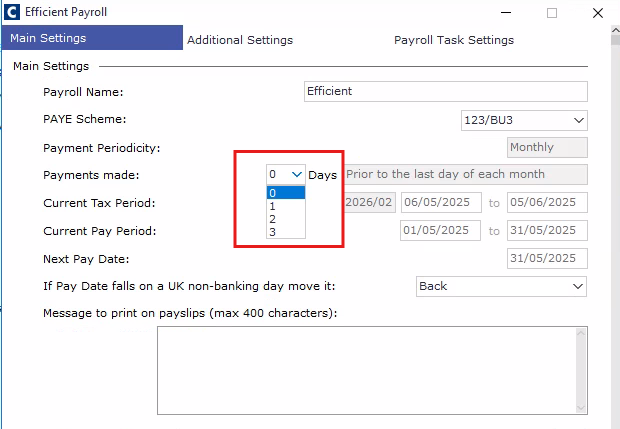
Note: if you are making a change to a live payroll, the new normal pay date will take effect once you roll your period forward.
Note 2: You can dictate how your actual pay date is moved if the normal pay date falls on a non-banking day (for example, 31st May 2025 is a Saturday). Follow this link for step-by-step instructions:How do I change pay date rules for non-banking days in Cintra iQ