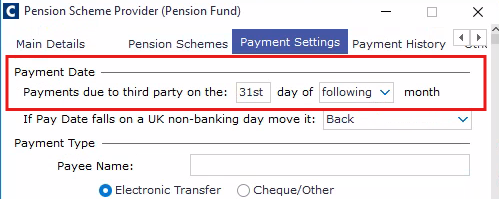
If your third-party payments are due on the last working day of the month, you need to select the 31st as your default pay date. If the month you are processing has fewer than 31 days, the system will automatically set the payment date to the last day of that month.
Navigate to Payroll → Payroll Setup → Third Party Associations.
In the Third Party Associations window, find your provider.
In the 'Payment Settings' tab, locate the 'Payments due to third party on the:' field and select 31st as your pay date.