MCR: How do I apply a role identifier to a new starter?
- Published on Jun 10, 2026
To apply a role identifier
Navigate to the Teachers Pension-Monthly Contribution Reconciliation window.
Go to Cintra iQ: Payroll > Payroll Tools > Payroll Reports > Teachers Pension-Monthly Contribution Reconciliation.
In the Employee Role Id tab, open the desired employee record. The MCR Maintain Role Id form appears.
Update the Role Id field.
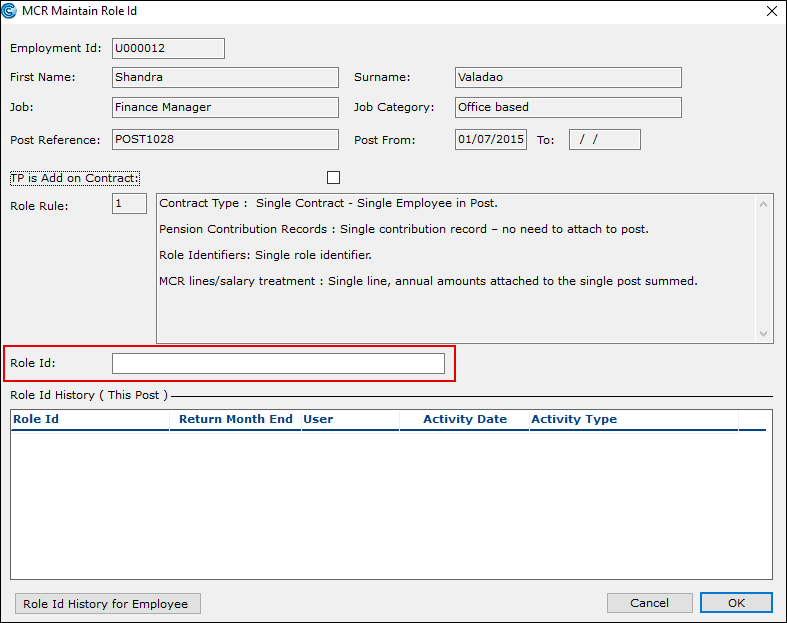
Click the OK button. The Role Id is assigned to the new starter's employee record.
Was this article helpful?
Related articles
MCR: Teachers' pensions > Role identifiers
MCR: Teachers' pensions > Role identifiers
MCR: Teachers' pensions > Role identifiers