You can now create a customised pension provider file within Cintra IQ.
By introducing this functionality we empower our users to create membership and/or contribution pension files. The user can also maintain changes to those files as required.
Here are the steps to follow:
Create a Pension template.
Navigate to Definitions on the top panel and select Pension Template.
Click ‘New’ and give your template a name.
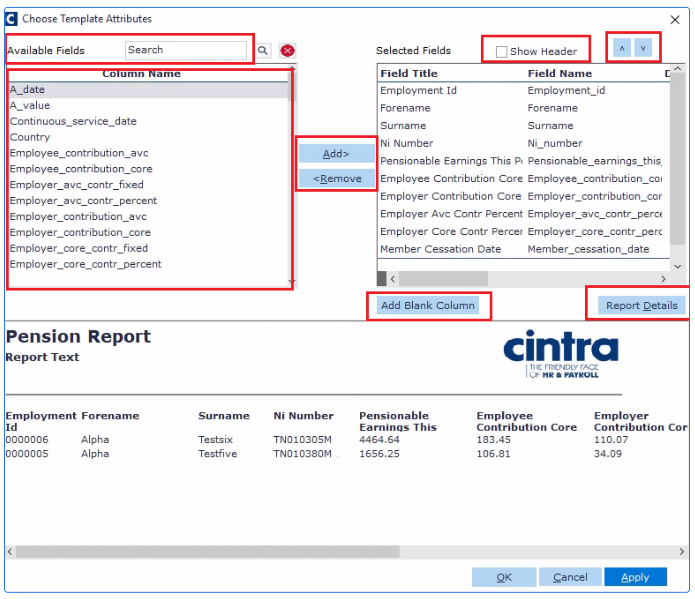
Within the Template Attributes window add columns you wish for your pension file to contain.
This window also has a few features we want to highlight:
The search box allows you to quickly find the data that is needed.
Show Header - some providers require files with no headers. This tick box allows you to include or exclude the header line.
up and down arrows allow you to decide on the order the columns are displayed.
Report Details - gives a preview of the pension file as it’s being created.
each column can be renamed by just clicking on it after it has been selected.
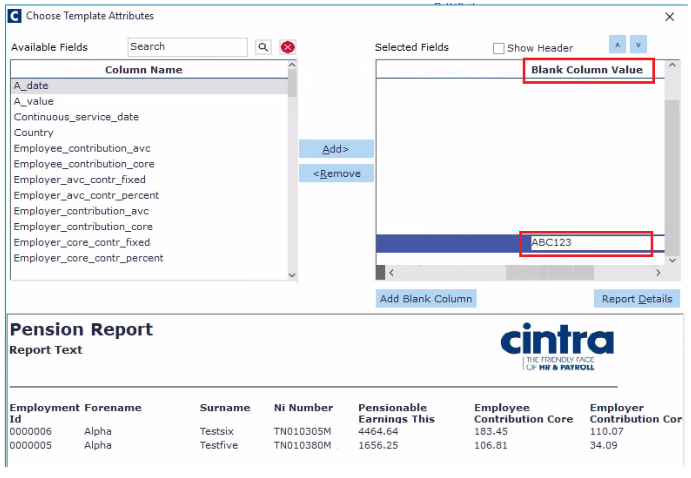
Add blank column - allows you to insert a column with no value or with a fixed value. To add fixed value just scroll to the right until you see Blank Column Value and enter the desired text.
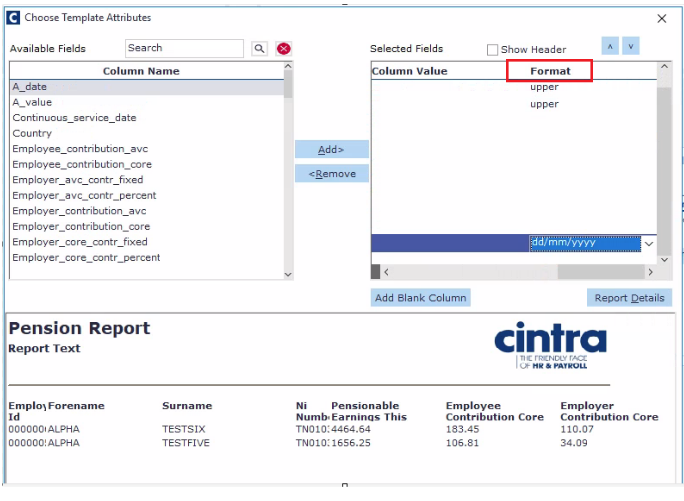
You can also apply a specific date format or have the text in upper or lower case.
Assign the template to the Pension Provider.
Under Payroll / Payroll Setup / Third Party Association select the relevant Pension Scheme Provider and navigate to the Other Settings tab.
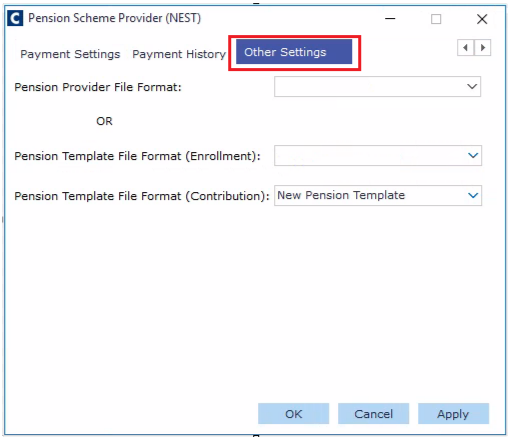
From a drop-down for Pension Template File Format (Enrolment) and Pension Template File Format (Contributions), you can select your template.
Next time when you produce a pension provider file How do I generate pension provider membership/contributions files? Cintra IQ will generate it using your template.