Duty of care allows you to require users to submit vehicle documents, such as a driving licence, insurance, MOT, or road tax, before they can submit mileage claims.
Configuring document requirements
Go to Setup > Settings > Duty of Care.
User the Approver drop down to select if the user allocated line manager is to approve or selected a named individual to approve all vehicle documents,
For each document type, select either:
Required: the user cannot submit a mileage claim until the document has been submitted and approved.
Show Warning: the user is warned that a document is needed but is not blocked from submitting.
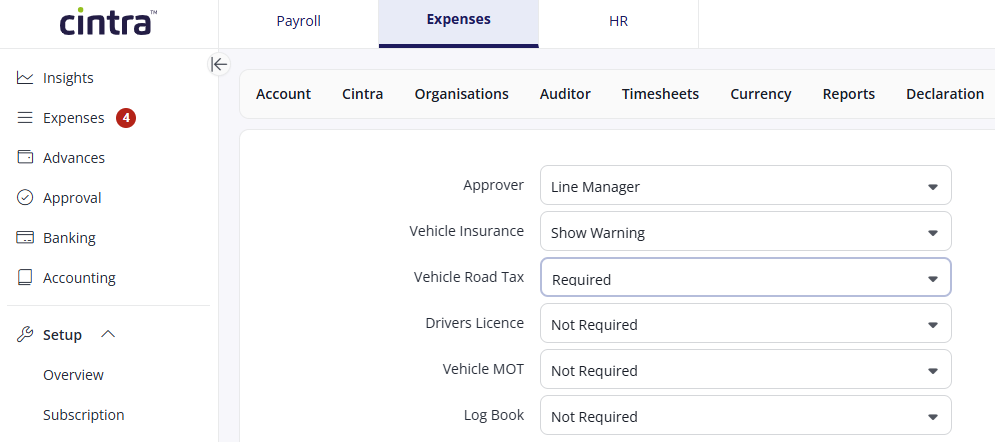
Click Save.
Reporting on duty of care documents
Finance users can view the status of all duty of care documents and export the data as a CSV file.
Go to Documents > All.
Select the relevant item.
Click Export from the right-hand action menu. The data is downloaded as a CSV file.
For information on uploading and approving duty of care documents, see Submitting vehicle documents.
Video: Duty of care
These videos were recorded in Capture Expense. Some screens and labels may look slightly different in Expenses, but the steps remain the same.