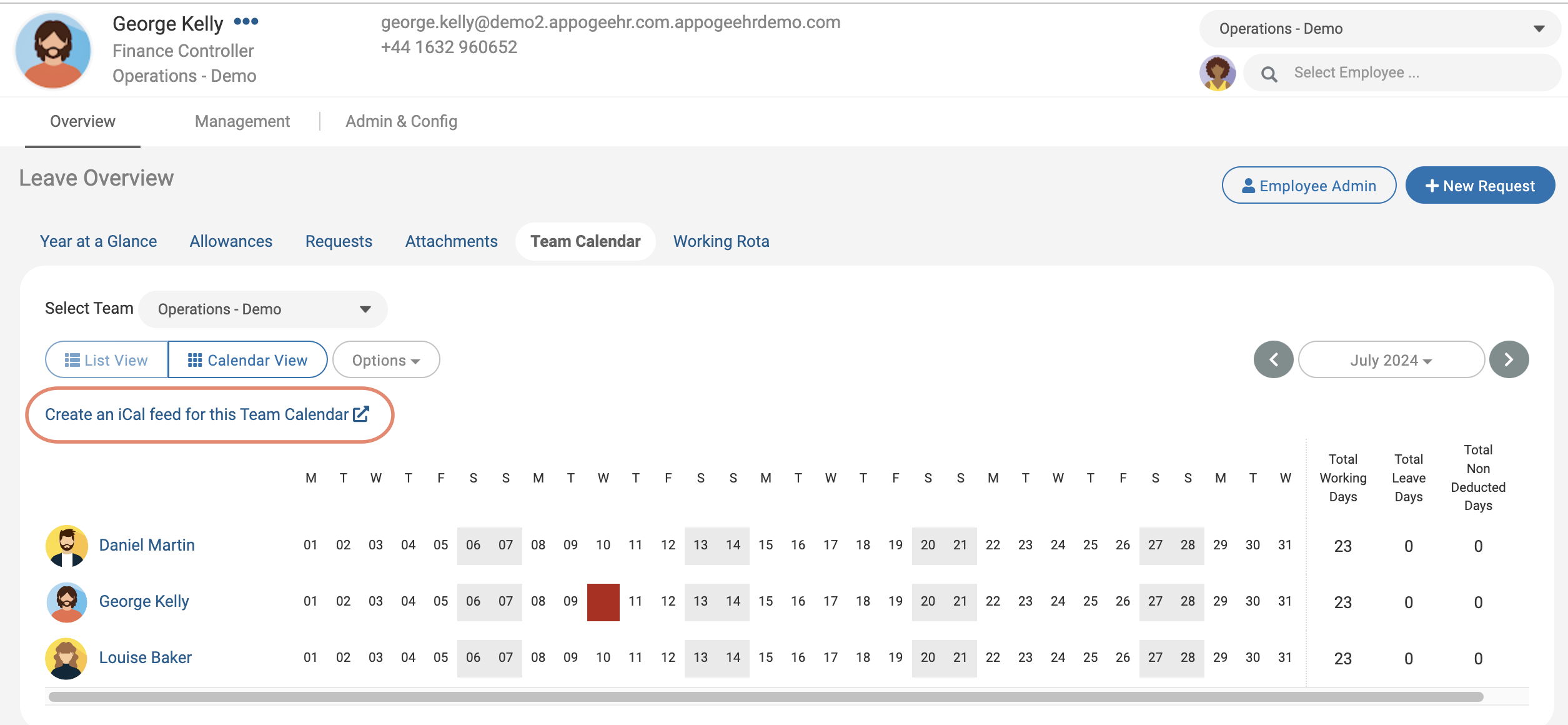
Who can do this:
HR Manager
Administrator
About
iCal Team Calendars allow you to create and subscribe to a calendar link, which gives you the ability to see employee Leave & Sickness Requests in an external group calendar.
Share your iCal feeds with employees so they can add them to their work calendars (e.g. Outlook). You can create individual Team iCal Calendars or a global calendar for all employees.
Setting up iCal Team Calendars
Go to Leave Admin > iCal Team Calendars.
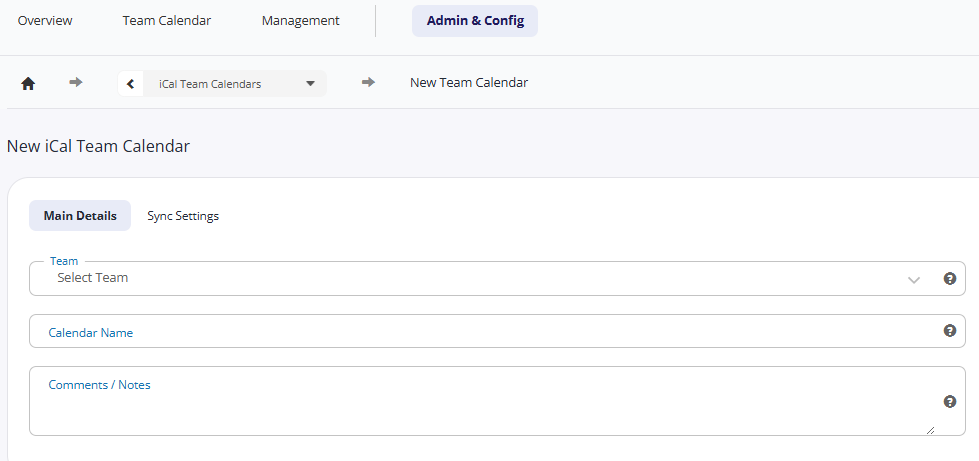
Click Create iCal Team Calendar.
Select the Team or All Teams and optionally edit the calendar name or Description.
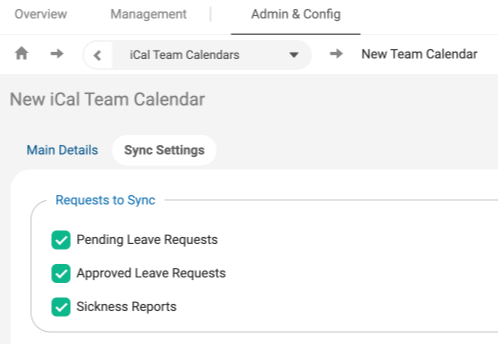
Review the Sync Settings and then Save Changes.
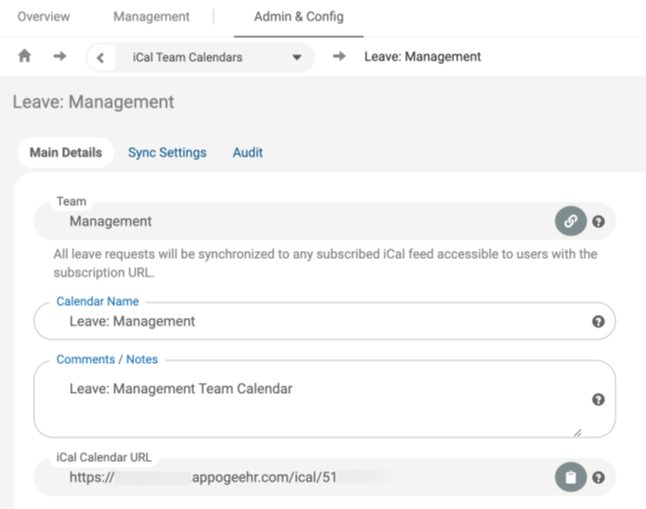
Once your calendar has been created, you will see the iCal calendar URL, which you can copy and distribute to your employees.
Key things to note, calendar feeds may not populate immediately:
Apple updates upon app/program startup & every 1-3 hours
Google normally updates every 12-24 hours
Outlook.com updates every 3-24 hours
Using iCal Team Calendars
If an iCal Calendar exists, employees can subscribe to iCal Team calendars by clicking on the relevant link on the Team Calendar page.
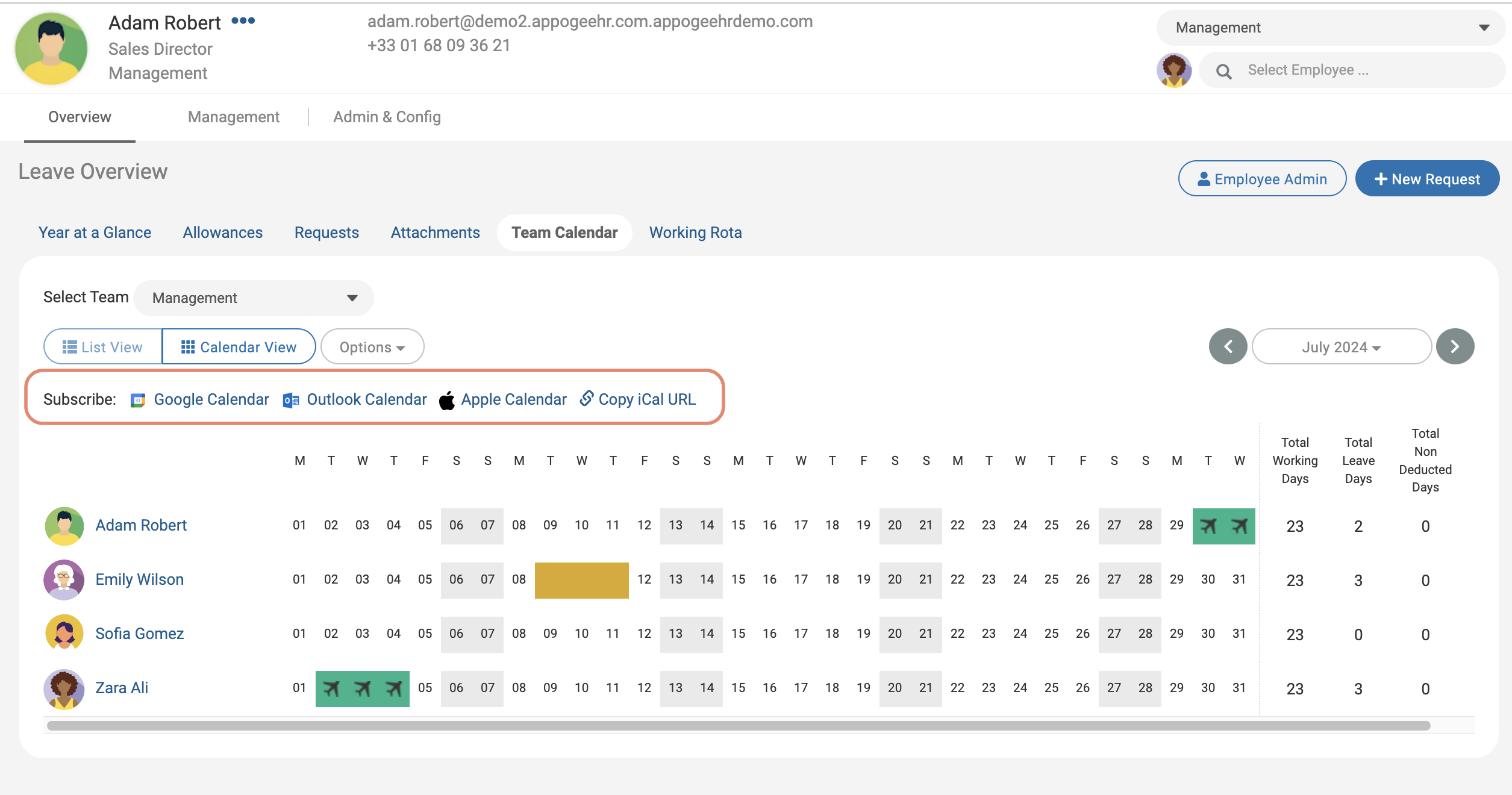
Alternatively, if an iCal calendar doesn't exist and the user is an Admin, they will be able to create one.