Available in:
HR Advanced
Who can do this:
HR Manager
About the Performance Manager Role
The Performance Manager Role gives employees the ability to run Performance Reviews for employees they do not otherwise manage. Performance Managers do not need to have the Team Manager role and will not be given access to any part of the employees profiles.
This allows for more flexibility so that Performance Reviews can be conducted by other employees within the system, without having to be a Team Manager within Cintra People HR.
Setting up Performance Managers
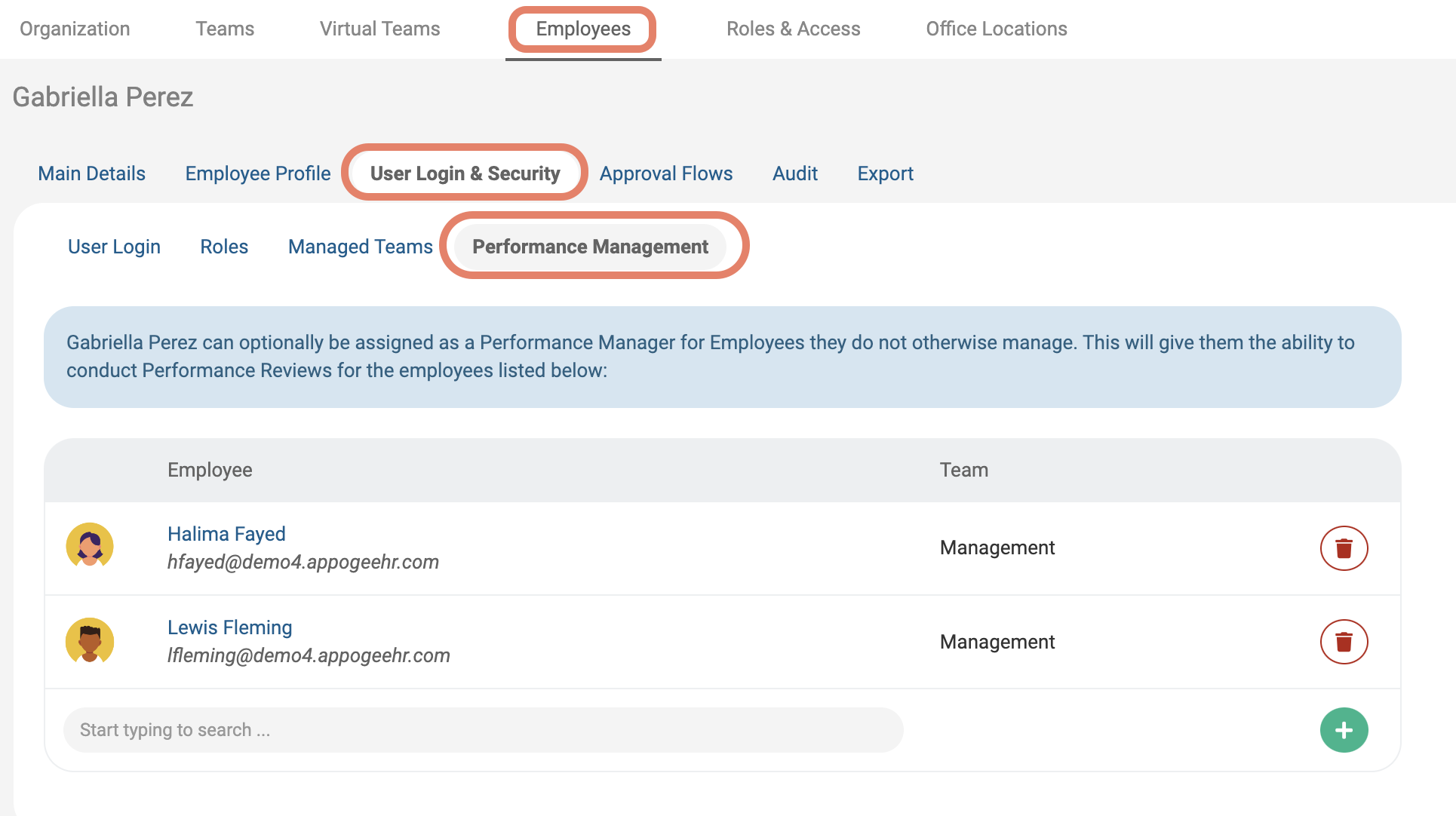
To set this up, navigate to the employee who you wish to be a Performance Manager by going to Organization > Employees.
Open the employee's account then to go User Login & Security > Performance Management.
Add the employees you would like the selected user to be the Performance Manager for. When you're happy, click Save Changes.
You can check who has the Performance Manager role by going to Roles & Access.
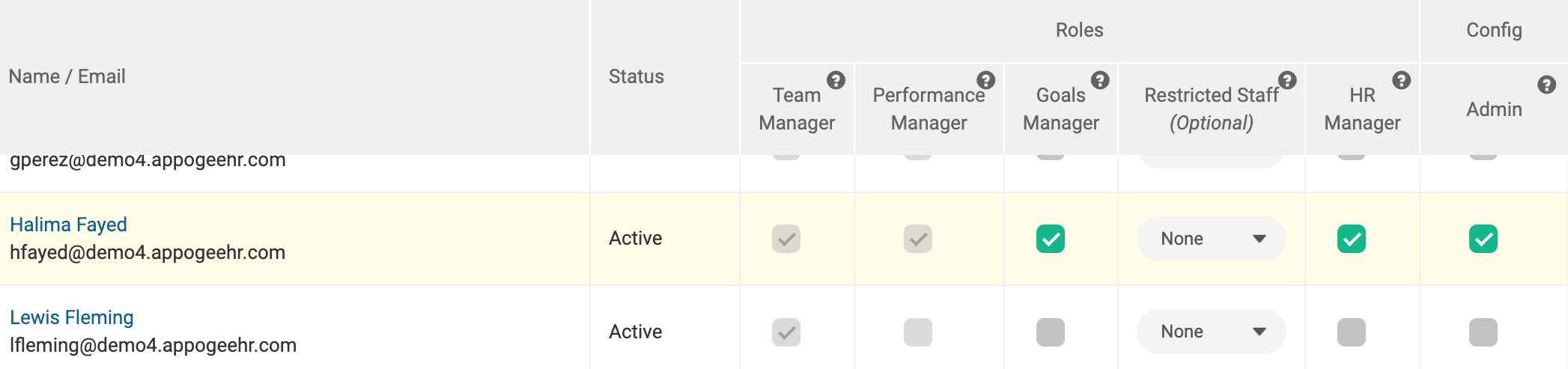
Users with the Performance Manager role will be able to run Performance Reviews for those they manage, additionally, Reviews set up from Review Cycles will be automatically sent to the Performance Manager.