Available in:
HR Advanced
Who can do this:
HR Manager
Administrator
Introduction
Review Check-ins give Team Managers the ability to make notes on a review throughout the Review Period. It may be useful for managers to collate notes or 1:1 minutes all in one place on the Review Doc.
Enabling Check-ins
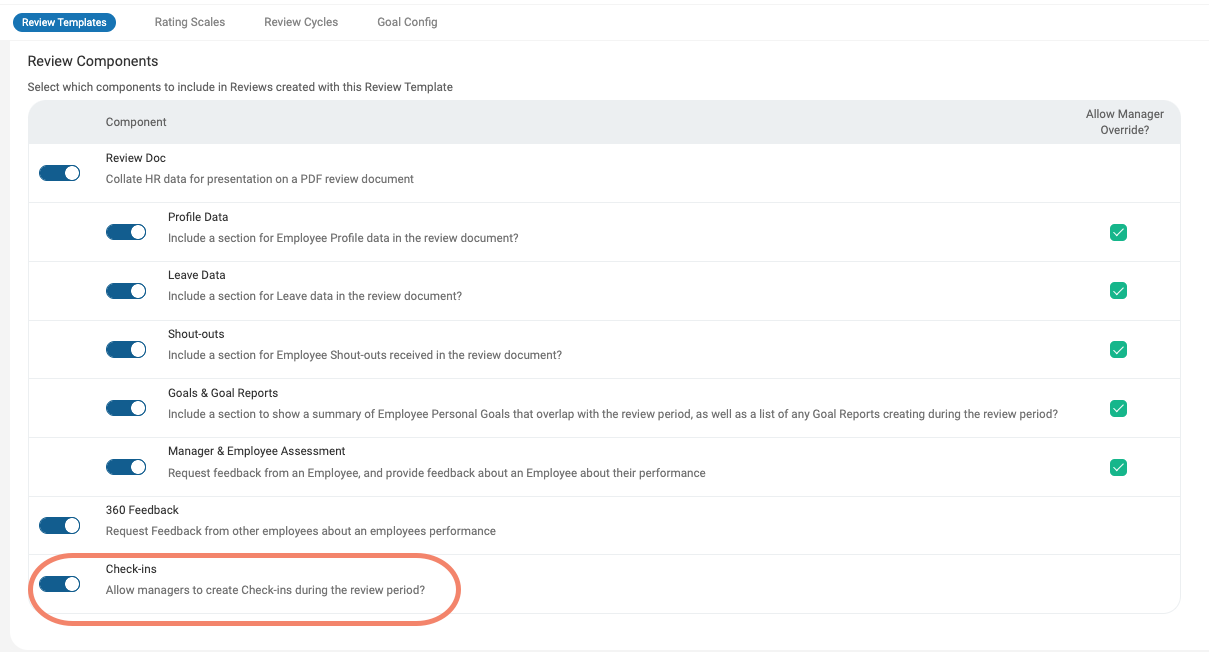
Check-ins can be added to Reviews on the Review Template.
Go to Reviews > Config > Review Templates. Open up a Template or create a new one.
On the Details tab, switch the toggle to enable Check-ins. Note that this will only add Check-ins to Reviews created after the change, any Review that has already been initiated will not have Check-ins enabled.
Using Check-ins
Once a Review has been created, Managers will see a Check-in tab.
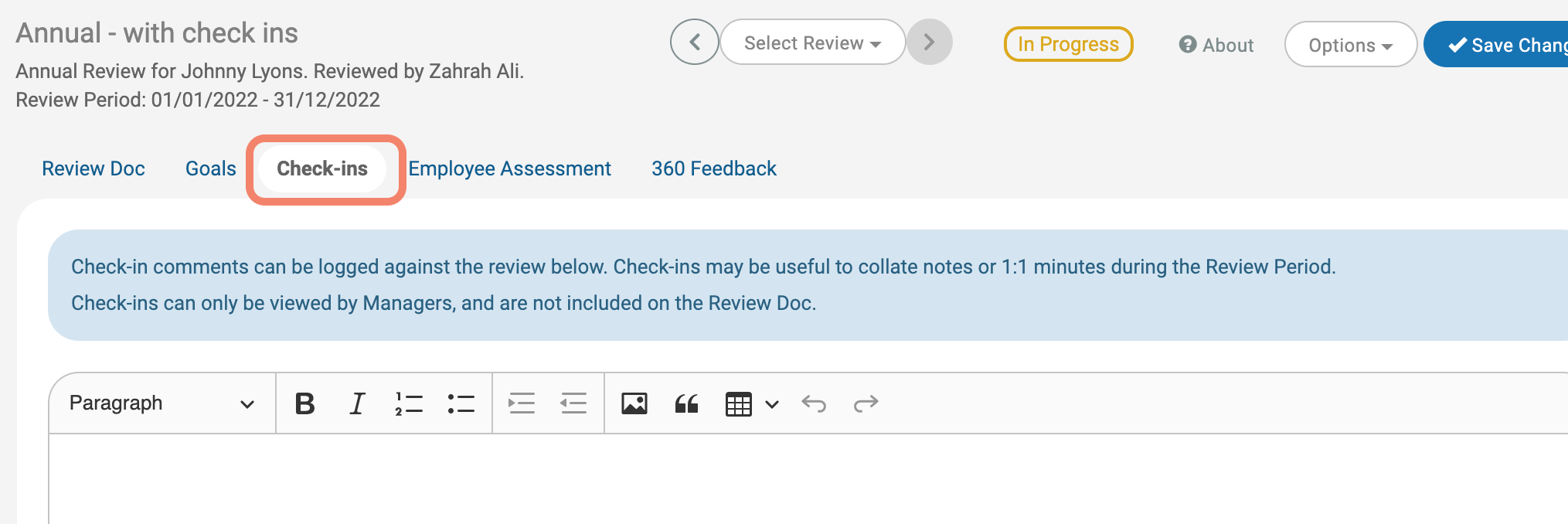
Here, they will be able to add any comments into the text box and edit the formatting as necessary.
Check-in comments will be time & date stamped and appear in reverse chronological order on the page (most recent Check-in at the top).
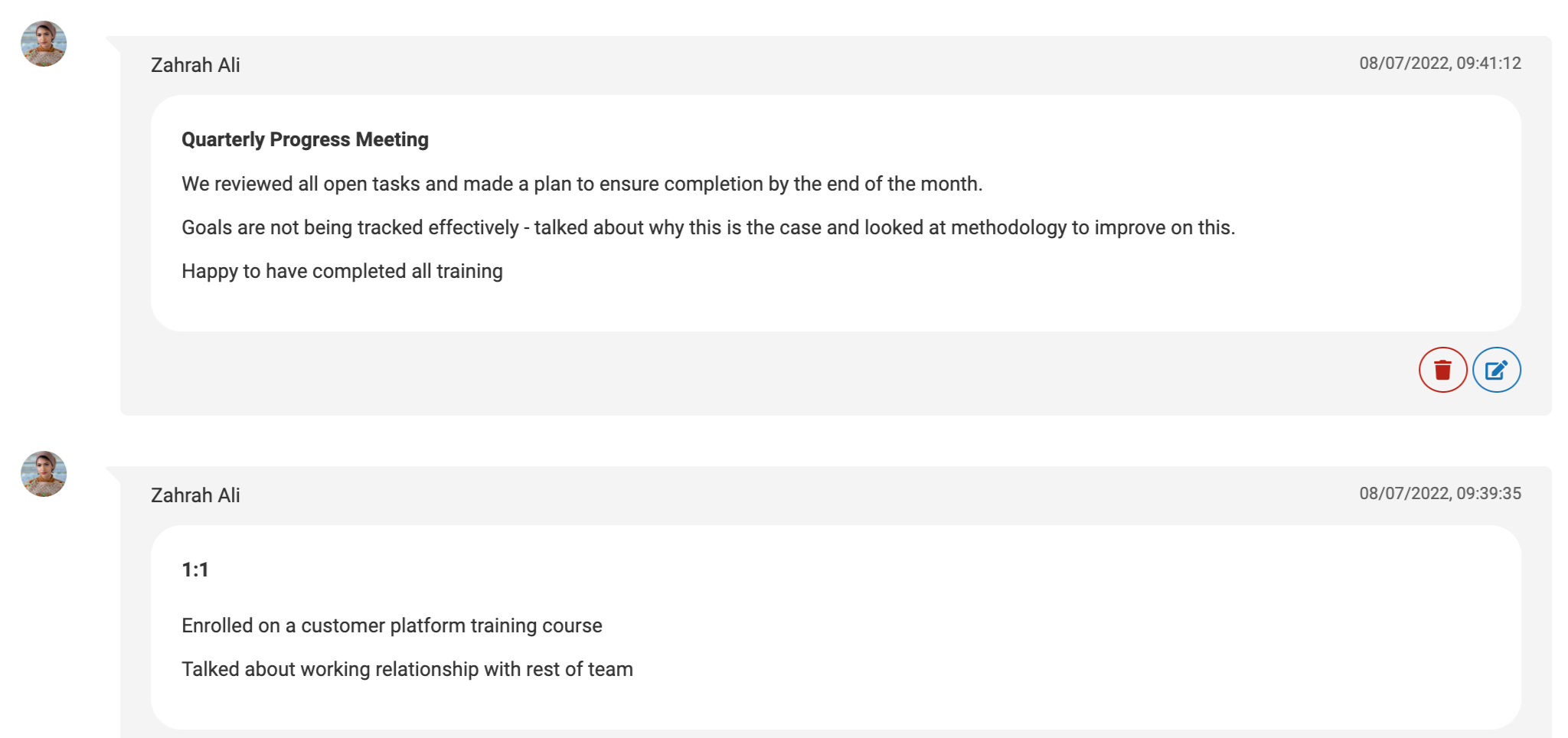
Managers will be able to Edit or Delete their Check-ins using the buttons at the bottom right corner of each comment.