Expenses: Scheduling reports
- Updated on Aug 21, 2026
- Published on Apr 13, 2026
Capture Expense can run reports automatically and deliver them by email as a PDF attachment.
Setting up a report schedule
Go to Setup > Settings > Reports.
Click Add Report Schedule.
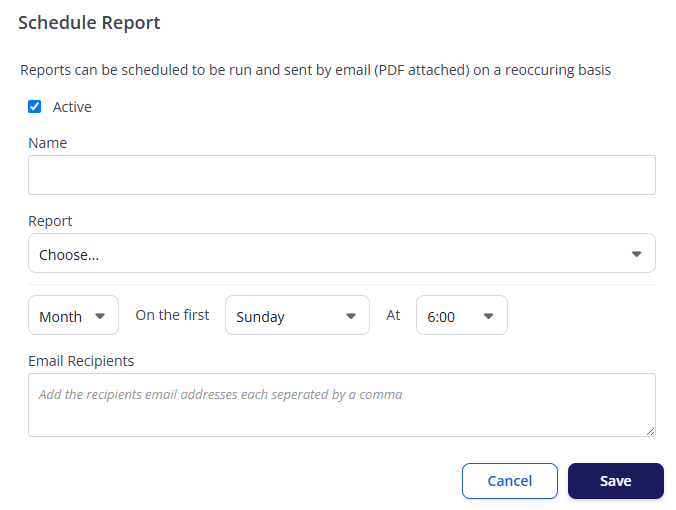
Ensure Active is selected.
Enter a name for the report.
Select a subject, e.g. Vehicle Checklist.
Select how frequently the report runs.
Enter the email addresses of the recipients in a comma-separated list, e.g. finance@company.com, admin@company.com.
Click Save. The report schedule is created and appears in the Reports tab.
Was this article helpful?
Related articles
Expenses > Expenses setup and configuration > Vehicles and rates
Expenses > Expenses setup and configuration
Expenses > Expenses video guides and onboarding