Available in:
Time
Who can do this:
HR Manager
Overview
It is possible to make projects billable within the system, which will allow you to estimate project costings. While the project is ongoing, and employees are marking time against it, the system will automatically calculate your project actuals.
By default, all projects are not billable, however you can override this to ensure all or some time tracked is marked as billable.
You can plan your project hours and costings within the project page and this will automatically calculate your estimates for you.
The project actuals are then automatically populated.
Project Admins & Project Managers with Create, Billing & Costing roles will see all of this information.
Before you start
It's a good idea to set up your Project Roles and assign them to your employees first. This way, your project costings will be calculated automatically for you. Additionally, when tracking time, Employees will have their project role automatically populated for them, which will reduce user error.
For more information about Project Roles, take a look at the following article: Project Roles.
Head to Time > Config > Project Roles to set up your project roles.
Then go to Organisation > Employees > select employee > Time to give your employees specific roles & their exact cost.
Costings & Estimates
Costings & Estimates are configured per project.
Go to Time > Config > Projects.
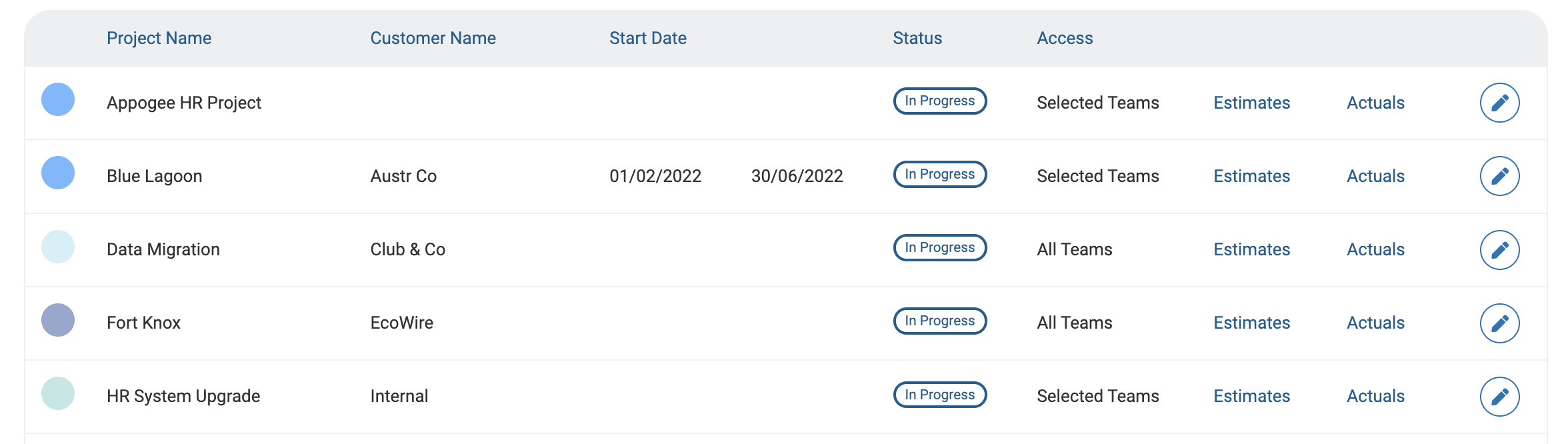
Create a new Project or open one that's already been created and go to the Costings & Estimates tab.
Click Add Role to start working out your costs & estimates.
Select a Project Role from the list or create a new one.
Enter estimated hours for the project for Billable and Non Billable time. This will then calculate the Project Estimates.
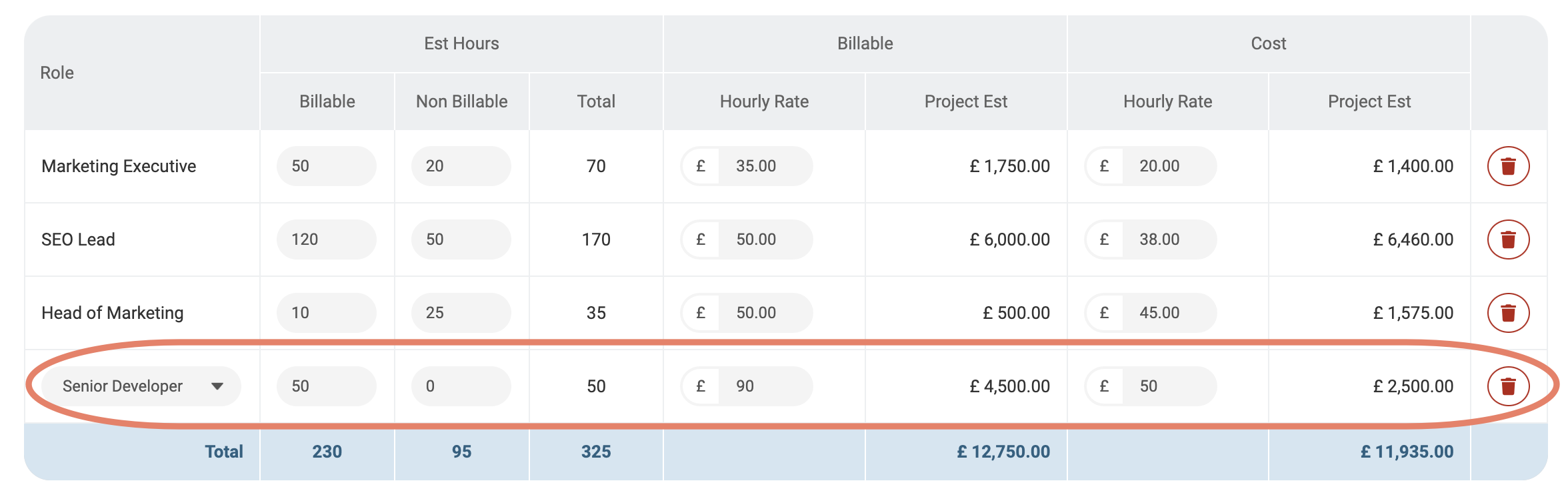
If you have set up an hourly rate on the Project Role, this will populate in the Billable and Cost columns.
The Options tab will give you additional configuration options to change such as the Currency and billable settings.
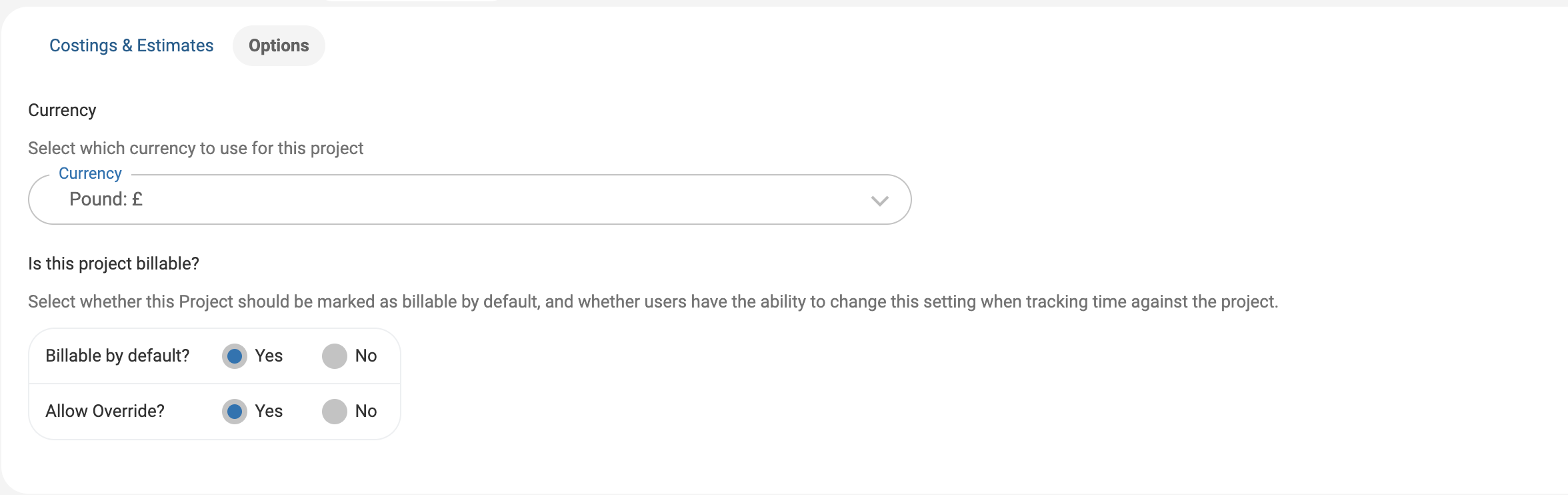
When you're happy with the Costings, Estimates and Options, click Save Changes.
Actuals
When employees start tracking time against the project, your actuals will calculate.
Go to Time > Config > Projects > open a Project > Actuals.
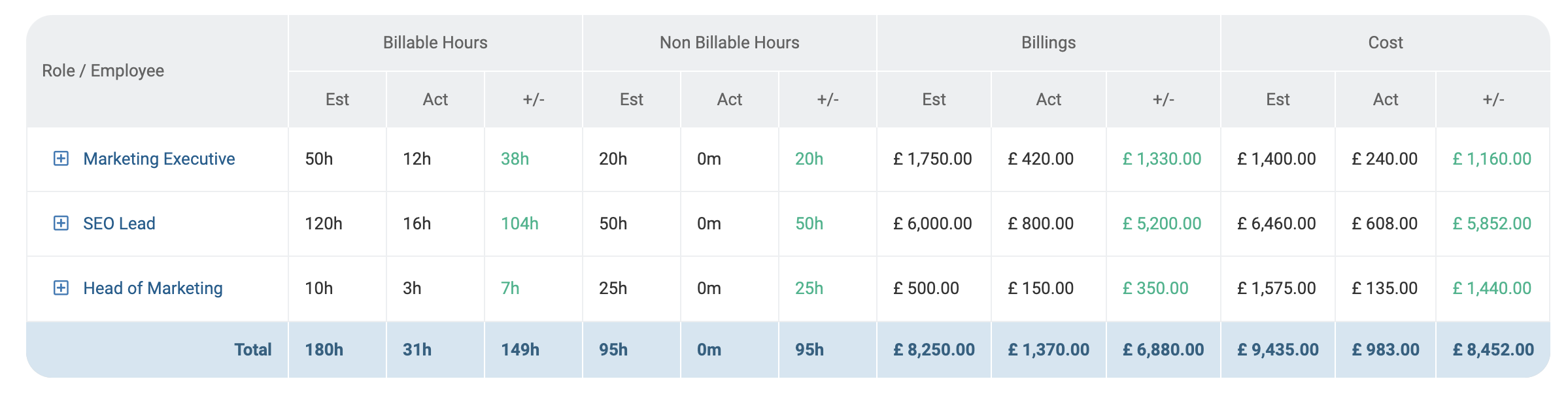
From here you will see the time spent on this project, whether it's billable or not, and the calculation against the project cost.