Available in:
HR Essentials
HR Advanced
Company documents relate to your organisation rather than an individual. They can be shared amongst the whole company or at a team level. This article explains how you can view these documents, and where required, acknowledge you have read them.
View a document
From the side menu, select Company Docs.
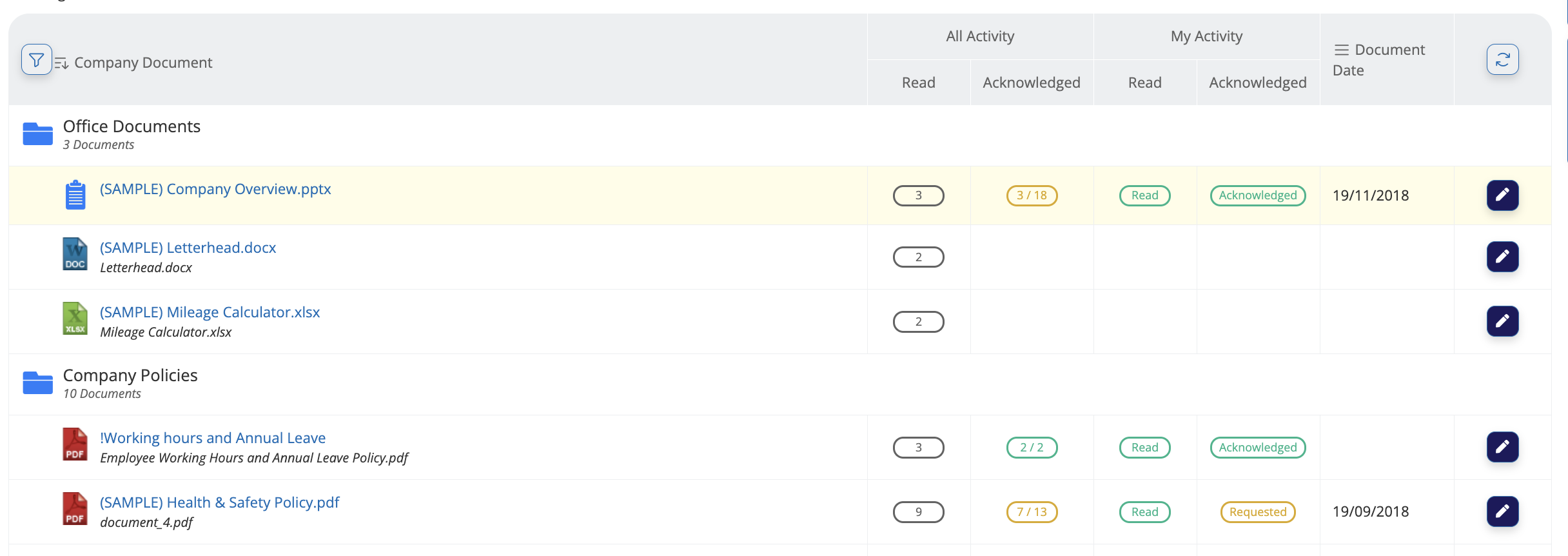
The Company Docs page will show details depending on your role.
HR managers
HR Managers have access to all Company Documents & Company Document Types, as well as the Acknowledgement and Read counts of documents.
You can switch between a list or grid view and choose which columns are visible by clicking the Options menu.
Click any document to view it. Within the document viewer, you can:
View more information about the document, including when and who created it.
Download the document
Open it in a new browser tab.
Acknowledge a document
When you are required to acknowledge a Company Doc, you will:
Receive an email
Receive a notification in the My Actions section of the Dashboard.
From the side menu, select Company Docs. When acknowledging a company doc, you can:
Acknowledge
Acknowledge with Comment
Submit Comment (do not acknowledge)
.png)
If a comment has been submitted, this can be seen on the acknowledgement status tab. A blue speech bubble will show next to the document preview to show it has comments.
.png)
.png)