Applicable packages | Leave | Time | HR Essentials | HR Success |
|---|
Required Roles | Team Manager | HR Manager | Administrator | ADU Manager |
|---|
Within Cintra People HR you can conduct an employee Performance Review which allows you to gather information and feedback about an employee and review specific elements of the their performance across a set time period.
Review Cycles allow the automatic creation of Performance Reviews according to a customisable schedule.
Creating the review
To create a Review Cycle go to Reviews > Config > Review Cycles.
Click Create.
Fill out the Cycle Details by selecting the following areas:
Review areas
Review
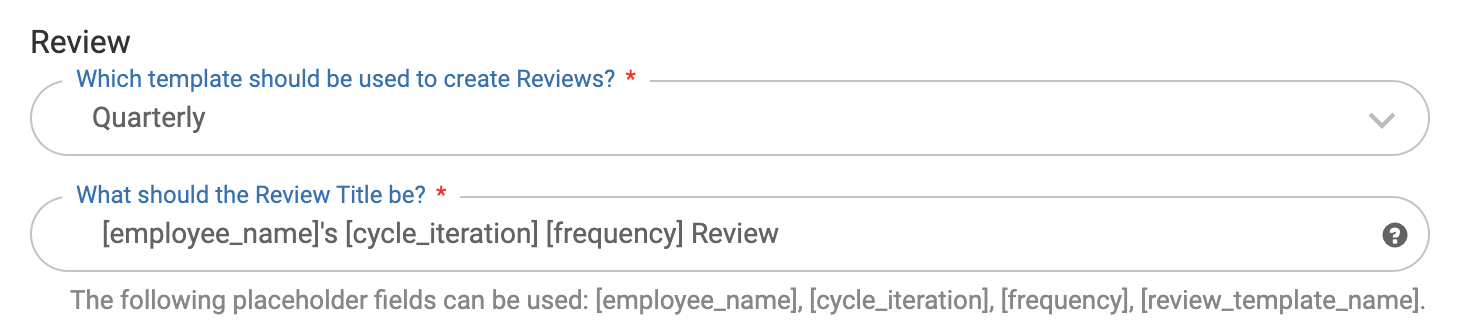
Which template should be used to create the Reviews
You can configure Review Templates by going to Reviews > Config > Review Templates
The Review Title
You can use the following placeholders:
[employee_name]
[cycle_iteration] e.g. first, second, third
[frequency] e.g. annual, monthly
[review_template_name]
Schedule
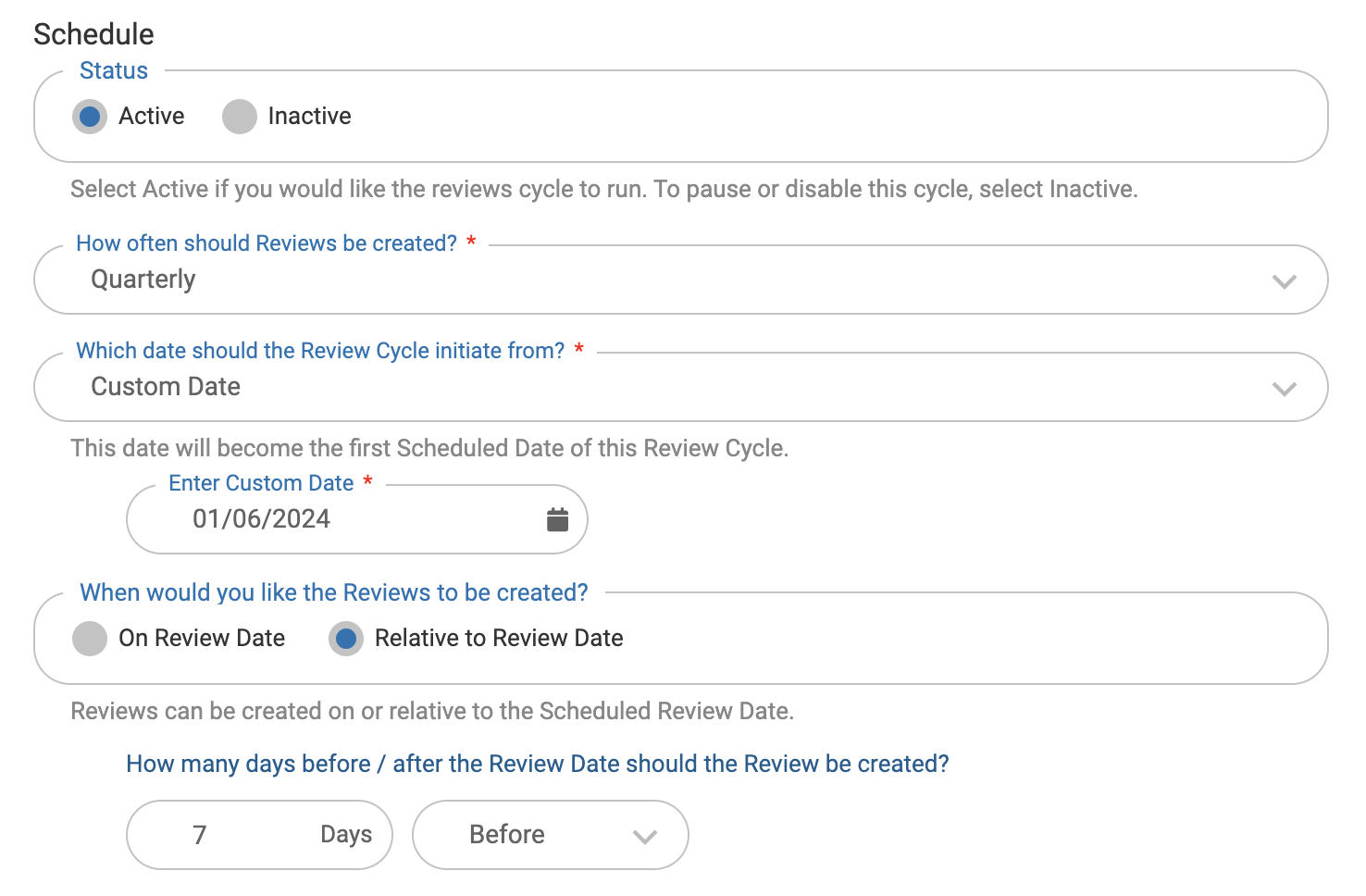
The status of the Review Schedule
Active: this Review Cycle will run as soon as you save it
Inactive: Reviews will not be created from this Review Cycle until you choose to change it to active
How often Reviews should be created
Monthly
Quarterly
Bi-annually (every 6 months)
Annually
Which date you would like the Reviews to be created
Employee's continuous start date
Employee's employment start date
Probation pass date
Custom date
When you would like the Reviews to be created
On Review date (as chosen above)
Relative to Review date (x days before or after the Review Date)
Assign
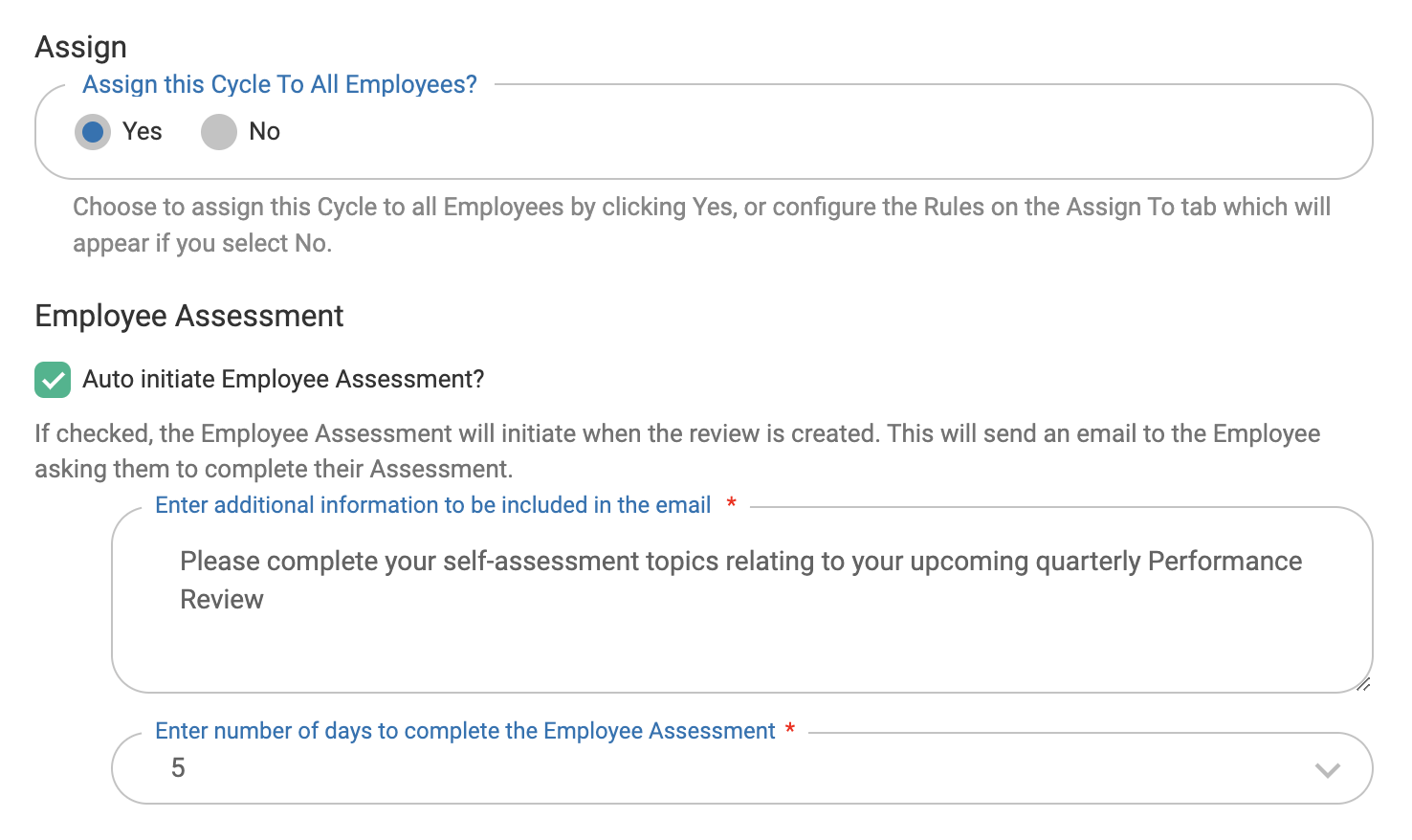
Choose whether you'd like to assign the cycle to All Employees
If you click no, you'll need to navigate to the Assign To tab. Steps below:
Navigate to the Assign To tab to set up the Assignment Rules, you can set up multiple rules for different scenarios. Optionally, you can add names to the Exclude List.
Choose whether to automatically initiate Employee Assessment
This will send a request to the employee to submit their self-assessment at the same time the Review is created. Managers will always be notified at this stage too