Our HR management system is packed with best-of-breed features for the entire employee lifecycle. It's cloud based HR software that's built with you, your people, and your challenges in mind.
CintraHR can be integrated with payroll so that your HR data securely flows through to payroll in real time —so your data is always accurate, consistent and maintained.
The integration between CintraHR and Cintra Payroll requires configuration and support from your implementation consultant; if you have any questions regarding the integration or setup, please email support@cintra.co.uk or reach out to your implementation consultant.
The following article outlines the fields integrated between CintraHR and Cintra Payroll and any additional details to support your team in ensuring data is managed and maintained. Once this integration is enabled, an additional section will be available in CintraHR to allow staff to view all payroll information and manage absence.
This article covers: · What will the integration do? · Common Considerations · Data Mapping
What will it do?
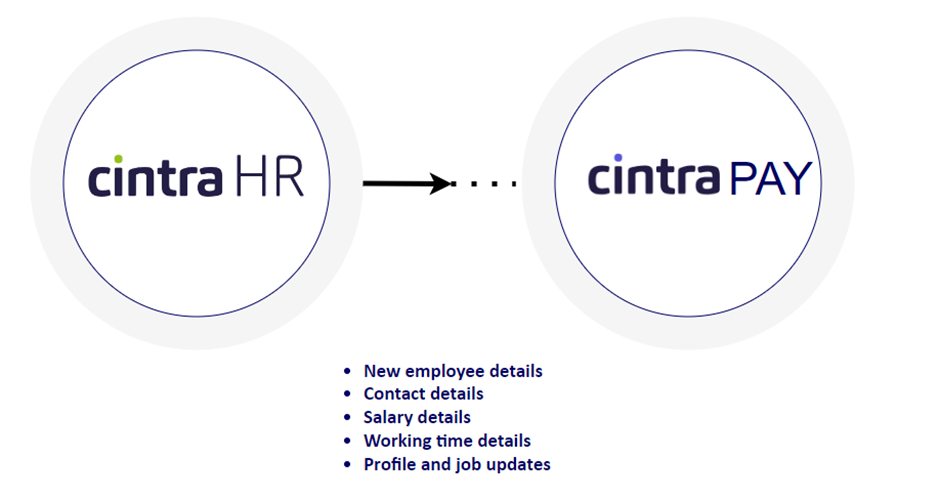
When a new person is created in Cintra HR, a new person record is added to Cintra IQ. Updates to personal details in Cintra HR will flow through to Cintra IQ.
When a new job (new hire) is created in Cintra HR, a new employment record is added to Cintra IQ (including salary and working time data).
When a new concurrent job is created in Cintra HR, a new position record is added to the existing employment record in Cintra IQ for that person.
When a job is updated (job tab) in Cintra HR, the associated employment and position is updated in Cintra IQ (including salary and working time data).
Upon the new employee being added to Cintra HR, the employee can then access their self-service payslip, holiday booking and absence details via the Payroll tab in Cintra HR.
Common Considerations
Data flows from Cintra HR to Cintra IQ and is the master source of data.
Data changes will flow through to payroll when creating or updating profiles and jobs. Data will not flow through to payroll if the Edit History option is used in Cintra HR and no effective date of change is supplied.
Data Mapping
Person Record
A person record will be created when a new person profile is created in Cintra HR. When re-hiring an employee, the existing profile can be re-activated by creating a new job for that person.
Cintra IQ Field | Cintra HR Field |
|---|---|
Title | Title |
First Name | First Name |
Middle Name | Middle Name |
Surname | Last Name |
Known As | Preferred Name |
Date of Birth | Date of Birth |
Gender | Gender – must be entered as legal gender of Male/Female. A separate field can be used for gender identity if required. |
National Insurance Number | National Insurance Number |
Email Address | Primary Email Address |
Mobile Phone Number | Main phone number |
Home Phone Number | Additional phone number added |
Address L1-L4 | Address (first) |
Post Code | Post Code |
Employment record
An employment record will be created when a new job is created in intelli if the person does not have a current open employment record.
An employment record will be ended when a company end date is finalised, or if the company end date is entered at job creation time.
Cintra IQ Field | Cintra HR Field |
|---|---|
Employment ID | N/A Cintra IQ will autogenerate the employment ID when the job record is created |
Employer | Business Entity |
Employment From Date | Company Start Date |
Employment To Date | Company End Date |
Employee position record
An employee position record will be created when a new job is created in Cintra HR, or if a position title is updated in Cintra HR in cases of promotion or position change.
Cintra IQ Field | Cintra HR Field |
|---|---|
Position Title | Position Title |
Position From Date | Position From Date |
Position To Date | Company End date |
Organisation Unit | Business Unit |
Line Manager | Supervisor |
Employee payroll membership record
An employee will be joined to a payroll if the payroll name is completed in Cintra HR.
Cintra IQ Field | Cintra HR Field |
|---|---|
Payroll | Payroll Name |
Salary
An employee salary will be updated in Cintra IQ when an annual salary amount is entered into Cintra HR with an effective date. The salary amount entered in Cintra HR is treated as the full time equivalent salary.
Cost Code
The employee default cost code can optionally be transferred from HR. When transferring the cost code from HR, the allocation will always be set at 100%. If you need to split cost code allocation across multiple cost centres for a person, then cost codes should be entered directly into payroll.
To switch on the cost code transfer from HR, the cost code fields available in the remuneration section of HR should be enabled.
Pay Grade and Spine Point
If your Cintra IQ payroll is using pay spines and grades, the grade and spine point for a specific employee position will be updated into Cintra IQ from the pay grade and step entered into Cintra HR with effective date.
Cintra IQ Field | Cintra HR Field |
|---|---|
Position History -> Grade | Pay Grade |
Position History -> Spine Point | Pay Step |
Working Time and FTE
The working time record will be updated in Cintra IQ when the contracted hours, weeks or days are updated in Cintra HR.
Depending on your payroll setup, you may not be using all of these fields, so not all fields may be available in Cintra HR where they are not relevant.
FTE value in payroll will be calculated from the contractual hours and weeks entered, or taken from the FTE field in Cintra HR, depending on configuration.
Cintra IQ Field | Cintra HR Field |
|---|---|
Contracted Hours Per Week | Contracted Hours Per Week |
Contracted Days Per Week | Contracted Days Per Week |
Contracted Weeks Per Year | Contracted Weeks Per Year |
Full Time Hours Per Week | Standard FT Hours Per Week |
Full Time Weeks Per Year | Standard FT Weeks Per Year |
FTE | The payroll FTE will be calculated from the fields above or taken from the FTE field in HR, depending on how your system has been configured |