By using the Action Definition button within Payroll Workflow, you rename an action and reorder the sequence in which it listed within the Action pane to suit your needs. This makes it easier for you to process the desired actions instead of scrolling through a list.
For more information about the Payroll Workflow, see the Guide: Payroll workflow.
To rename and reorder a workflow action
Navigate to the Payroll Workflow window.
Go to Cintra iQ: Payroll > Payroll Tools > Payroll WorkflowClick the Action Definition button. The Workflow Action Definitions window appears.
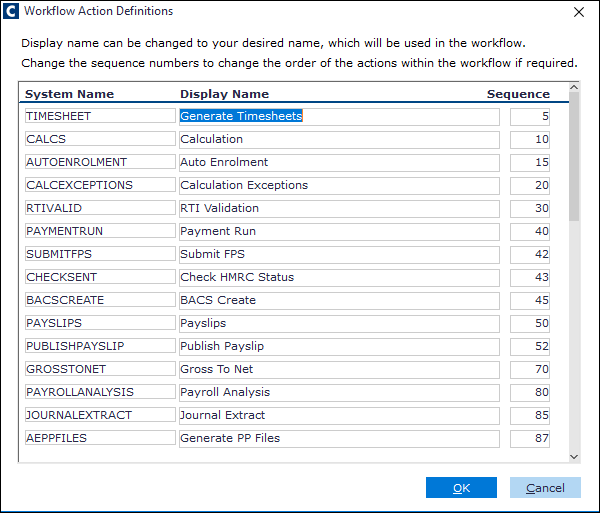
Rename the Display Name of the desired action.
Change the number in the Sequence to the desired order.
Note: A message appears if there are duplicate numbers entered for the sequence. You will then need to search the Sequence column for the duplicate and renumber it.
Click the OK button. The action's DisplayName is changed in the Action pane and appears in designated place in the list.
Continue to run the Action.
Remember: actions can be re-ordered, and your report packs are included as actions, so you can order all of the actions you need to complete, in one block.