Bureau reports are published in Cintra iQ and provide information across all the payrolls belonging to the bureau.
Access published reports
In Cintra People, click the Bureau tab.
In the side menu, click Reports.
A list of available reports will appear. To open any report, click its View icon on the right:

These reports will be updated twice daily.
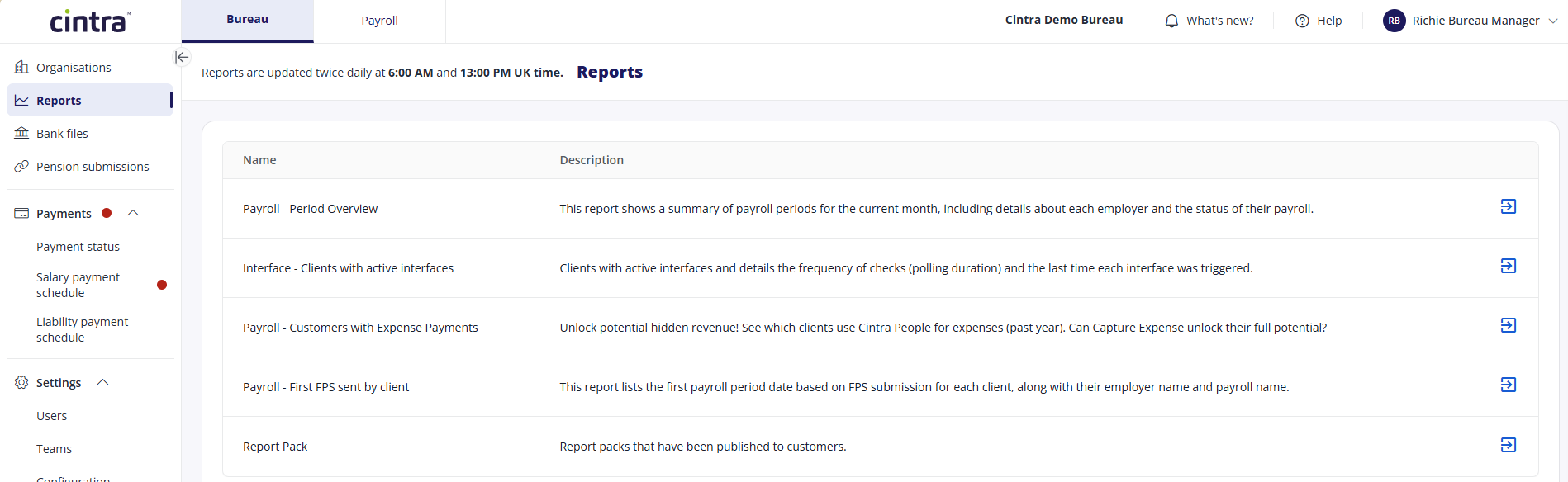
When you open any of these reports, you will be presented with a list of reports that has been published from Cintra iQ.
The columns and filters will vary, depending on which report you access. For more information, see Introduction to the Report Customisation screen.
Available reports
Name | Description |
|---|---|
Payroll - Period Overview | This report shows a summary of payroll periods for the current month, including details about each employer and the status of their payroll. |
Interface - Clients with active interfaces | Clients with active interfaces and details the frequency of checks (polling duration) and the last time each interface was triggered. |
Payroll - First FPS sent by client | This report lists the first payroll period date based on FPS submission for each client, along with their employer name and payroll name. |
Payroll - Customers with Expense Payments | Unlock potential hidden revenue! See which clients use Cintra People for expenses (past year). Can Capture Expense unlock their full potential? |
Report Pack | Report packs that have been published to customers. |