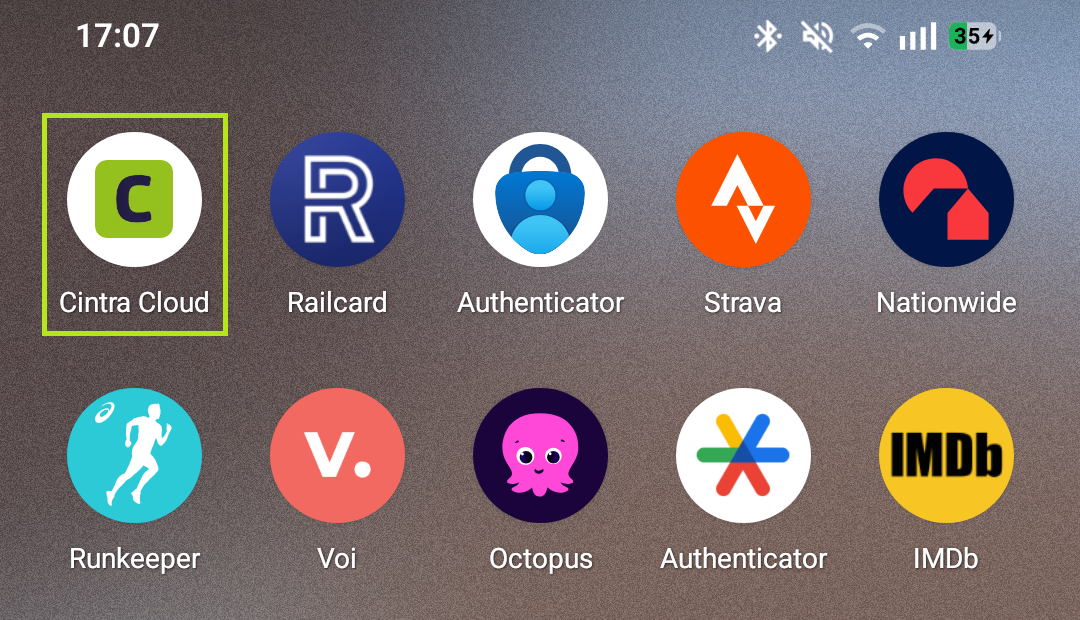
You can add Expenses to your phone's home screen for quick access, without needing to download anything from an app store. The steps are slightly different depending on whether you're using an iPhone/iPad or an Android device.
On iPhone or iPad (Safari)
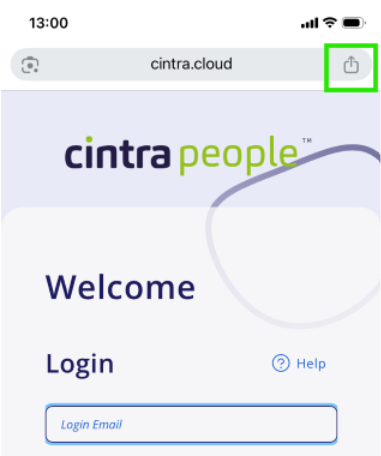
Open Safari and go to cintra.cloud.
Log in as normal.
Tap the Share icon in the toolbar.
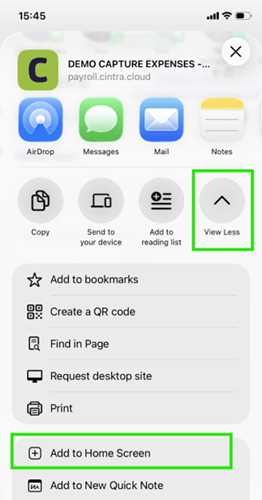
Scroll down / tap View More, then tap Add to Home Screen.
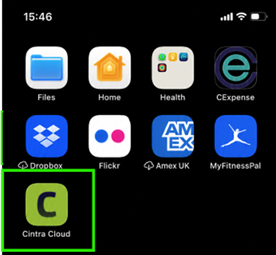
Edit the name if required, then tap Add.
Expenses will now appear on your home screen.
On Android (Chrome)
Open Chrome and go to cintrapeople.com.
Log in to your Expenses account.
Tap the three dots in the top right corner.
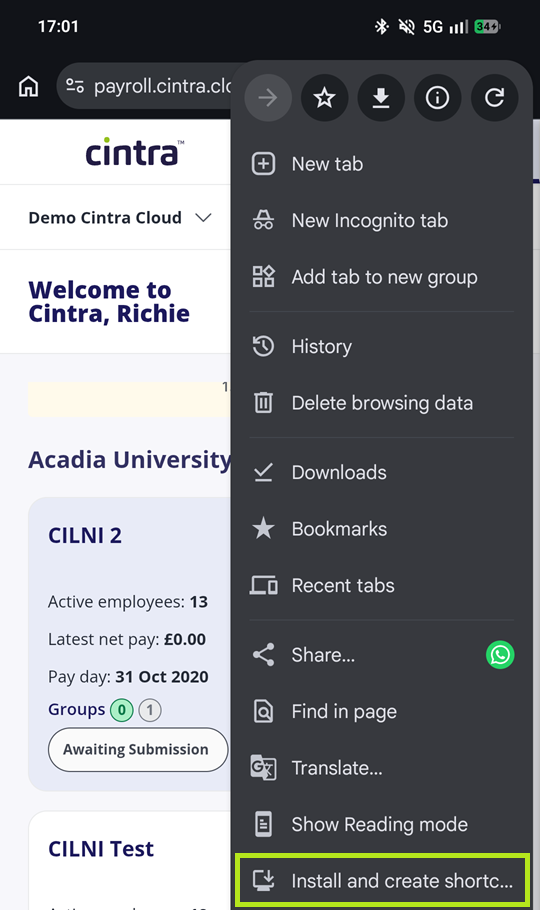
Tap Add to Home screen. This may show as Install app on some devices.
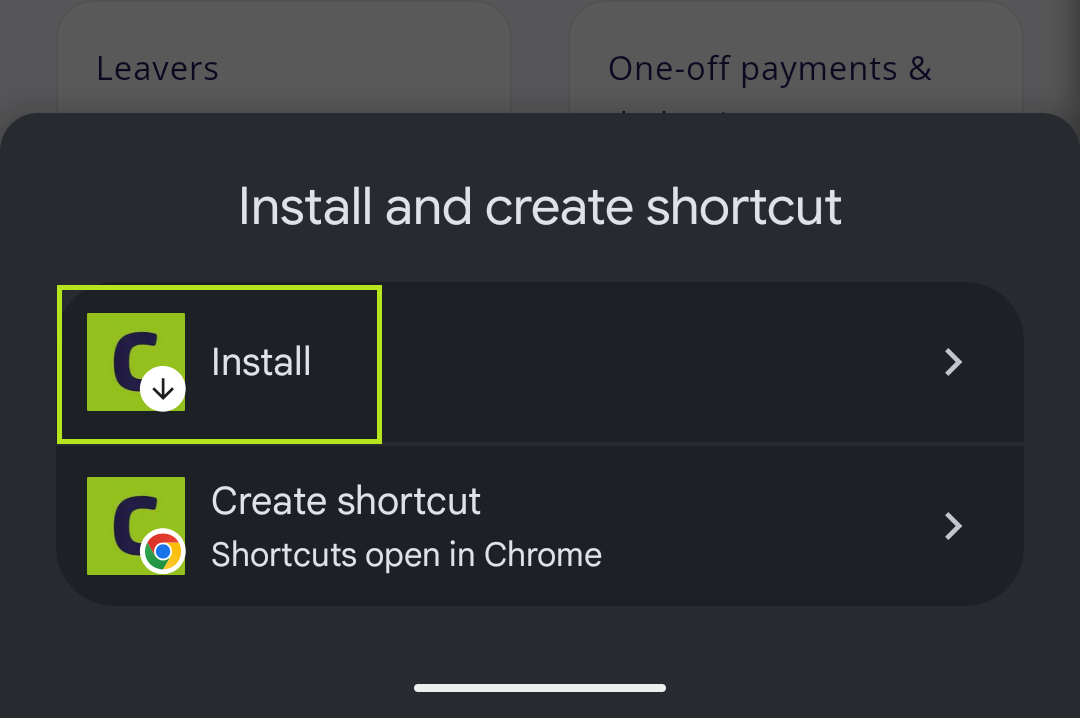
Confirm by tapping Add or Install.
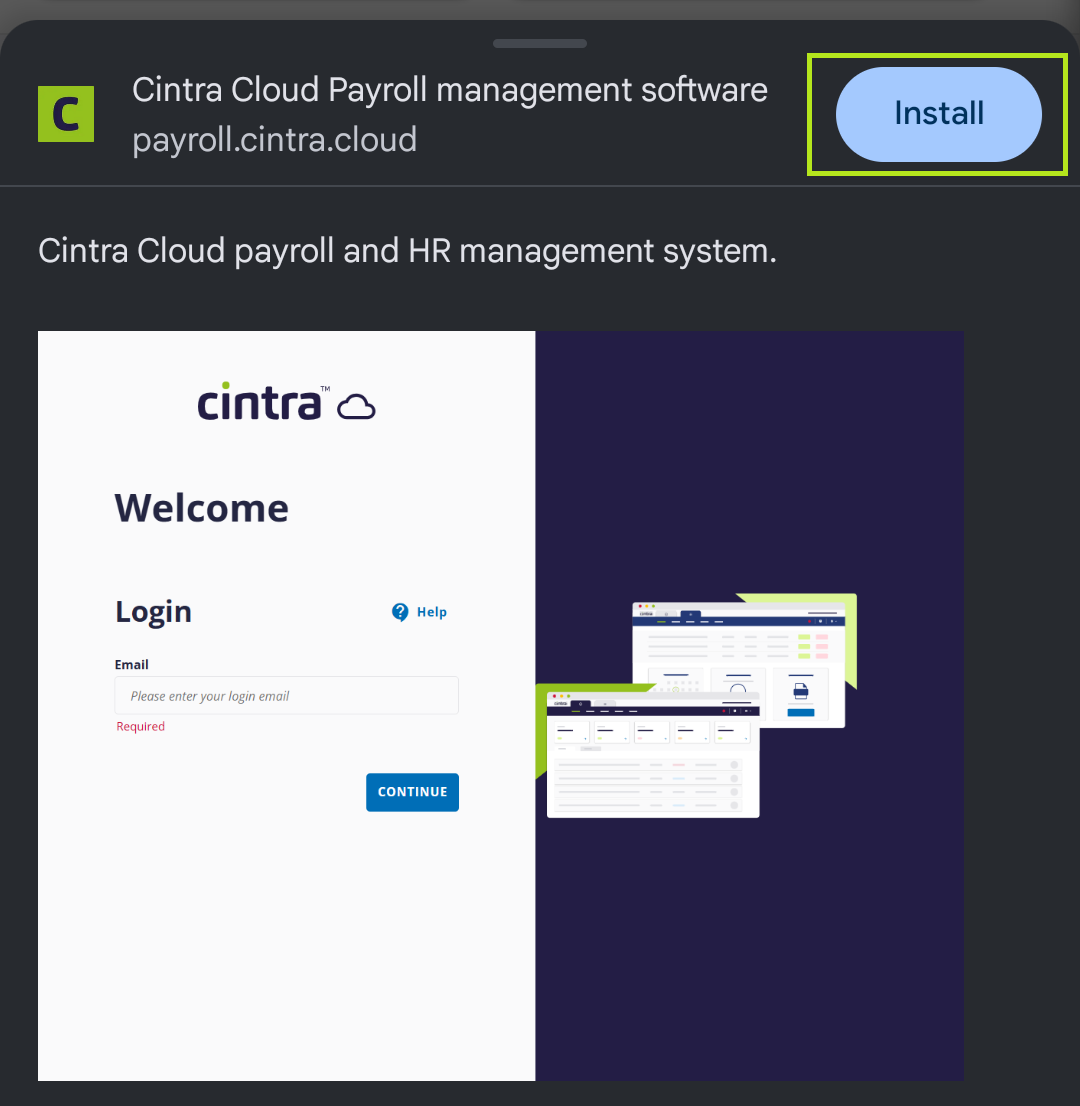
Expenses will now appear on your home screen.