Available in:
HR Essentials
HR Advanced
Who can do this:
HR Manager
Administrator
Introduction
Teamtailor is an Applicant Tracking System (ATS) that aids recruitment and hiring processes.
You can integrate Teamtailor with Cintra People HR to benefit from the following:
Notifications when a candidate has been hired in Teamtailor
Import hired candidates into Cintra People HR to set them up as new employees
To make use of the Teamtailor Integration, you first need to set it up. Take a look at the following guide on how to do this: Setting up the Teamtailor Integration.
Adding Employees
When a candidate has reached the relevant stage in your pipeline in Teamtailor, a notification will be triggered and you will be able to import them into Cintra People HR.
The notification is dependent on the trigger you set up. To find out more about trigger, take a look at the following article: Teamtailor: triggers.
In this example, we have set the trigger to occur when candidates are moved to the Hired stage.
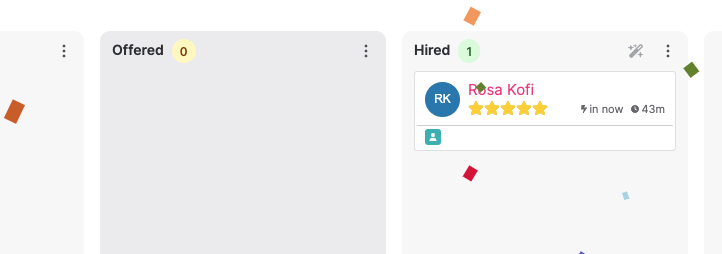
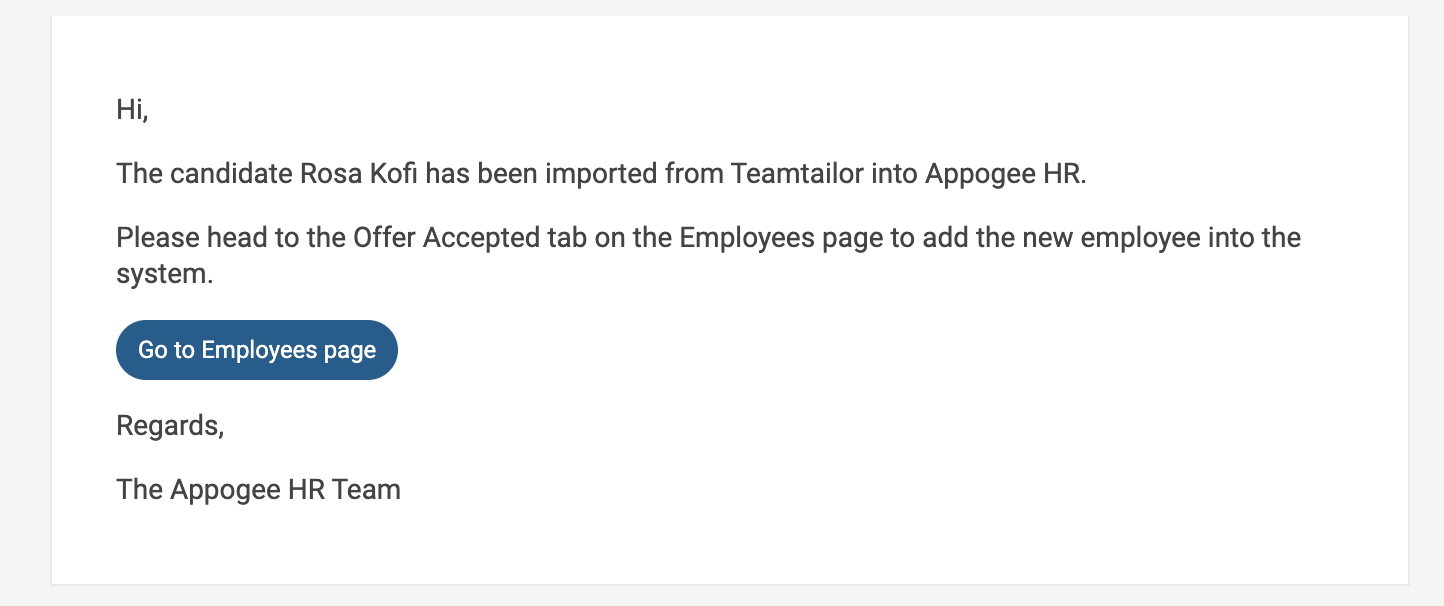
Now that this employee has been moved into the Hired stage in Teamtailor, we will receive an email notification from Cintra People HR.
To import this employee, go to the Employees page in Cintra People HR and view Offer Accepted.
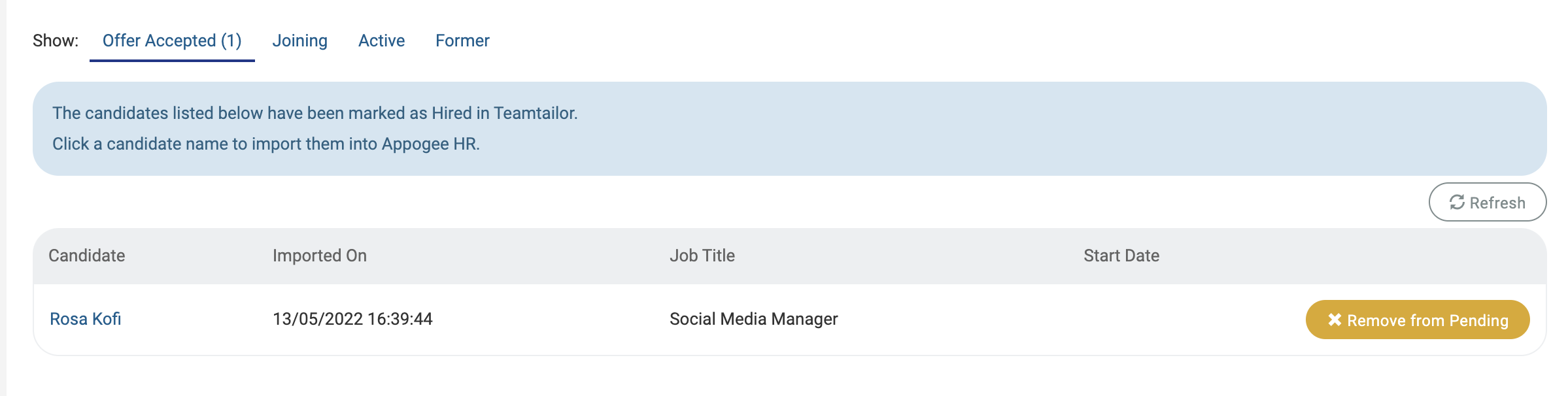
Click on the employee name to go through the process of adding them to the system.
The following information can be synced from Teamtailor:
First Name
Last Name
Email
Phone number
Job Title
Location
Team Name
Follow the steps in the dialog to import the employee.