Pre-approved expenses are expenses that are approved before any funds are spent. These are often used for expenses such as travel.
When a pre-approval request is submitted, an email is sent to the designated individual or line manager to approve.
In the side-menu, click Approval.
Requests will be displayed in the Pre-Approval tab.
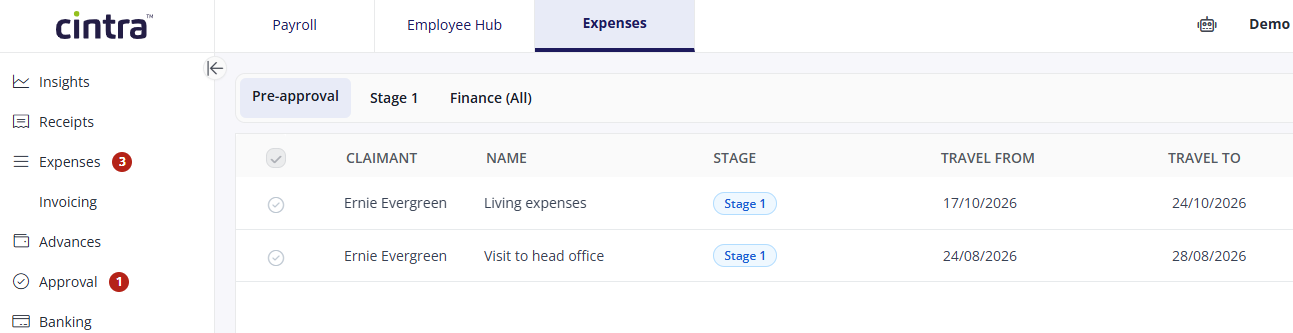
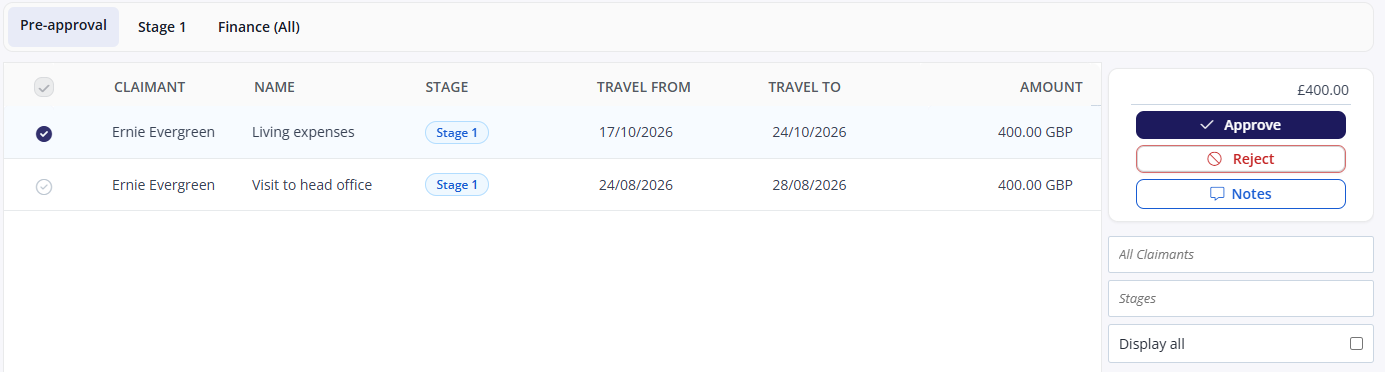
Click the checkbox to the left of the claimant’s name.
The options: Approve, Reject, and Notes appear in the right sidebar.
If the Notes option is used the claimant will see a speech bubble icon in the request.
To review the details of a request, click the request and the pop-up box will appear.
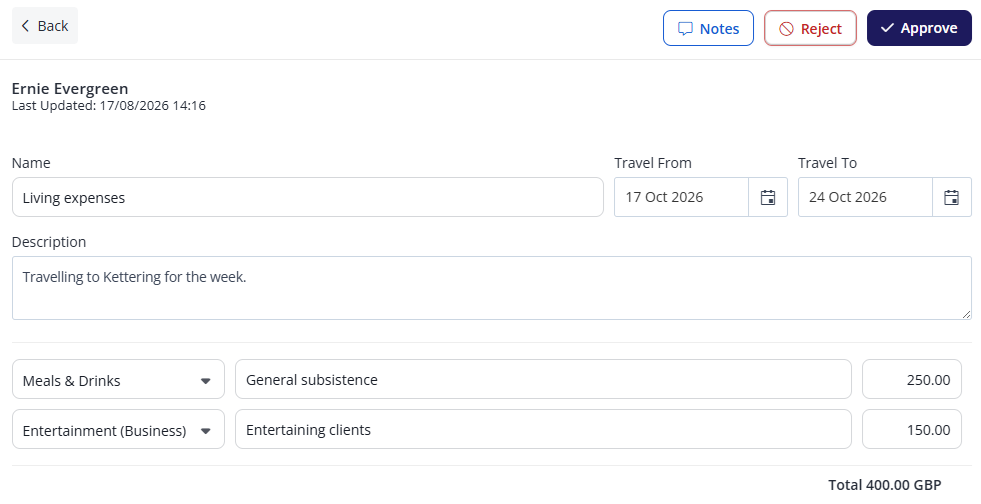
You can also add attachments, such as train tickets, when approving.
Click Approve or Reject. If you are rejecting the request, you should provide a reason.
The claimant will be notified about the pre-approval decision.
Viewing pre-approval requests
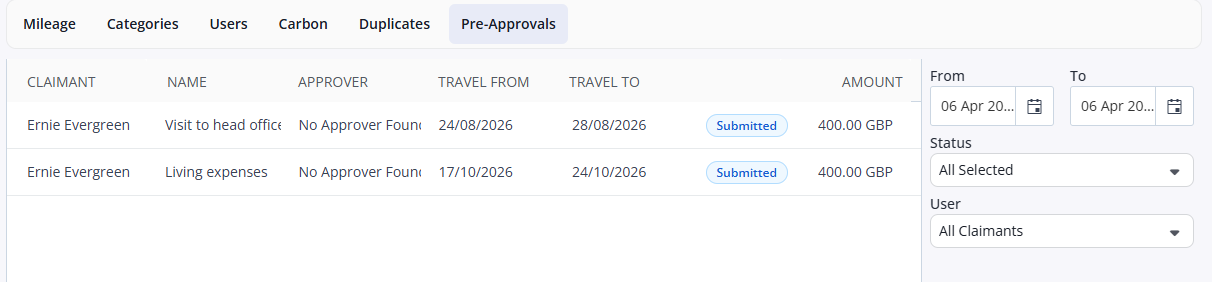
Finance and administrator users are able to view all pre-approval requests. To do this:
In the side menu, select Insights.
Click the Pre-Approvals tab.
You can filter by dates, status, and claimants in the area on the right.