Automatic VAT receipt management simplifies mileage claims by applying VAT from an uploaded fuel receipt across future claims until the receipt is fully utilised. This reduces manual tracking and ensures accurate VAT recovery.
Admin: enable automatic VAT receipts
Before users can use this feature, an administrator must configure the mileage category.
Go to Setup > Categories.
Select the mileage category and click Edit.
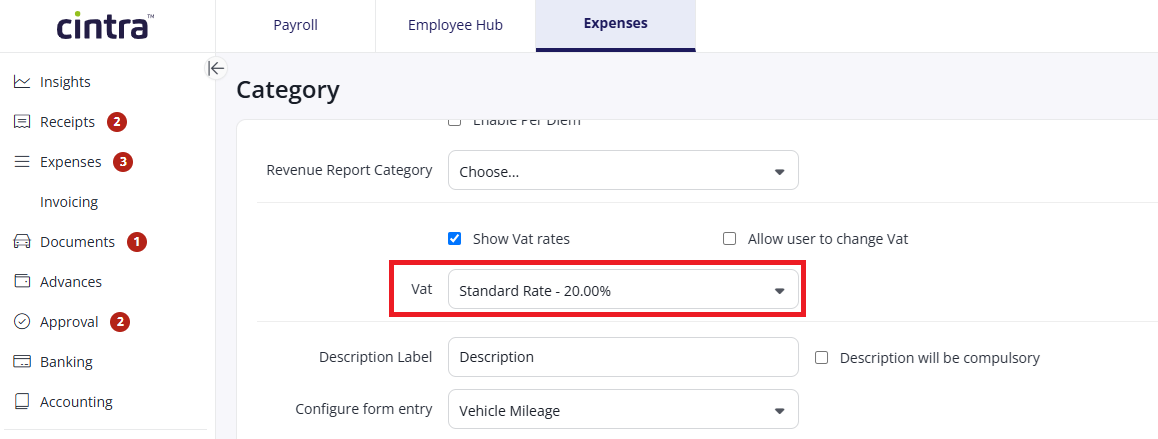
Ensure a default VAT Rate is selected.
Click Save.
Using automatic VAT receipts
Once the feature is enabled, users can create a mileage claim and upload a fuel receipt against it and the system will apply the remaining VAT balance to subsequent claims automatically.
Create a new mileage expense, complete the details of the claim: journey, vehicle etc and then upload a VAT-inclusive fuel receipt.
Change the Receipt field to: Vat Receipt and the correct Vat amount for journey is automatically calculated.
Click Save. If the receipt has unused VAT remaining, the balance is carried forward.
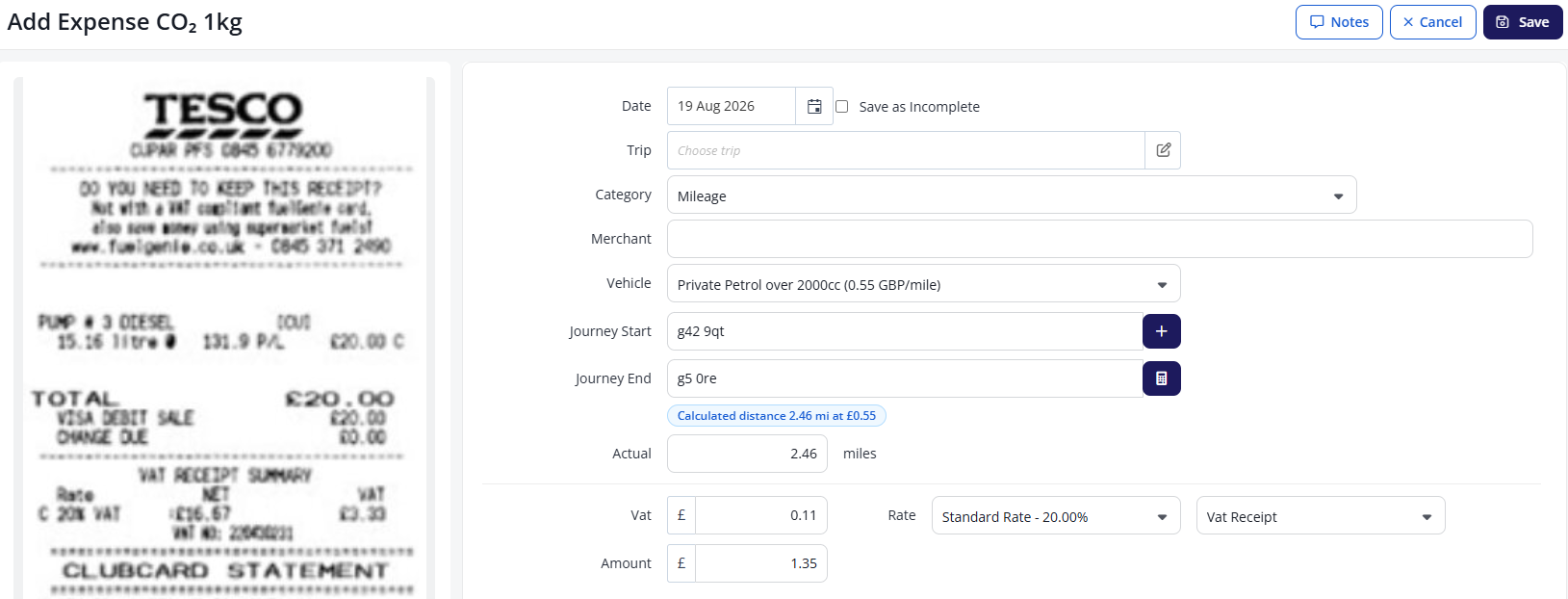
For subsequent mileage claims, complete the expense details and click SAVE - the Receipt field should not be changed. Upon saving the system calculates the VAT and allocates from the balance from the previous receipt automatically.
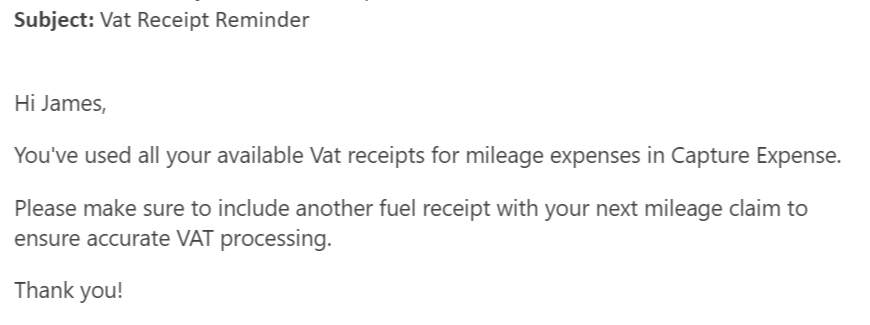
Note: When the VAT balance on a receipt is fully used, you will receive an email prompting you to upload a new receipt.
See also: Use VAT receipts for mileage claims.