Available in:
HR Advanced
Who can do this:
HR Manager
About
The Suggestion Box allows employees to submit suggestions to HR Managers. This could for things such as company culture, social initiatives, business ideas. When employees submit a Suggestion, all HR Managers are notified. Suggestions can be marked as "Considered", "Implemented" or "Declined". You can choose whether employee suggestions are submitted as anonymous or not and the Suggestion Box can be disabled altogether.
Customising the Suggestion Box
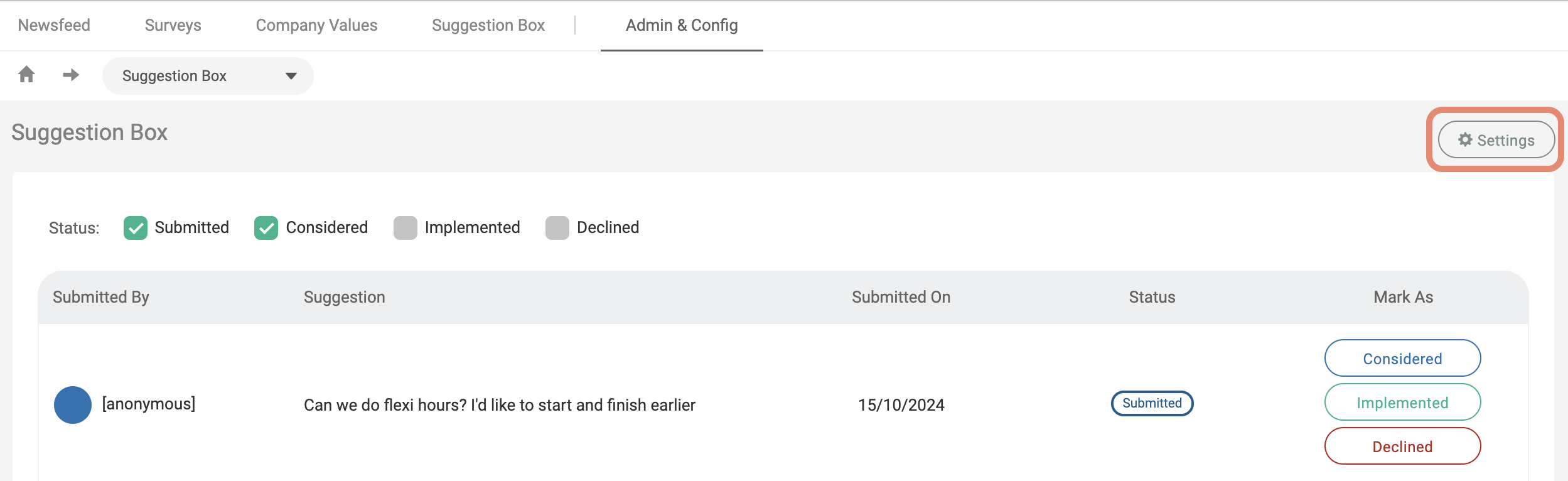
To configure certain elements of the Suggestion Box, go to Culture > Admin & Config > Suggestion Box > Settings.
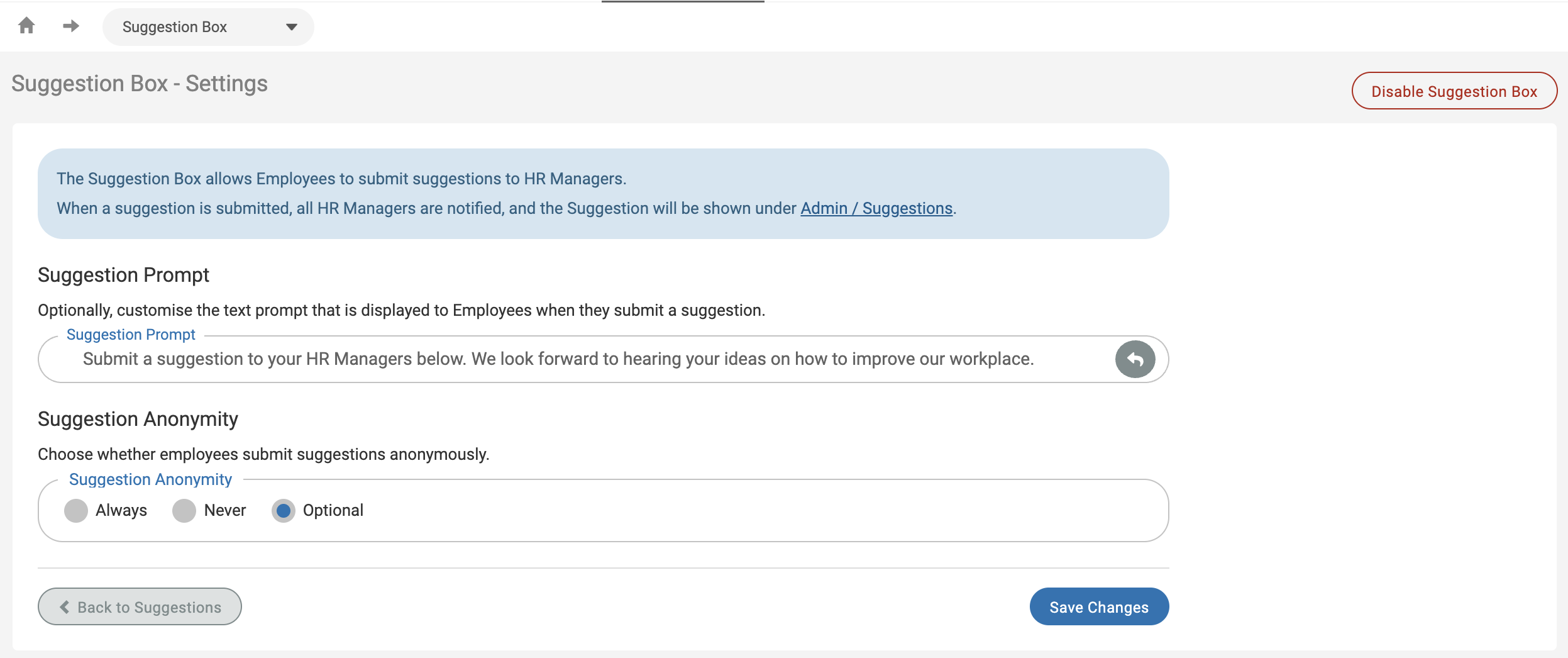
From here, you can configure the Suggestion Prompt, the Suggestion Anonymity and disable the Suggestion Box if preferred.
The Suggestion Prompt is the message that is shown to employees when they submit a Suggestion, a default prompt is provided, but you can customise this as you see fit.
You can choose Suggestion Anonymity from Always, Never or Optional.
Always: all employee suggestions are submitted anonymously,
Never: all employee suggestions are submitted with their names shown
Optional: the employee will be able to choose if their suggestion is submitted anonymously or not
Reviewing Suggestions
Once an employee has submitted a Suggestion, you will receive an email.
You can log in and view the Suggestion by going to Culture > Admin > Suggestions.
This page will show you all Suggestions that have been submitted, you can use the buttons on the right-hand side to mark the Suggestions as Considered, Implemented or Declined.
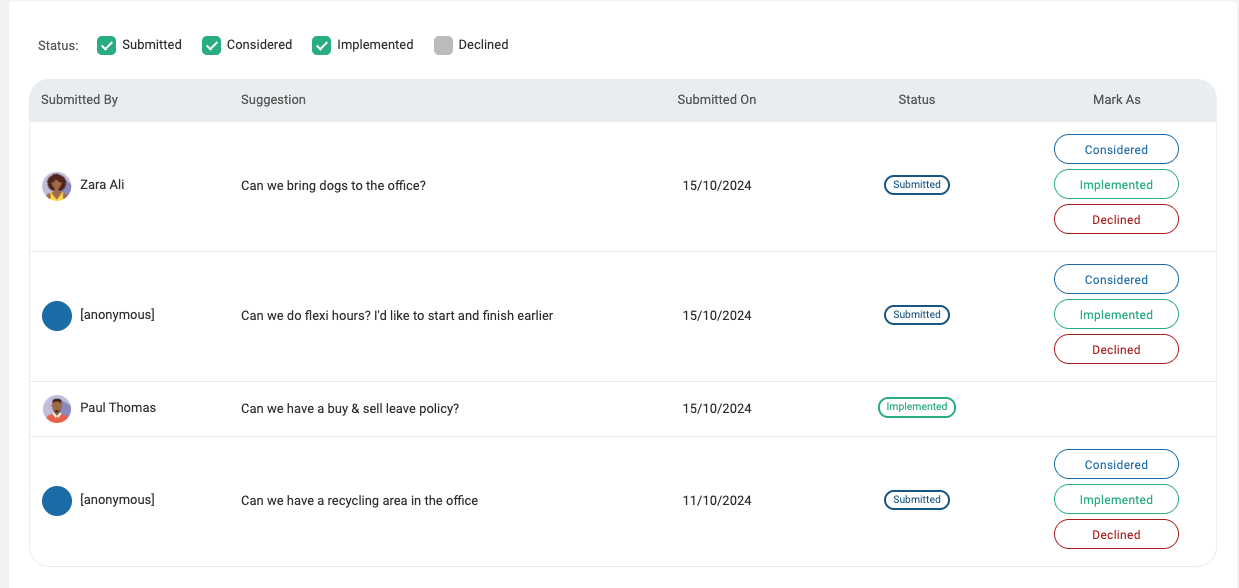
Employees will be notified if the status of their suggestion is updated.