Available in:
Time
Who can do this:
HR Manager
Administrator
What is Time?
Time is an additional module that can be added to any Cintra People HR package. See Key features of Time.
Work patterns
Work patterns define the working hours of your employees. Every employee must belong to a work pattern, so you may need to create a few of these to cater for the different working hours.
Other settings, such as auto-clock out and override, can be edited within General settings. XX
Use the Schedule tab to determine the working hours for your employees. Create new work patterns for each scenario.
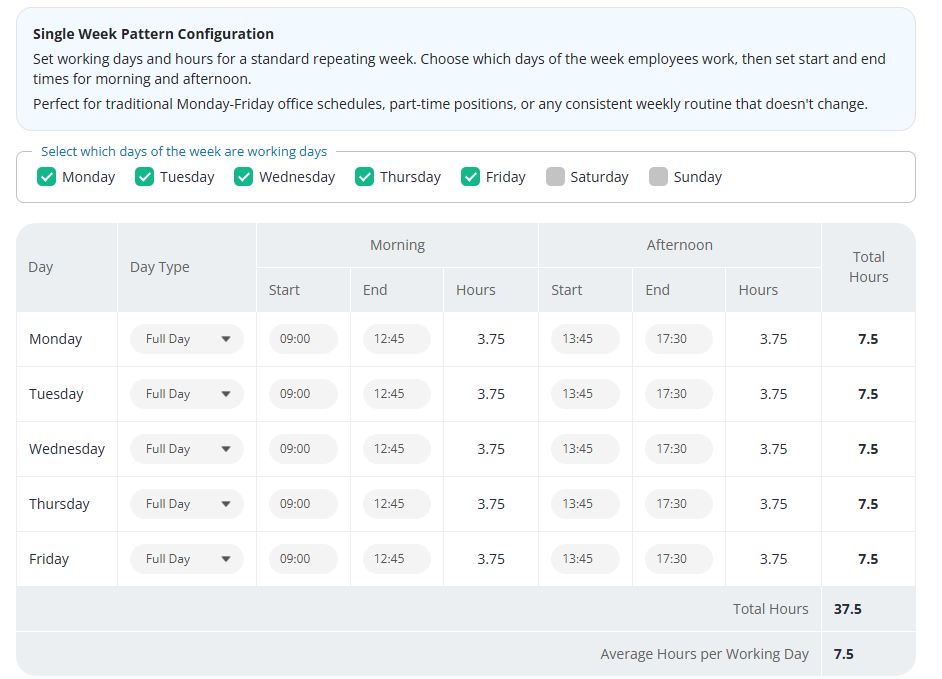
For more information, see work patterns.
Time Configuration
Assign Roles in Time by going to Roles & Access > Project Management.
The Project Admin role will be assigned to the user who set up the account. Additional Project Admins and Project Managers can be added on the Roles & Access page. For a detailed overview of the Roles and what they mean, take a look at the following article: Time: Roles & Access.
Users with the Project Admin role will be able to create Customers, Projects & Tasks.
Go to Time > Config to set these up.
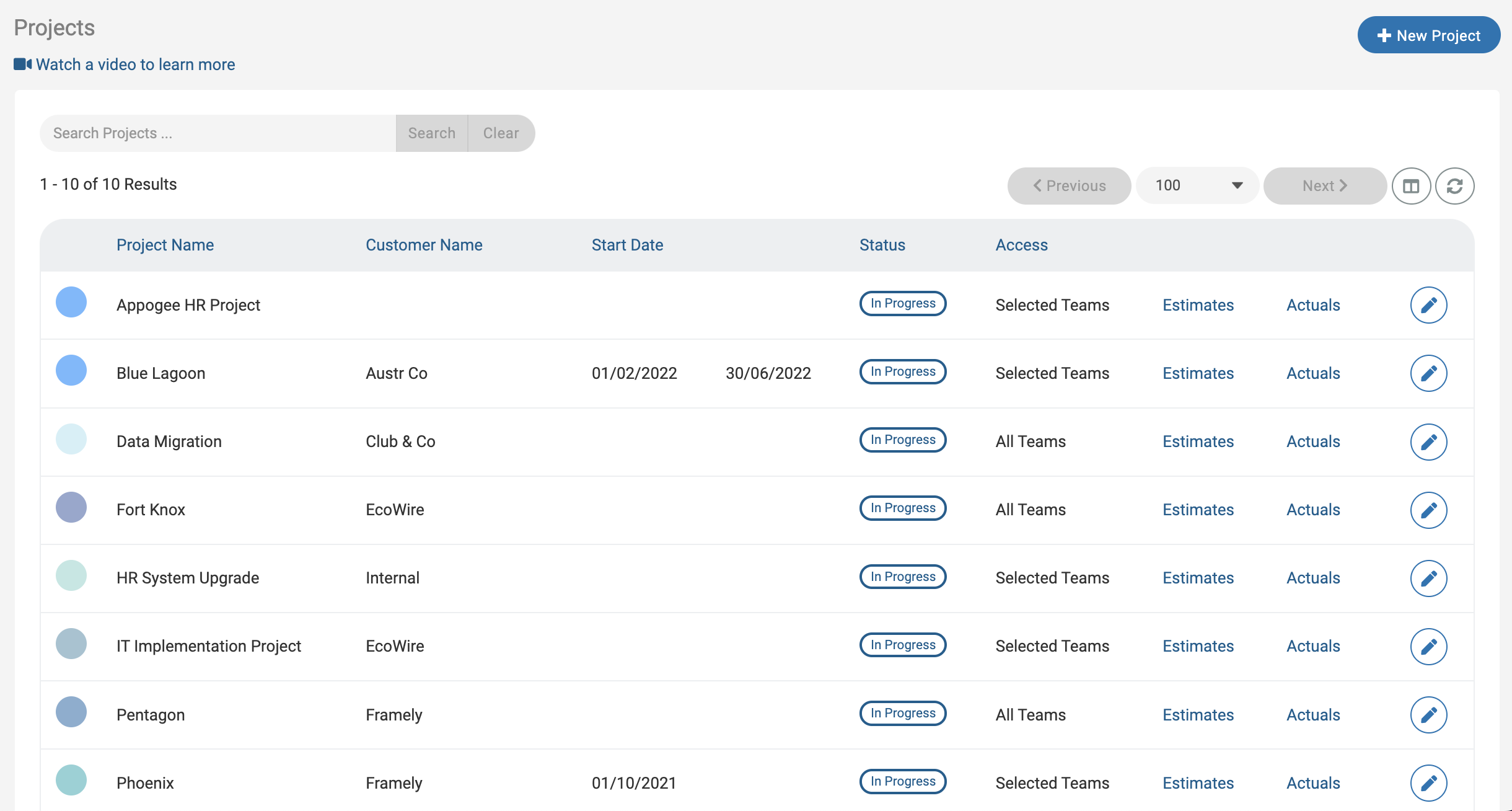
For more information about Projects, Customers & Tasks, take a look at the following article: Customers, Projects & Tasks.
If you'd like to track the Costings/Billings & Actuals of a Project, you may wish to set up Project Roles. This will determine how much your employees are billed for, how much they cost and gives you an understanding of the total Project Actuals.
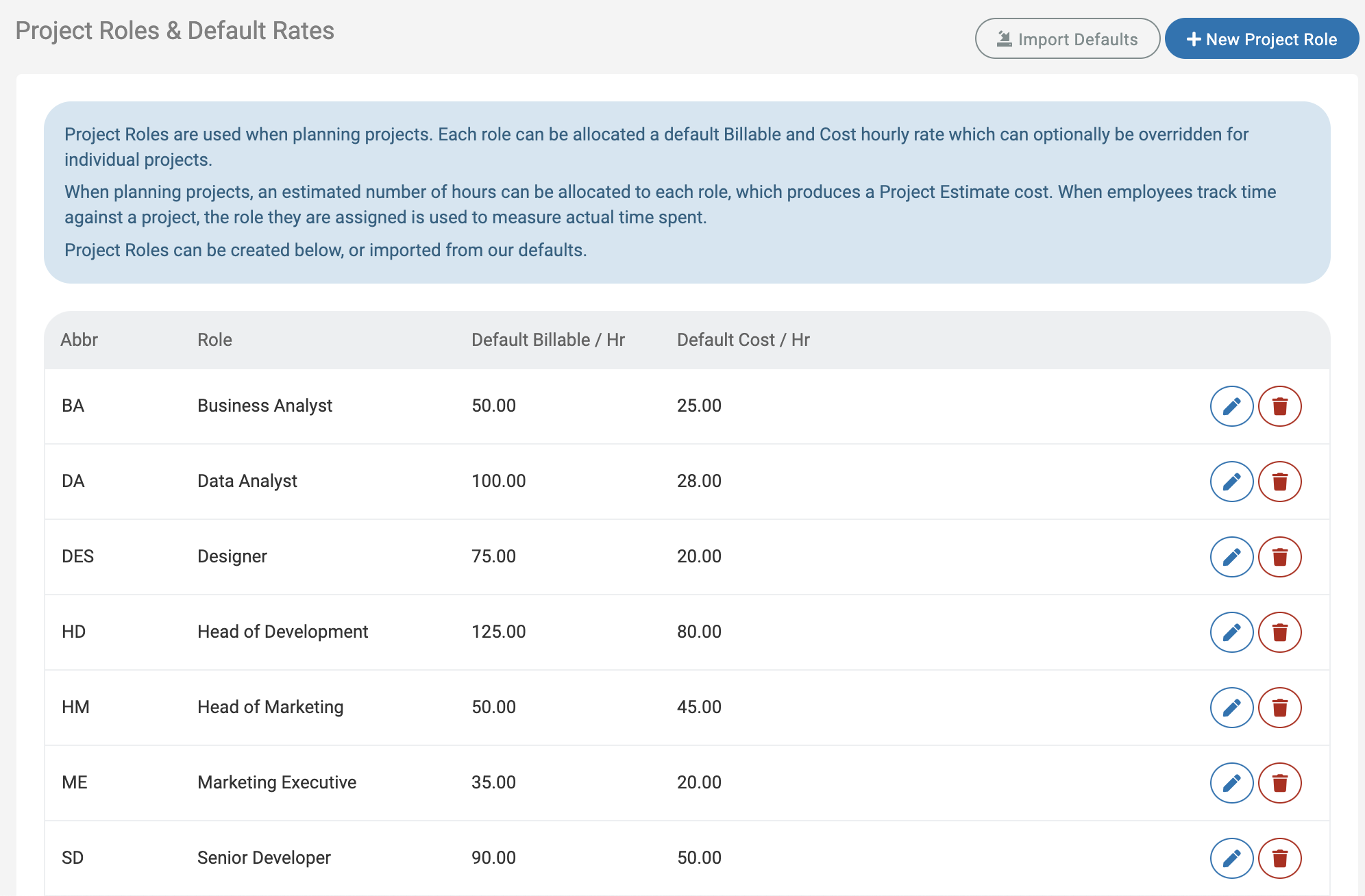
For more information and how to set up Project Roles, take a look at the following article: Project roles