Available in:
HR Essentials
HR Advanced
The Autofill button in Timesheets gives you the ability to quickly populate a timesheet with your working rota times.
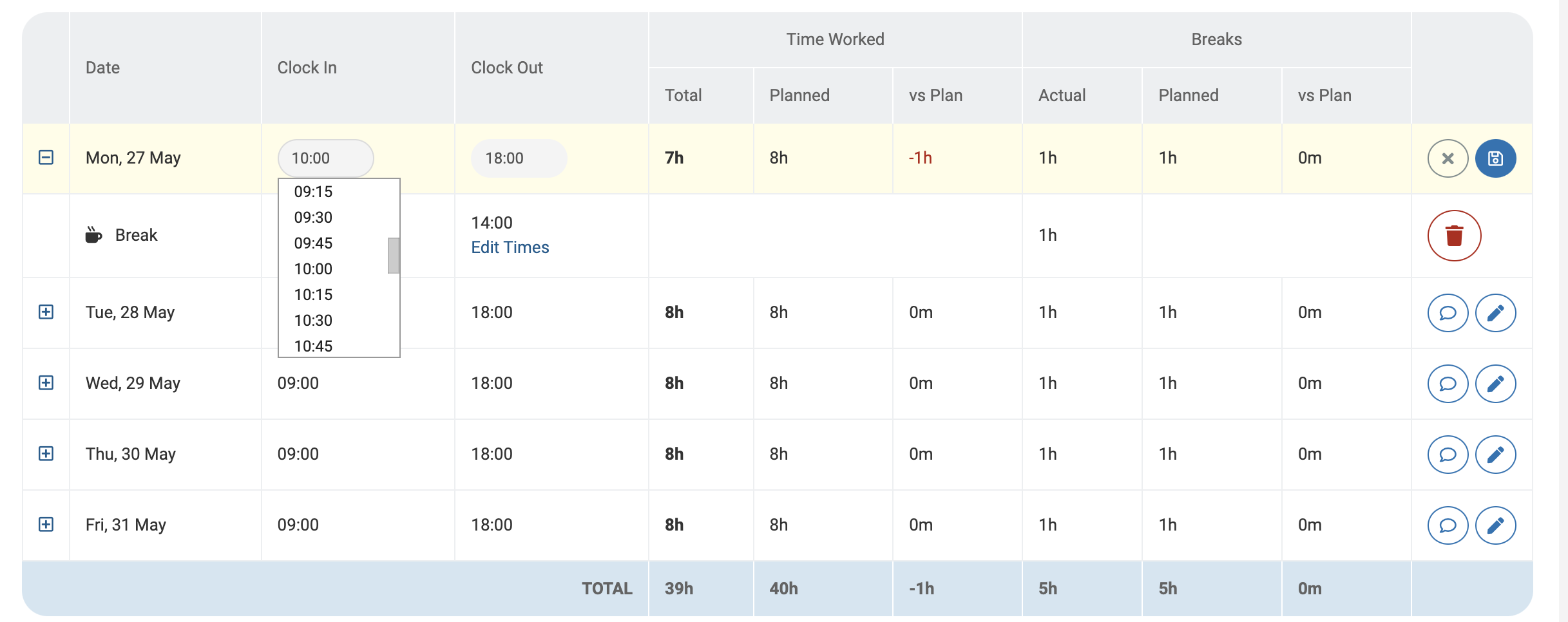
You'll be able to edit the clock in, out or break times if necessary, for example, if you worked late or started early.
If you are an administrator and wish to activate this feature, see Project settings.
Using Autofill
Go to Time > Timesheets.
Select a historic Timesheet from the dropdown, or click the Create button if one doesn't exist.
Click the Autofill button.
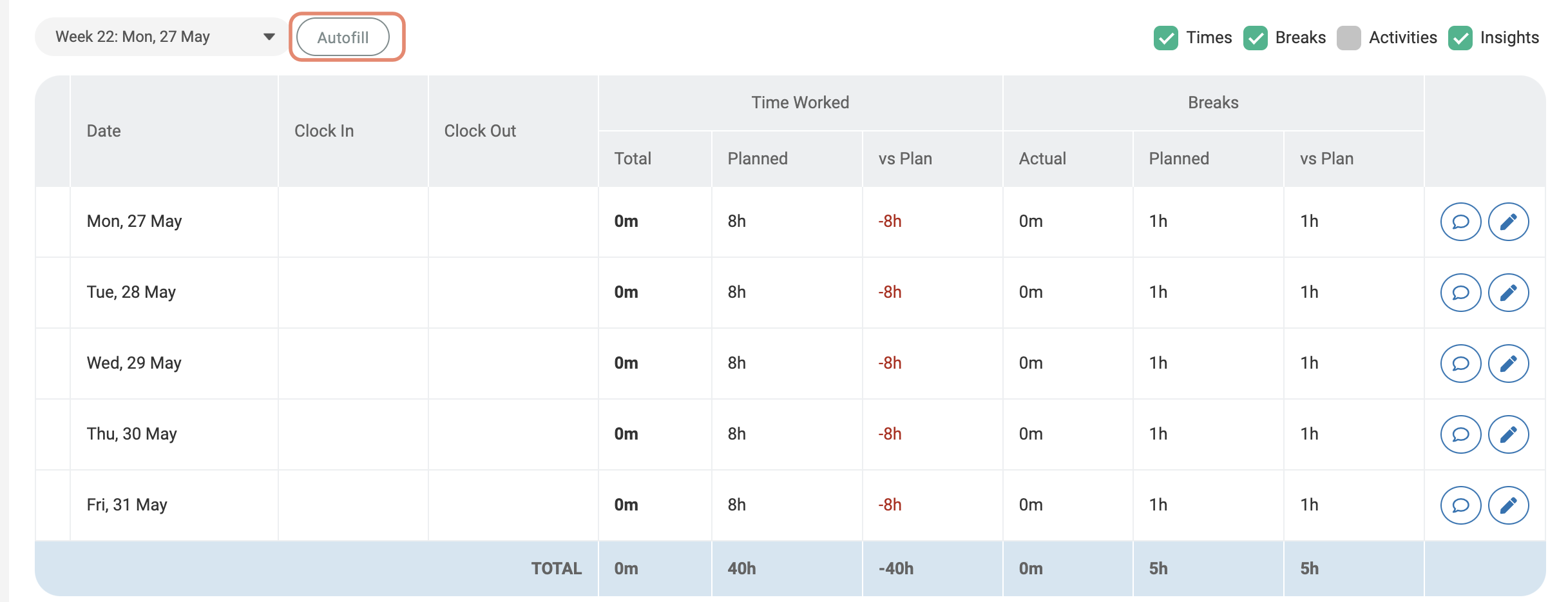
A confirmation message will appear, click Yes.
Your timesheet will now be populated with the Clock In, Clock Out & break times for each day, according to the times on your working rota.
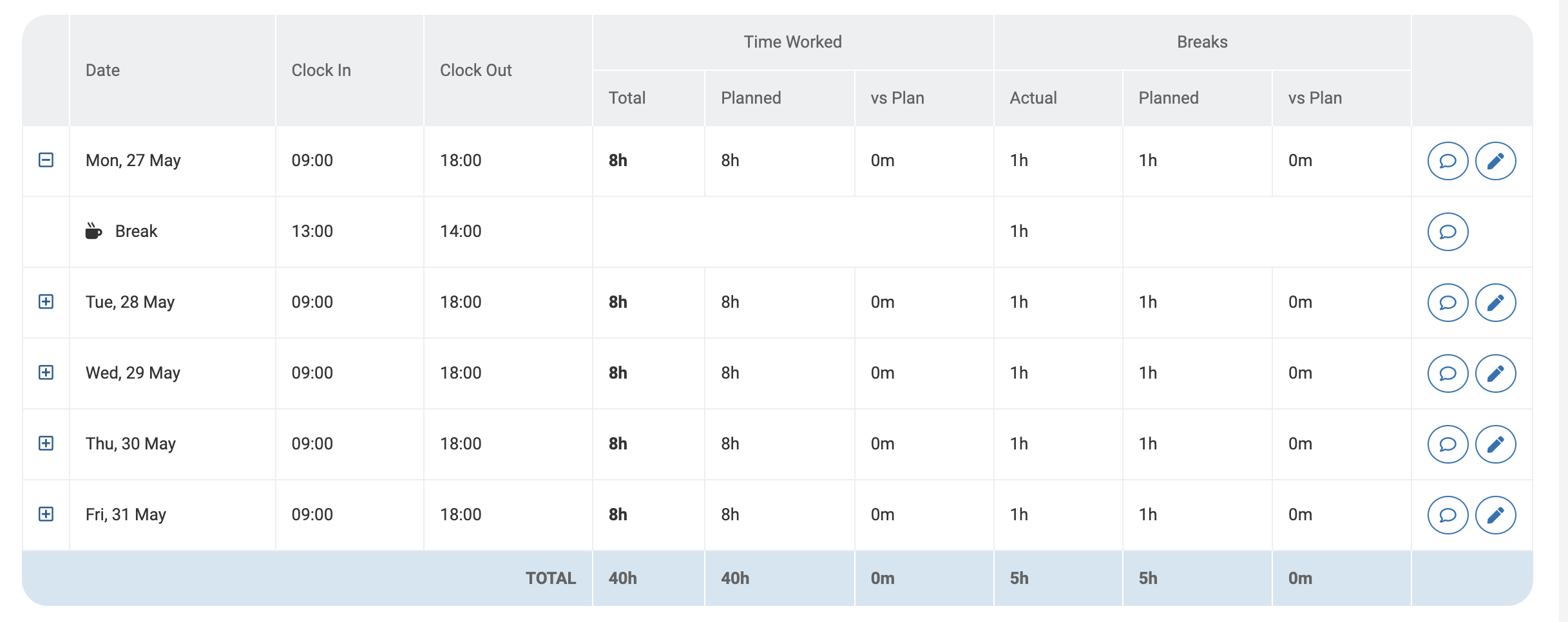
If you need to make a change, you can click on the pencil icon on the right-hand side. This will make the Clock In & Clock Out times editable, or you can click the Edit Times link next to your break to adjust the break time.