The Admin Hub includes a calendar where you can record and manage employee holidays, absence and sickness. The Admin Hub is linked to the Employee Hub, so records entered or requested in one are reflected in the other.
You manage this area from three options in the Admin Hub menu: Calendar, Manage holidays and Manage absence.
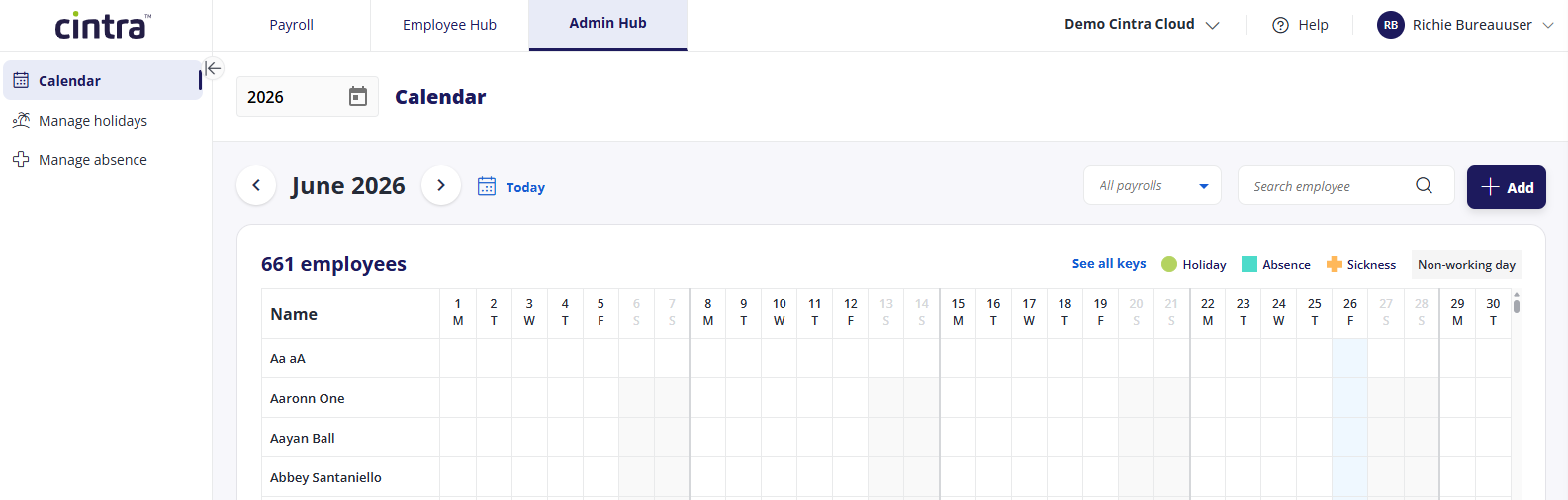
Calendar
The Calendar gives you a month-by-month view of every employee and the time they have booked. Each day is colour coded so you can see at a glance what has been recorded:
Holiday
Absence
Sickness
Non-working day
You can move between months, jump to the current month with Today, filter by payroll, and search for an individual employee. Select See all keys to view the full colour key.
Record time-off for an employee
Select Add and choose Sickness, Holiday or Absence.
Each option opens a form where you enter the employee, the relevant type, and the start and end dates, with an AM or PM marker on each date so you can record half days.
The form shows the total duration as you complete it, and you can add a note.
Manage holidays
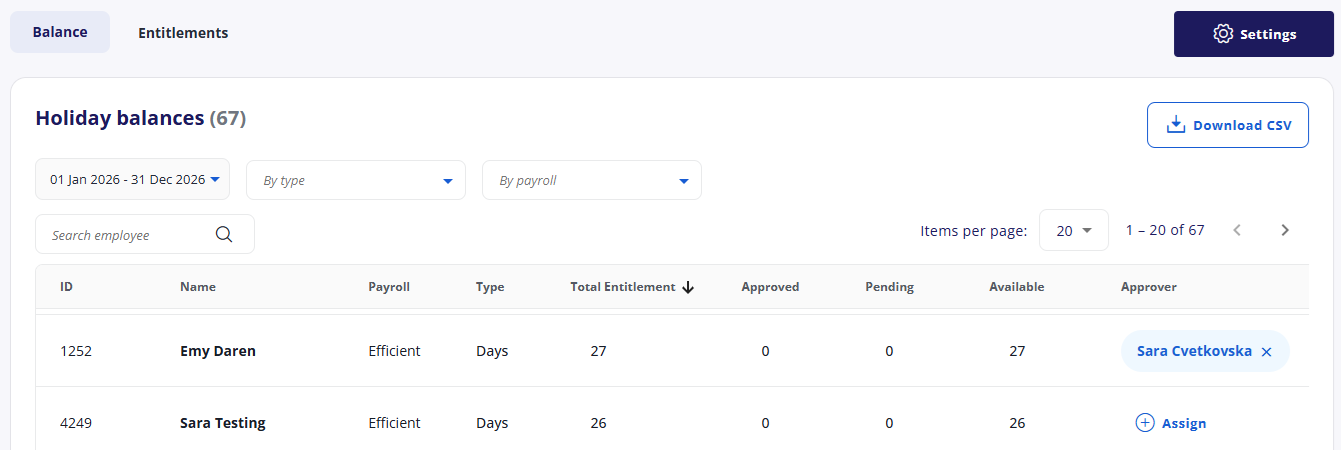
Manage holidays is where you view and maintain holiday balances and entitlements. It has two views:
Balance shows each employee's current holiday position.
Entitlements lists employees with their holiday scheme, the entitlement period, and figures such as pro-rata entitlement, bank holiday adjustment, brought-forward and contracted entitlement.
You can filter entitlements by period, payroll and scheme, search for an employee, and download the list to CSV. Select Add entitlements to set up new entitlements, or Settings to configure how holidays and absence behave.
Selecting an employee opens their holiday entitlement, where you can:
View and edit each holiday scheme the employee is on, including current and future periods, with the total and available balance for each.
Add a further entitlement.
Apply exclusion day sets, such as a factory shutdown or a bank holiday region (such as Scotland).
Set the employee's holiday approver
An employee can hold more than one entitlement at the same time, for example a days-based scheme and an hours-based scheme running in parallel.
Manage absence
Manage absence is where you control how sickness and absence are recorded across your organisation, including which users (Employee, Approver, or Sickness admin) can input, view and request each type.
Sickness settings
Sickness input controls which users can add sickness records: Employee, Approver or Sickness admin.
Sickness visibility controls which users can view sickness records, across the same three roles.
Absence settings
Absence types lists the absence types currently in use, such as appointments, jury service, special leave and TOIL. You must have at least one type enabled to use the Absences feature. You can add existing types or select Create new to add your own.
Absence request controls which users can request absence, for example Employee (requires approval), Approver (approve), or Sickness admin (create and approve).