Payment authorisation is a crucial step in the payroll process within Cintra People. It signifies your approval for the system to generate BACS files for payments on your behalf.
Remember! If you do not authorise your payments then your BACS files will not be processed.
To view all payments awaiting your authorisation, click the Payments menu in the side menu.
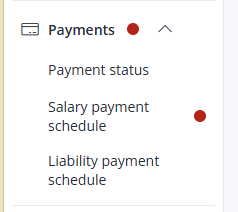
Once you click on the Payments option, you will be presented with an overview displaying all salary, HMRC, and Third Party payments that require your attention.
To authorise the payment, you need the Payment Authorisation role. Click the Authorise Payment button.
Once you click the Authorise Payments button, a form will appear:
Carefully examine the information displayed on the form, ensuring that the figures presented are correct as per the pay date.
Once you have reviewed the details and are confident that the payment amounts are accurate and the pay date is correct, tick the I confirm the figures… box to confirm the figures and pay date.
Click Authorise Bureau to Process BACS when you are confident the payments are correct and you are ready for Cintra to process the bank transfers (BACS).
If you identify any incorrect figures or are unsure about the payment, click Cancel and inform your bureau team immediately.