Who can do this:
HR Manager
Administrator
Two-Factor Authentication is a mechanism for adding a secondary security layer when logging in with a username and password. The use of Two-Factor Authentication is highly recommended at least for users with an HR or Admin role in the system.
Find out how to set up 2FA on your account.
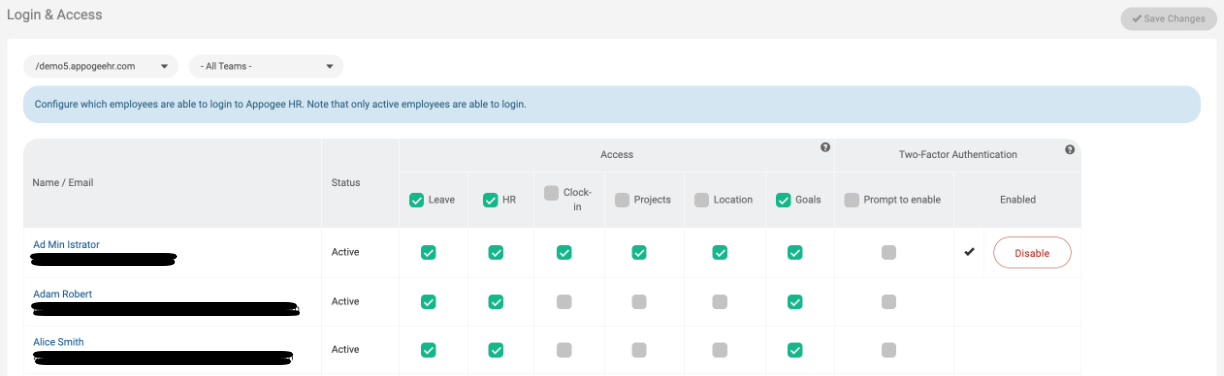
As an Admin or HR Manager, you are able to prompt all or selected users to enable 2FA log-in.
You can do this by going to Roles & Access > Login & Access.
Either select employees individually, or select all. This will give them a prompt to set up Two-Factor the next time they log in, and all times after until they've set it up. You can see which users have enabled Two-Factor, and also disable it from here too.