Cintra iQ is accessed through a web-based portal, secured with LoginTC multi-factor authentication. This article explains how you can access it for the first time, and how to log in / out.
Before you begin
Cintra iQ uses an app called LoginTC which you will need to install on your mobile phone. See Setting up LoginTC for MFA.
Receiving your login details
Once you have been added as a user, you will be sent your login details by email via 1password.
Logging in
Go to https://payrollengine.cintra.co.uk/RDWeb/webclient/.
If you’ve not been emailed your login details, speak to your administrator.
LoginTC sends a notification to your phone app or Chrome extension. Open the notification and click Approve.
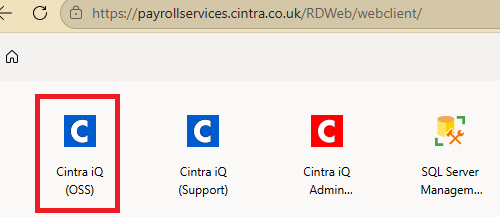
Select the Cintra iQ OSS icon.
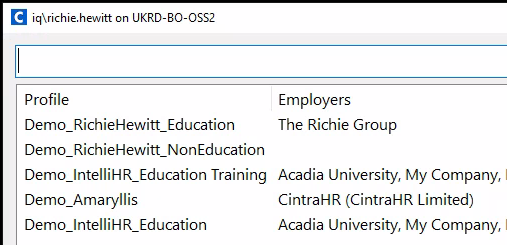
If you have access to multiple employers/databases (including demo/training ones), you will be asked to select one.
For help finding your way around Cintra iQ, see the Tour of the Cintra iQ layout.
If you don't know your password
Contact your Cintra iQ system administrator. This article explains how they can reset your password.
Logging out
As Cintra iQ contains a lot of sensitive data, it is important to sign out when you’re finished using it.
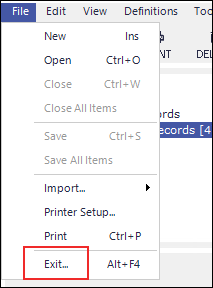
Open the File menu at the top left corner of your Cintra iQ interface.
Select Exit. This action will close your Cintra iQ session.
Note: Simply clicking on the X to exit your internet browser does NOT tell the Cintra iQ session you have finished.
Can’t access any payrolls?
If you have logged in to Cintra iQ but receive a message saying “Unable to identify any valid payrolls for you”, you will need to contact Cintra Support to reactivate your account.