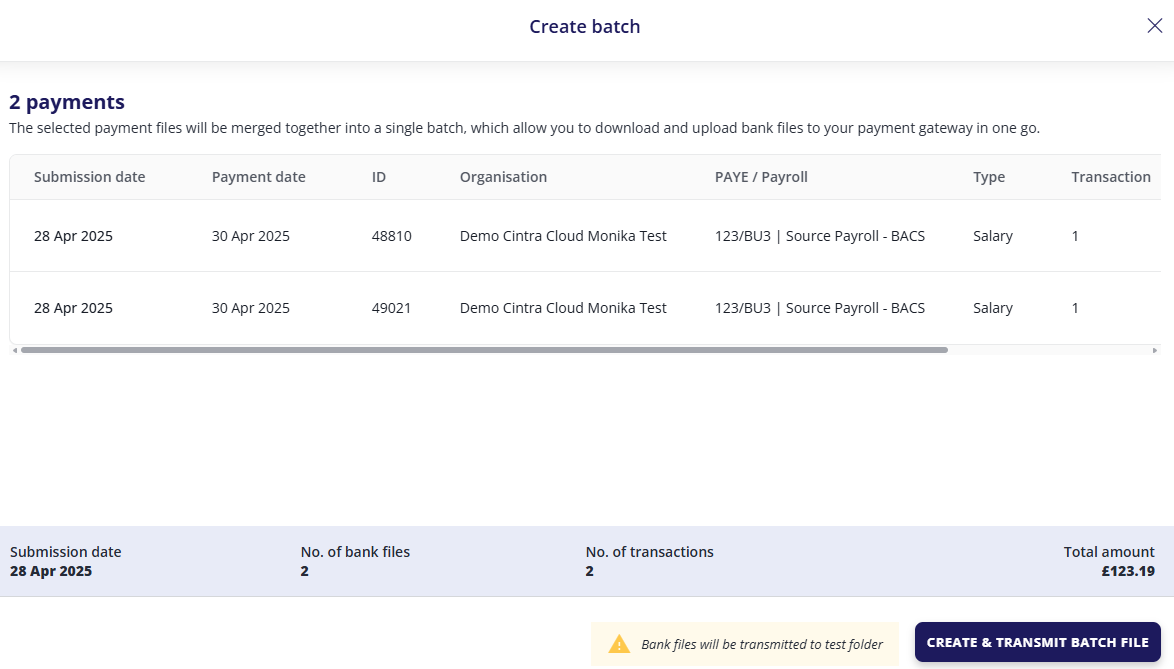
By creating a batch, you can download and submit multiple files simultaneously.
Important: Only if payment file integration with the payment provider is NOT enabled will you be able to download files.
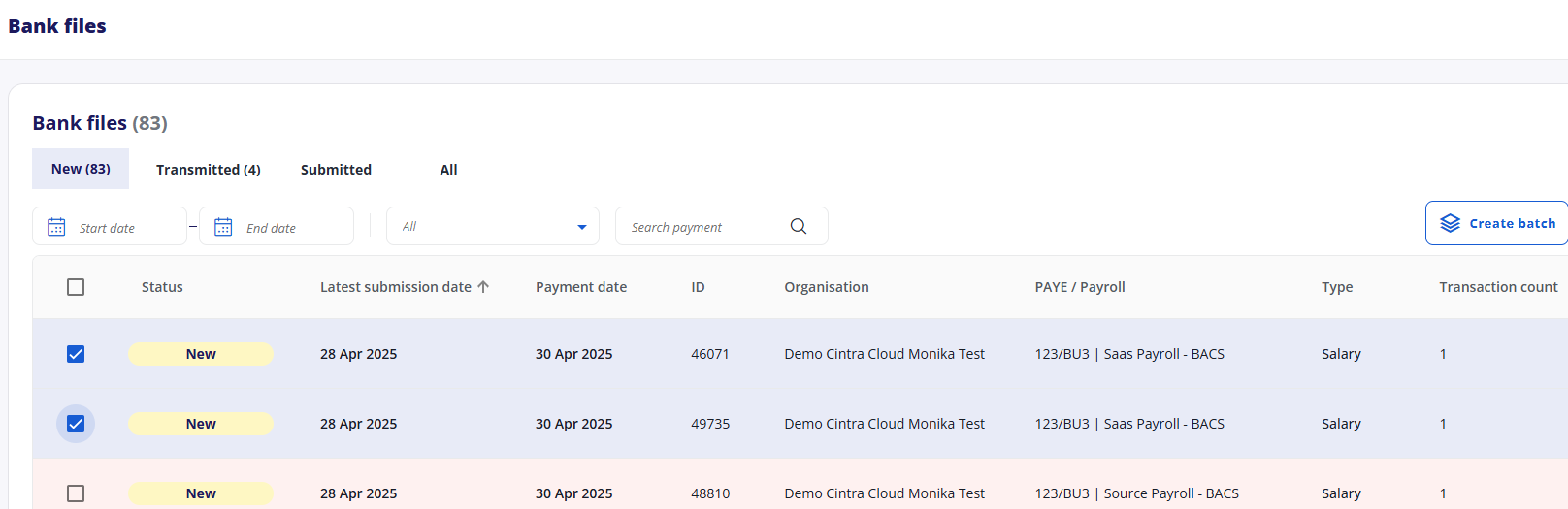
Click the checkbox next to the payment status for each file you want to include in the batch.
Alternatively, you can select all currently displayed files by clicking the master checkbox at the top of the list. Use the filters at the top of your screen to narrow down the list if needed.
Click the Create Batch.
A summary of the payments you have selected for the batch will appear.
Review the details and click Create & Download Batch File (if available) or Create & Transmit Batch File (available to bureaus that download their files before submission to their BACS platform).
The batch is then moved into the Downloaded/Transmitted section.