One-off payments and deductions aren't part of the nightly sync. Your HiBob user enters them in HiBob, and your payroll user imports them into payroll when they're ready.
What gets imported
Type | Where in HiBob | Imported if |
|---|---|---|
One-off payments | Payroll > Actual Payments | The pay date is in the current payroll period |
One-off deductions | Payroll > Deductions | The from and to dates are both in the current payroll period, and the heading is set up as an ad hoc deduction in payroll |
The heading in HiBob must match a one-off payment or ad hoc deduction heading in payroll, either by name or by its batch import code.
Ongoing deductions are also entered on the HiBob Deductions tab, but they come in through the main sync, not this import. Payroll tells them apart by heading. See HiBob integration: Fixed payments and salary.
Importing from HiBob
Open the payroll.
On the One-off payments & deductions card, click Import from HiBob.
If a banner shows there were errors, click its link to open the CintraHR log and see what went wrong.
Fix the errors in HiBob, then click Import from HiBob again.
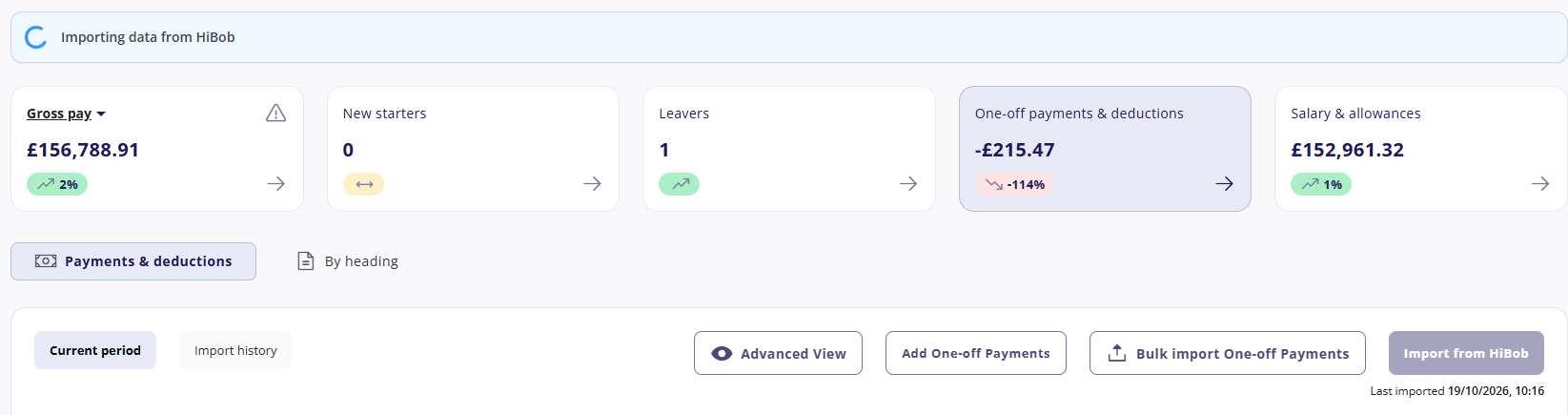
You can import as many times as you need to. Payments that have already come in won't be duplicated.
For help with errors, see HiBob integration: Using the CintraHR log.
Entering one-off deductions
To take money from an employee, enter a positive value in HiBob. A negative value pays the money to the employee instead.
Correcting a payment from a past period
The import only brings in payments dated in the current period, so you can't edit or delete a past payment in HiBob. Instead, enter the difference as a new payment, with a pay date in the current period:
To increase a past payment, enter a positive amount.
To reduce or reverse a past payment, enter a negative amount.
Unit × rate payments
Some payment headings in payroll are calculated as units × rate rather than a fixed amount, for example additional hours, or holiday owed to a leaver. HiBob can't see how a heading is set up in payroll, so check which of your headings are unit × rate before you enter any data.
To import these payments, your HiBob admin must first create the Units field, and the Rate field if you need it. See HiBob integration: Required fields in HiBob.
When you enter a unit × rate payment in HiBob:
Enter 0 in the Amount field. HiBob doesn't let you leave it blank.
Enter the number of units in the Units field.
Enter a rate in the Rate field only if it shouldn't come from payroll.
What happens when you import
If | Then |
|---|---|
The Amount isn't exactly 0 on a unit × rate heading | The payment isn't imported, and this error appears in the CintraHR log: An amount cannot be entered for a payment [heading name] calculated as unit x rate. Zero out the amount in 3rd party system. Change the Amount to 0 in HiBob and import again. |
Units or a rate are entered on a fixed-amount heading | The payment isn't imported, and this error appears in the CintraHR log: Units and rate cannot be entered for a payment [heading name] calculated as a monetary amount. Remove them in 3rd party system. Remove the units and rate in HiBob and import again. |
The Amount is 0 and there are no units | There's nothing to pay, so the record is skipped. No error appears. |
The Rate is blank and the heading has a rate in payroll | The payroll rate is used. |
A Rate is entered in HiBob | The HiBob rate is used, even if the heading has a rate in payroll. No warning appears. |
The Rate is blank and the heading has no rate in payroll | The payment can't be calculated, so it isn't imported and this error appears in the CintraHR log: A rate is required for this payment [heading name] in the 3rd party system. Update it and import again. Add a rate in HiBob and import again. |
A rate entered in HiBob by mistake still overrides the payroll rate, without any warning. If the rate should always come from payroll, leave the Rate field blank.
To correct or reverse a unit × rate payment from a past period, enter a negative number of units with a pay date in the current period, and leave the Amount at 0.
Payments you can't import
Employee In Post Payment and Spine Point Addition payments are linked to a specific post, which HiBob doesn't hold. Add these payments manually in payroll.