If you have a lot of employees to add, you may find it quicker to import them than to add them individually.
Cintra People Payroll has a new import tool to streamline the import process. For more general information on the tool - including which other areas you can import to - see Bulk import.
In the Payroll tab, select Payrolls in the side menu.
If you have access to multiple payrolls, select the payroll you wish to add the employee to.
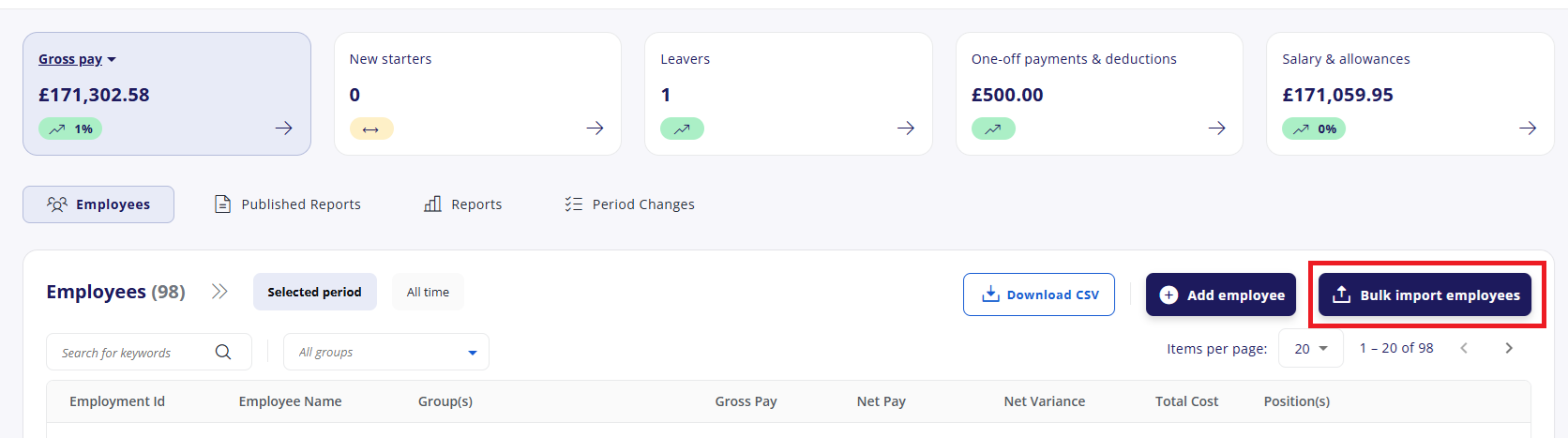
Click Bulk import employees.
Click Download template. It will save in your downloads folder.
Alternatively, if you already have the import data in a separate spreadsheet, you can upload it directly. Cintra People will help you match the columns in your spreadsheet to the correct fields. See Bulk import - Mapping columns, then jump to step 8.
An employee.xlsx file will download to your computer. See Information for filling in the spreadsheet below.
Open the file with Microsoft Excel or other spreadsheet application.
For each employee, add their details into a new row of the spreadsheet.
When you're finished, save the file (do not change the format from .xlsx), then either:
Drag and drop the file into the highlighted area of the Bulk import screen or
Click Browse this device, locate and add the file, then click Open.
Upload the completed and saved template in the area below.
Cintra People will help you match the columns in your spreadsheet to the correct fields. See Bulk import - Mapping columns.
After mapping columns, you will be shown a list of all the data to be imported, with any errors highlighted in red. These must be fixed before completing the import. See Bulk import - Fixing errors.
Information for filling in the spreadsheet
The fields in the spreadsheet will vary, depending on how your system is set up.
Generally, white columns are mandatory, whereas grey columns are optional.
Some fields will let you enter text, others will require you to choose a value from a drop-down.
Some fields will have a tooltip to inform you about limitations within the field (e.g. maximum 10 characters).
You may find some fields missing from the import spreadsheet or the new employee set-up process. To access these missing fields, use Cintra iQ or speak to your Bureau administrator.
Column Name | Required | Expected Value | Comment |
|---|---|---|---|
Employment ID | Yes | Max length 10 | The employment ID is needed for creating new employment records. The identifier provided is used to communicate employee payment details through the Full Payment Submission (FPS) to HMRC on payment to the employee. |
Title | Max length 4 | Mr, Mrs, Miss, Dr etc. | |
First Name | Yes | Max length 30 | Employee's first name |
Middle Name | Max length 30 | Employee's middle name | |
Surname | Yes | Max length 35 | Employee's surname |
Gender | Yes | Male or Female | |
Date of Birth | Yes | Date | |
Address Line 1 | Max length 35 | ||
Address Line 2 | Max length 35 | ||
Address Line 3 | Max length 35 | ||
Address Line 4 | Max length 35 | ||
Address Postcode | Valid postcode must be provided | ||
Address Country | Max length 35 | ||
NI Number | Valid NI Number must be provided | ||
Marital Status | Single, Married, Divorced, Widowed, Separated, Civil Partnership, With long term partner | Can be left blank. | |
Max length 250 | Valid email address must be provided. Employees main email address used for notifications through employee and manager Self-Service. | ||
Email 2 | Max length 250 | Valid email address must be provided. Typically used for a secondary or private employee email address. | |
Religion | |||
Nationality | |||
IR35 Off Payroll Worker | Yes | Y or N | |
Start Date - Continuous Service | Date | ||
Start Date | Yes | Date | |
Leaving Date | Date | ||
Employment Status | Yes | Permanent, Temporary, Casual | |
Payment Method | Yes | Transfer, Cash, Cheque, Internal | |
Payment Sort Code | Yes | Valid sort code 00-00-00 | |
Payment Account Number | Max length 8 | Eight digit account number | |
Payment Payee | Yes | Max length 60 | Name of Payee |
Payment Account Reference | Max length 18 | ||
Payment Autopay ID | Max length 8 | ||
Leaving Reason | Deceased, Dismissed - Failed Probation, Dismissed - Gross Misconduct, Dismissed - Ill Health, Dismissed - Performance, Dismissed - Redundancy, End of Contract, End of Volunteering, End of Work Experience, Mutual Agreement, On System Twice, Resigned After Stat Leave, Resigned AlternativeEmployment, Resigned Personal Reasons, Resigned Promotion, Resigned Relocation, Resigned Retirement, Resigned Under Performance Mgt, Resigned Visa Expired, Tupe, Other | ||
Pay Point | |||
Salary effective date | Date | ||
Salary Heading Name | Salary heading must exist in your payroll environment. | ||
Salary Amount | This can be FTE or Annual salary depending on your payroll setup. If unsure, contact your Cintra representative. |
Adding users to Expenses
If your organisation uses Expenses, importing users to Payroll will also add them to Expenses. For more information, see Add an employee.