Heading sets restrict the pay elements that are available to your group users.
Example: I don't want my group users to have access to all payment and deduction headings available in the payroll.
To manage this, you can create a single heading set if you would like all managers to have access to the same pay elements, or create multiple heading sets and assign them on a per group basis.
Create a heading set
From the Groups page, click Manage Heading Sets.
Select Create Heading Set. The Create a Heading Set form will open.
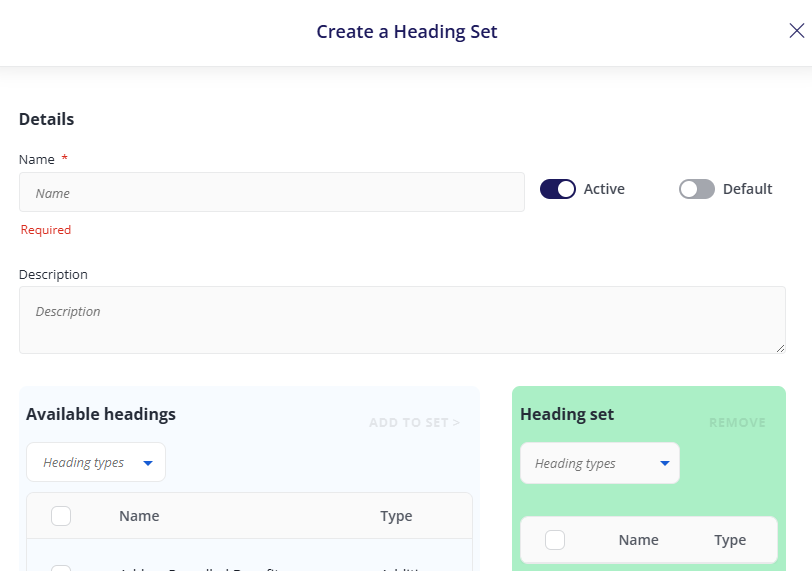
Enter its name, e.g. Overtime.
To make the heading set available, ensure the Active toggle is turned on.
If you would like your heading set to be applied to all new groups, turn on the Default toggle.
Within Available Headings, select which headings to include, then click Add to set.
When you are happy with your heading set, click Save.