You must select how each employee will be paid. This can be either:
Transfer: either domestic or international
Cash
Cheque
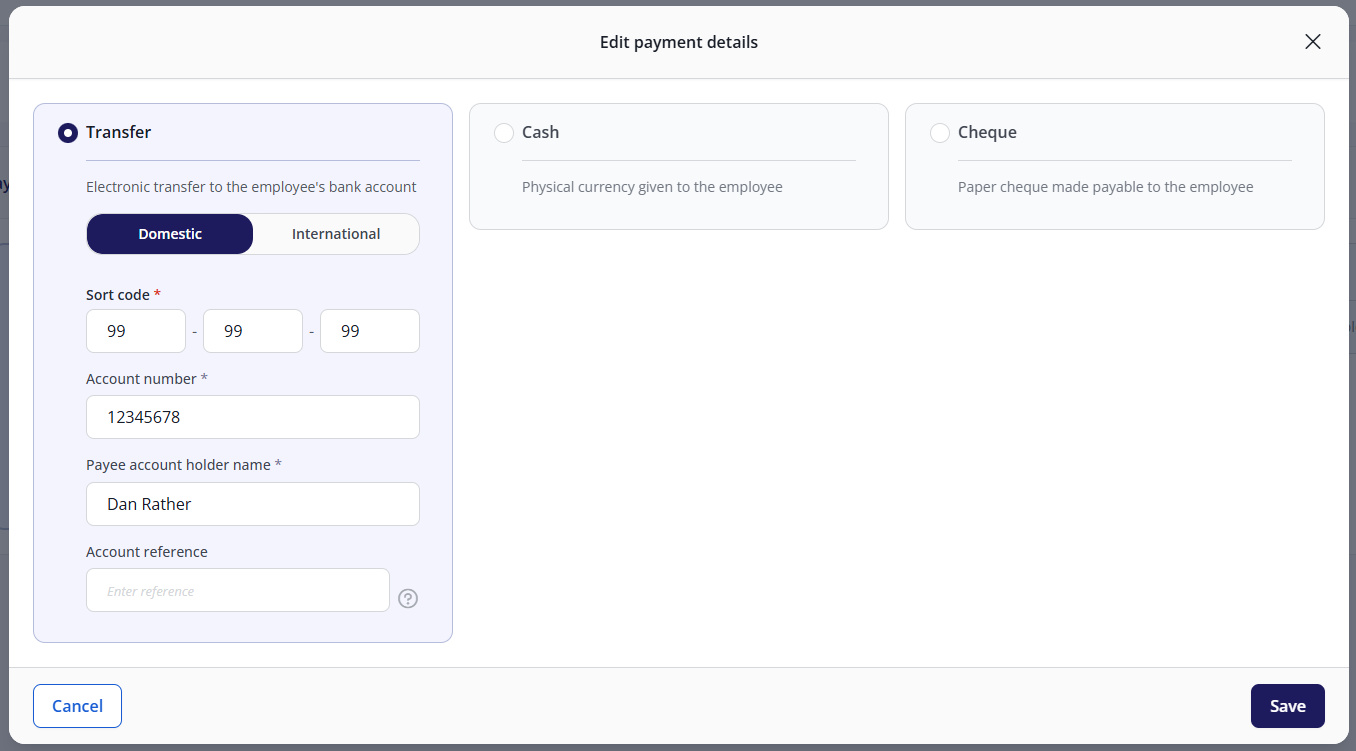
Transfer / Banking information
Domestic bank details
Select the Transfer option, then the Domestic tab.
Enter the employee's sort code, account number, and account holder name.
If the employee uses a building society, enter the account reference number.
International bank details
Note: This option will only appear if your organisation is set up to pay employees with international bank accounts. To set this up, either contact support or speak to your payroll manager.
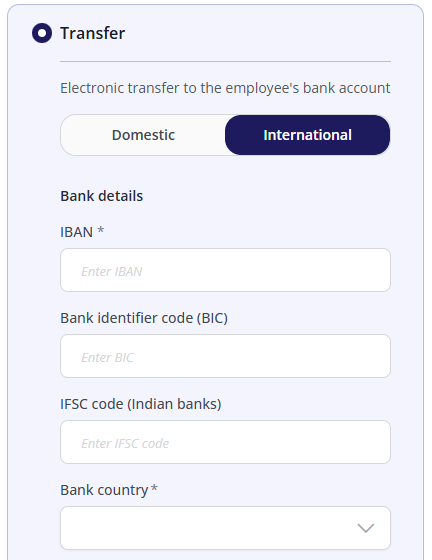
Select the Transfer option, then the International tab.
The information you need to enter will vary, depending on the country where the payment is being sent to. However, the IBAN, Bank country, Bank name, and Transfer charges fields are all mandatory.
Important: Switching between payment types will delete any bank details that you have entered.
How can I set up an employee if I don't yet know their bank details?
You must either wait until you have these details before setting up the employee OR select cash/cheque, then set a reminder to update the employee's banking details before their first payroll.