Note: Depending on how your organisation runs their payroll, some fields such as contracted weekly hours or work pattern, will be available on the Employee: Position details screen instead.
General employment details
If you are adding an employee, the fields below can be found in the Employment details tab.
If you are editing an employee, the fields below can be found in the Employee & position tab.
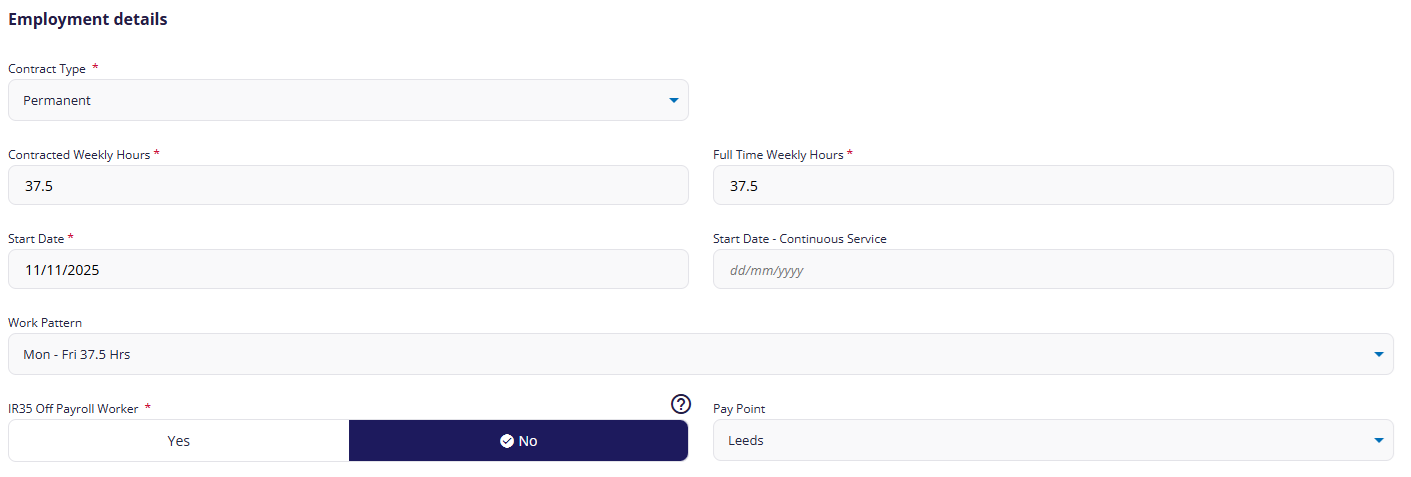
Contract type: Select Permanent, Temporary, or Casual.
Contracted Weekly Hours † : This value helps calculate the employee's FTE (which is used to calculate salaries, benefits etc).
Full Time Weekly Hours † : This value helps calculate the employee's FTE
Start Date: This date must be +/- 6 weeks from today.
Start Date - Continuous Service: If the person is a returning employee, enter the start date of their original employment. This will link their previous and current employment record, and inform HMRC that they were not continuously employed for the entire period. This date cannot be later than the start date.
Work Pattern: † If you're not sure which working pattern this employee will be following, speak to your Bureau or Cintra iQ administrator.
IR35 Off Payroll Worker: You can only set off-payroll status when you add or import an employee. If their status changes later, you will need to mark them as a leaver and create a new employee record. For more general information on IR35, see Identifying an employee as an off-payroll worker.
† These fields will only be visible on this screen if your organisation does NOT use positions. If you do use positions, weekly hours are set for each position. See Position details.
† If you are editing an employee, these fields will be found in the Working patterns tab instead.
Pay Point
Pay points let you group employees by department, location etc. These are used to filter and organise payroll data in reports.
Leaver details
If the employee has left the payroll, their leaving details will be displayed. See Record a leaver.
Position details (editing only)
If you are editing the employee AND your organisation uses positions, you can view all their positions on the Employment & position tab.
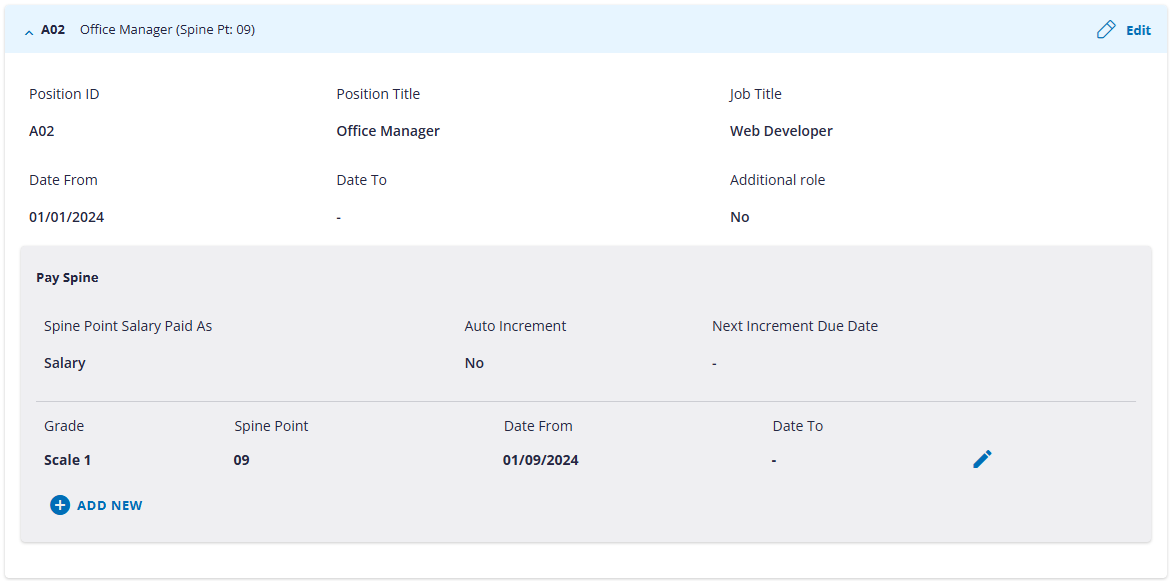
If you are adding the employee AND your organisation uses positions, position information is added later in the set-up process. See Position details.